
When I went jogging today, I opted to listen to the 1991 R.E.M. album Out of Time. I have this album on CD and had ripped it many years ago for my music-listening pleasure.
Apple Music doesn’t care about that on an iPhone, because it installs its own version of the album. Fine, same music, what’s the difference?
Except today when I go to play the album I see this:
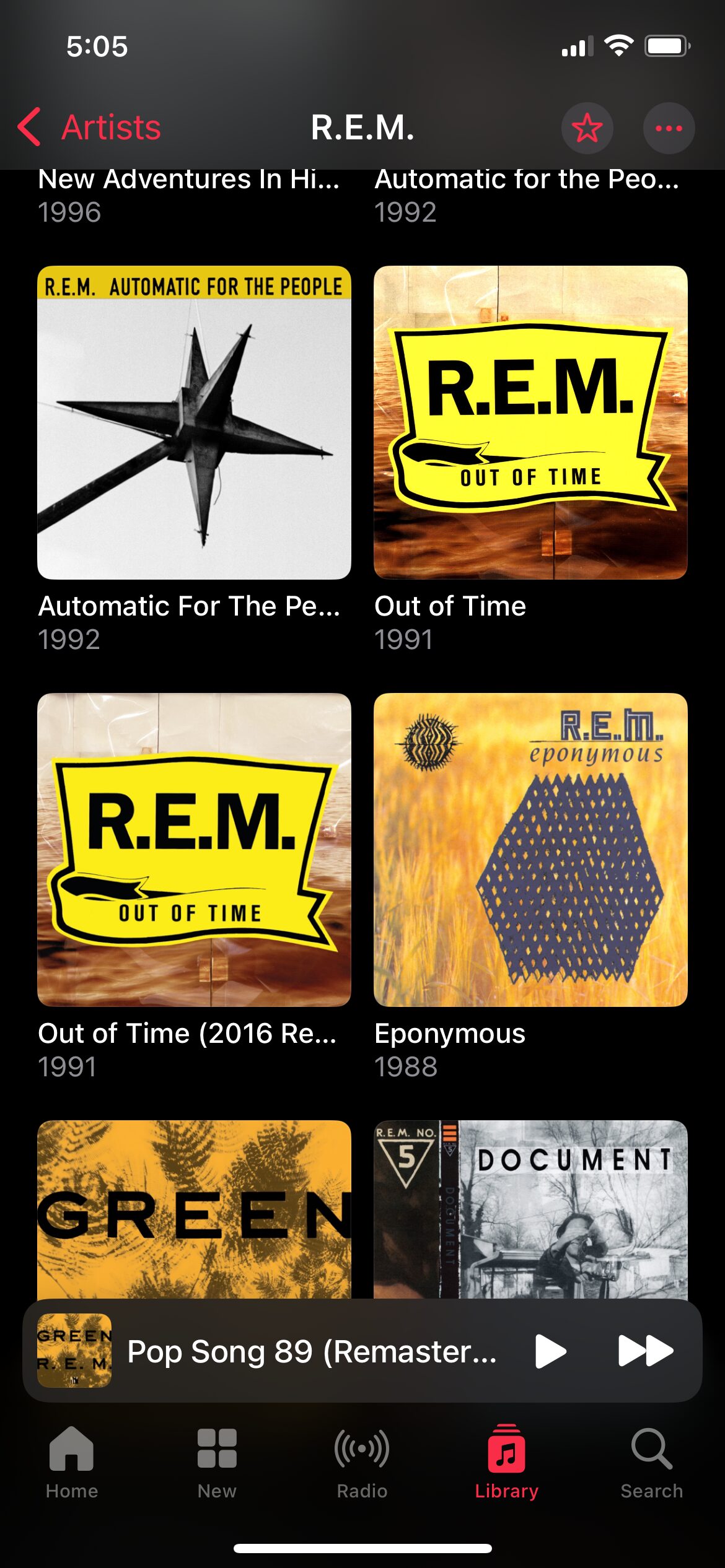
Curious! There are two versions listed, mine and a 2016 remaster.
I check mine:
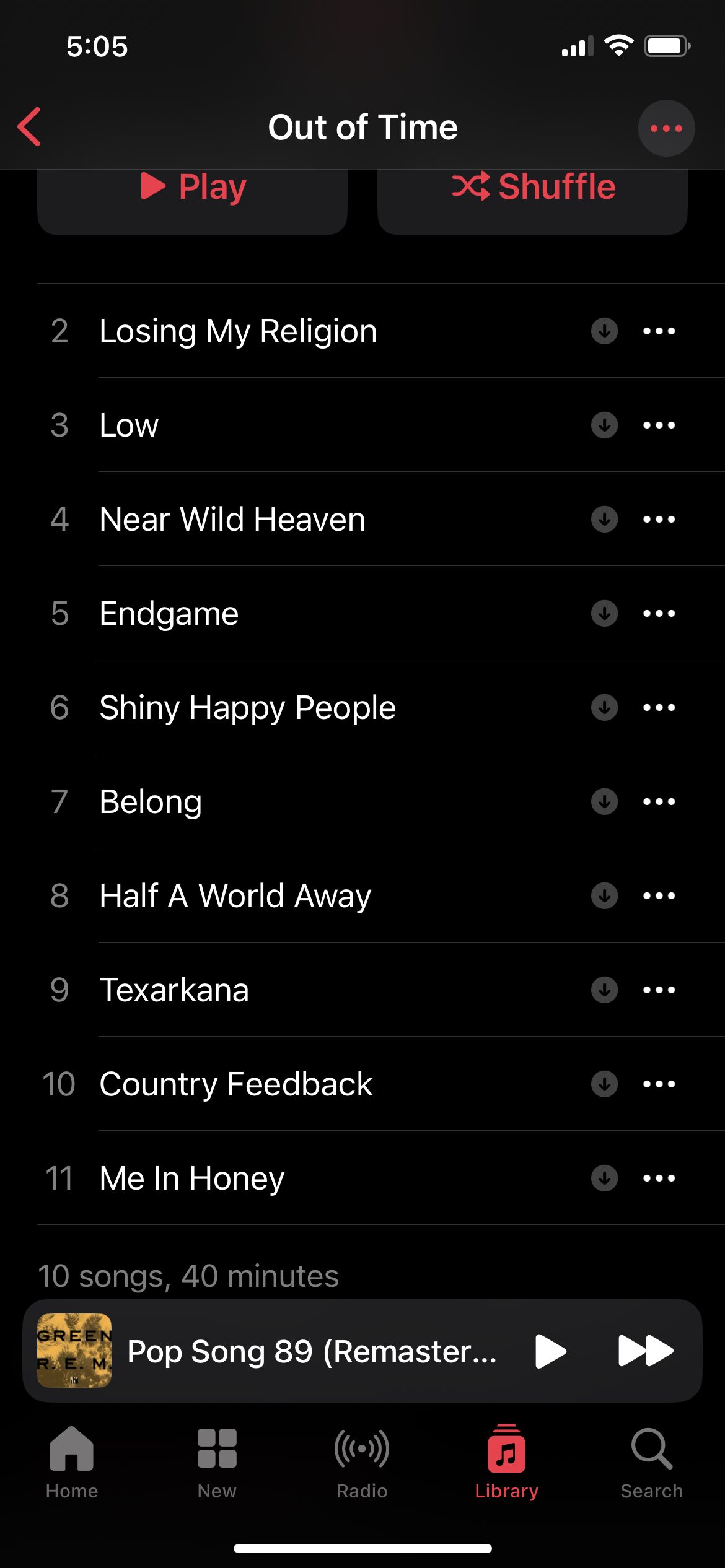
The first track, “Radio Song” is strangely absent. I check the other version of the album (reader, I knew what I was going to see):
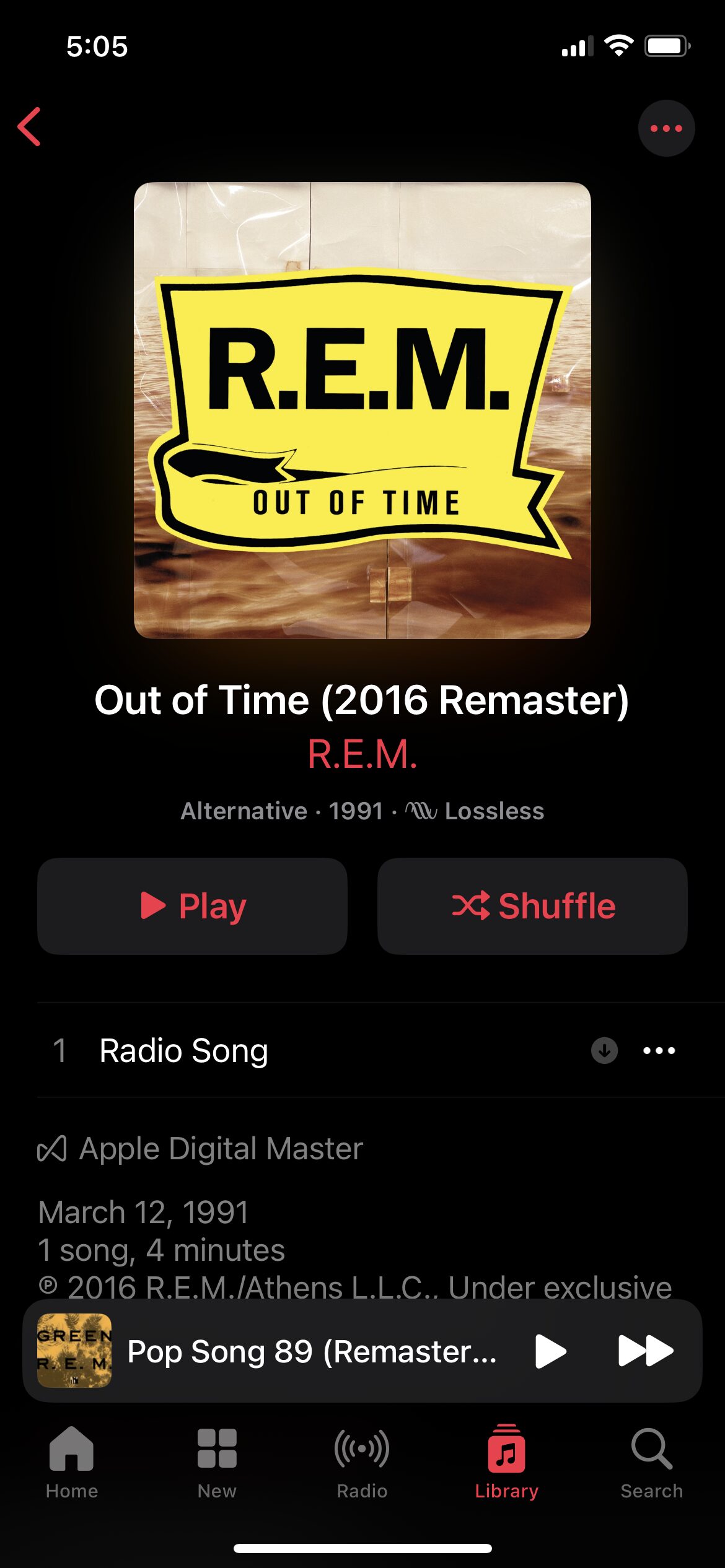
Oh, there’s “Radio Song”, all by itself in its own album. Why did this happen? I don’t know. I know it’s happened before and I’ve seen others report similar issues. The thing to note here is that you have no ultimate control over what happens in Apple Music–Apple does, along with the record labels. This wasn’t a licensing issue where the album got pulled, though–and even if it was, I actually own the album outright, anyway.
Instead, Apple Music apparently got “confused” and took a perfectly working album and split the songs between two different versions. How do you then reconcile this?
The fix was to delete both albums, then add the 2016 remaster to my library. The version on my PC is unaffected and works the same way it has for the past million years. Well, at least the past 20.
I ended up listening to Green1I have downloads over cellular disabled (1988), which Apple Music has so far chosen not to mangle. I should probably go check now, though.
 Share this post on social media.