Linux shenanigans: Run all the distros (and desktop environments)

Today, after a few hiccups, I installed Ubuntu, splitting the drive that has Linux Mint installed roughly equally between the two. The GRUB1GRand Unified Bootloader bootloader was automatically recognized by Ubuntu, and it simply added the Ubuntu-related options to it. And, of course, made Ubuntu the default option.

As I’d just re-installed Mint, I didn’t spend too much time puttering around, but I puttered a bit. My initial impression is that I think I prefer the GNOME desktop to Cinnamon, but prefer the overall greater customization of Mint. Also, I think I will limit myself to four operating systems for now, because this is all quite silly (they are Windows 11, macOS 14 Sonoma, Linux Mint and Ubuntu).

Cinnamon is fine as a desktop environment. In fact, if you’re coming from Windows, it will feel extremely comfortable, but that familiarity made me realize that a Start menu with a bunch of pop-out menus of apps is maybe not the best way to present options (Cinnamon emulates the Windows XP/7 era of the Start menu, which is probably not as good as you might remember).

Anyway, I am now thinking of installing GNOME on Mint, which will likely be a bad idea, but I love a challenge, or something.

And I’m in a puttering mindset these days. I think it’s helping me to unwind. Or unravel. We’ll find out.

Also, unrelated, I love cinnamon toast and now I want some.

Linux misadventures, Part Whatever: Back to Mint (temporarily?)

After installing the new internal SSD, I decided to nuke my install of Pop!_OS before really giving it much chance, despite the fact that it actually ran PowerWash Simulator in Steam without any issues, something I could never get to work in Mint.

Instead, I re-installed Mint and so far it’s been working fine. I feel like Mint offers more customization, or at least makes it more obvious and visible than Pop!_OS and I likes me some customization. There were a few things I’d apparently forgotten from last time, though. A few observations on Linux Mint 22:

  • Signal has to be installed by running three separate terminal commands. I’m surprised there is no flatpack or AppImage for it. Maybe a security thing? UPDATE: I misremembered from my earlier Mint installation. There was an unofficial flatpack, but in Mint 22 only authorized flatpacks will show in the software manager by default.
  • I still don’t like the look of the app icons. It gives me Windows 8 vibes. These are not good vibes.
  • I really like desklets. I always put one up that shows the time.
  • I suspect gaming will still be iffy, as the Nvidia drivers feel a bit weird. I also had an issue with a phantom third display and I’ve already forgotten how it went away. I think I just chose an older Nvidia driver.
  • The biggest knock–which is a positive for some–is probably how closely Mint hews to Windows. You have the Start menu, the taskbar, the system tray, all of them renamed slightly, but working fundamentally the same way.
  • I installed the Grub Customizer, which allows you to set Windows (for example) as the primary boot option in the menu when you restart the PC (after 10 seconds it defaults to the default and starts loading). Unfortunately, this isn’t made specifically for Linux Mint, so it shows a bunch of Ubuntu options and I didn’t like it, so I got rid of it. At least it still has a boot launcher, unlike Pop!_OS.
  • The biggest issues remains apps:
    • No TickTick, though the web version works
    • No Diarium (I have toyed with both Joplin and RedNotebook to see if they can substitute)
    • Graphics software is interesting, possibly doable?

I’ll keep puttering around. In fact, I’m typing this in Mint! I may experiment by putting together my next birding gallery in Mint. We’ll see.

I might also go back to Pop!_OS because I didn’t give it much of a chance and the Cosmic GUI is coming.

Come back soon for more Linux tragedy and farce!

Now to reboot the system and see what happens, ho ho.

Uh oh, Linux (Part 5 or something)

I got in a silly mood again and decided to mess around again with Linux. That can only lead to trouble!

This time I decided to swap out of Linux Mint and try Pop_OS, a distro made by System76, a company that sells PC hardware with the OS pre-installed, so you know they’re committed!

I made a boo boo when removing Mint. The proper order is:

  • Remove the GRUB bootloader that gives you a menu to choose Mint or Windows when restarting the PC
  • Remove or format the Linux partition (in this case, a separate SSD)

I did this in the reverse order, which meant I had to do a bunch of other stuff to fix things. Thank you, internet, for still being at least useful enough to provide the steps to take!

Once I had Linux Mint gone, I booted from the Pop_OS USB stick and the installation went fine-ish. I would keep getting “Pop_OS has stopped working” pop-ups during the process and would have to wait before I could click them away. They would often come back multiple times, but in the end it was annoying and didn’t kill the process or anything.

I’m typing on Pop_OS now!

Why did I switch? A few reasons, but mostly to try something different as a point of comparison, and also because Pop_OS is different. Mint follows a lot of Windows conventions, for better or for worse, where Pop_OS does things a little differently with its UI. It’s maybe a bit more Mac-like, but not really Mac-like. It’s more its own thing, and I like that they are trying something a little different.

Now, the scary part: I haven’t rebooted to see what happens. In theory, I should get a menu and be able to choose Windows or Pop_OS. If that doesn’t happen, I may need to do the old bootrec.exe /fixmbr again, or other trickery to get Windows to load, because as nice as Pop_OS might be (I perhaps have a few more reservations than initially), it ain’t gonna replace Windows. Not yet, anyway.

In my next Linux update, I’ll talk a bit about new apps I’m testing to replace some of the Windows and Mac apps I regularly use. Fun! Sort of!

Once more into the Linux

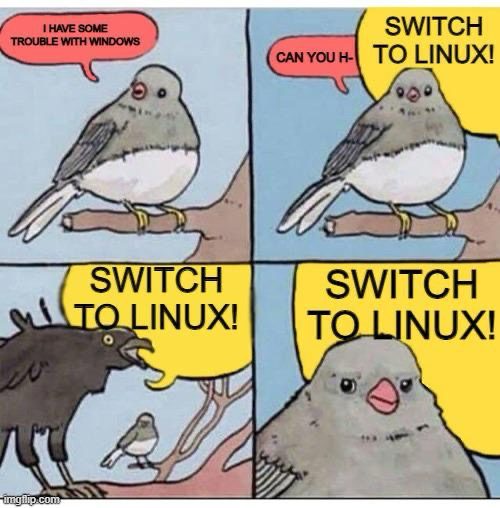
Microsoft caught a lot of flack over its upcoming Recall “feature”, and the inevitable “Switch to Linux!” chorus started up again. Even though Microsoft is changing Recall in response to the immense backlash, a lot of people have decided they simply can’t trust Microsoft anymore.

I am somewhat on the fence, but it’s prompted me to update my Linux Mint install and maybe even get really nutty and try other distros. For the moment, I’m going to spend some more time in Mint and see how successfully I can work out some of the remaining kinks that have thwarted my previous efforts to embrace the penguin.

As they say, stay tuned.

OS wars and the joy of never debating on the internet

At least in OS wars, the only casualties are your time and probably some of your brain cells.

Ruben Schade made a post on Mastodon that blew up in a predictable way, with a lot of “Well, actually…” replies. He documents what he posted with an update that collectively addresses some of the responses here. He has a longer post expanding on it here.

I generally love discussions of operating systems, because they are such an important part of our lives, yet also something we don’t usually think much about–until they do something that annoys us (or don’t do something, which also annoys us).

This made me think again how I am running three OSes across two machines:

  • Windows 11 on my PC
  • Linux Mint 21.3, also on my PC
  • macOS 14 (Sonoma) on my Mac Studio

I spend most of my time in Windows, a smaller chunk in macOS, and a sliver in Linux Mint. I do this not because of a company mandate or other official requirement, but because of the choices I’ve made in the software I use for the things I do.

There are things I dislike a lot in each OS, and also things I quite like. In the end, it comes down to the software, because that’s all it really is.

They all look fine. They all run relatively well. A lot of software is available on all three platforms, but the gaps are biggest on Linux, and I spend the least amount of time there. I still don’t have a replacement for Ulysses, where I write my fiction, and I prefer editing photos in Pixelmator Photo. Both of those are Mac-only apps.

I may have a replacement for Ulysses sometime this year, and I am continually exploring other options to replace Pixelmator Pro. With the latter, the UI is a big part of why I stick with it. Good UI is important to me, because it reduces friction in using software, it lets it just blend into the background.

While my quest for the perfect OS continues, I am glad that I made a rule to never debate on the internet some years back. I don’t blame Ruben for starting the thread he did–in fact, I think it was almost charmingly naive. But the responses are so utterly predictable. There is always someone waiting to tell you that you’re doing it wrong, then argue with you about it to the point of exhaustion.

People are weird.

YAM post

I am not secretly John Boone. Image from the Linux Mint website.

Tonight, I said to myself, “What should I do? I already had a shower, what else is there?” And then I noticed that Windows had an update available. It always does. I installed it and it needed to reboot. It always does.

I used the opportunity to jump back over to Linux Mint and girded myself for the billion updates I’d skipped last time. They completed, but it then required…a reboot. I guess Mint always does, too.

I rebooted.

I then spent time tweaking the whole system, installing extensions and applets, slapping on a new dynamic wallpaper so it doesn’t look like a clone of my Windows desktop. It looks fairly snazzy now. I get weirdly hung up on visuals, so this is important to me.

I copied over my music library to the dedicated SSD for Mint, so I could listen to (non-streaming) music. I am doing so as I type this.

The best part, though, is I don’t have any version of Bejewled available on Mint. This increases my productivity by about 1000%. I may have a bit of a Bejeweled problem.

Anyway, things are working, and the system feels a lot more solid now. Will I stick with it and use it more than my previous attempt? Maybe!

YAM = Yet Another Mint