In service to our great AR/VR future, Samuel Axon tested the Apple Vision Pro outdoors and in public settings. My favourite part may be that he opened the Music app and placed the window in a neighbour’s yard, then had to leave it there, because you can’t easily take windows around with you (to be fair, this is not something you should normally expect to do with the Apple headset)1.
And yes, technically, you could argue this is not a review. But you could also have a chocolate chip cookie instead, and you would enjoy that more. ↩︎
I find this kind of message depressing (it’s from Mastodon, the site mentioned is focused on Mac and Apple stuff):
The implied message, of course, “If you PAID me money, you could be watching this video from the future RIGHT NOW.” Instead of waiting a single day.
I don’t begrudge anyone asking for money for videos or writing they produce–if they think their work has value, go ahead and charge for it. But releasing the paid members version a day early is nothing more than a tribute to the vanishing attention spans prevalent in a social media-addled society where everything must be NOW and also, QUICK CUTS and SHORT and MORE, MORE!
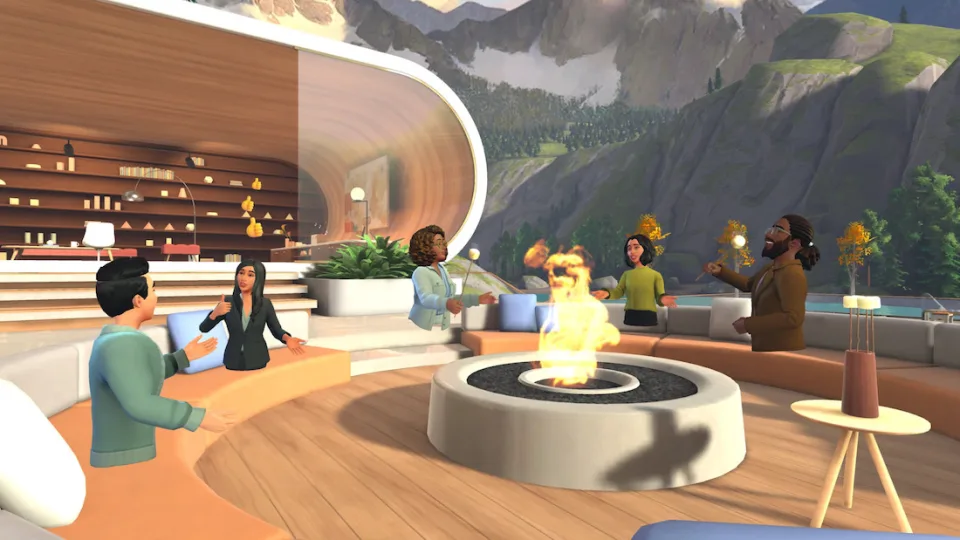
I mean, the only thing that would be worse is if the presentation were photorealistic. Because legless torsos are terrifying.
Really, examine the shot. It looks like all these engaged, happy cartoon people had their legs cut off and their upper body stumps were cauterized and plopped down onto the furniture. Except for the ones that just magically float like ghosts. I mean, only the furniture is casting shadows, so maybe they’re all ghosts–ghosts of workers who got chopped up while on a team-building exercise in the woods, and now they exist in this perpetual otherworldly realm, unaware that their mortal days are done, and that they no longer have to pretend to be interested in slide decks and Excel spreadsheets.
It’s 2024. Why is this Mesh1You know I was going to do this at some point the best a company recently valued at $3 trillion U.S. can do?
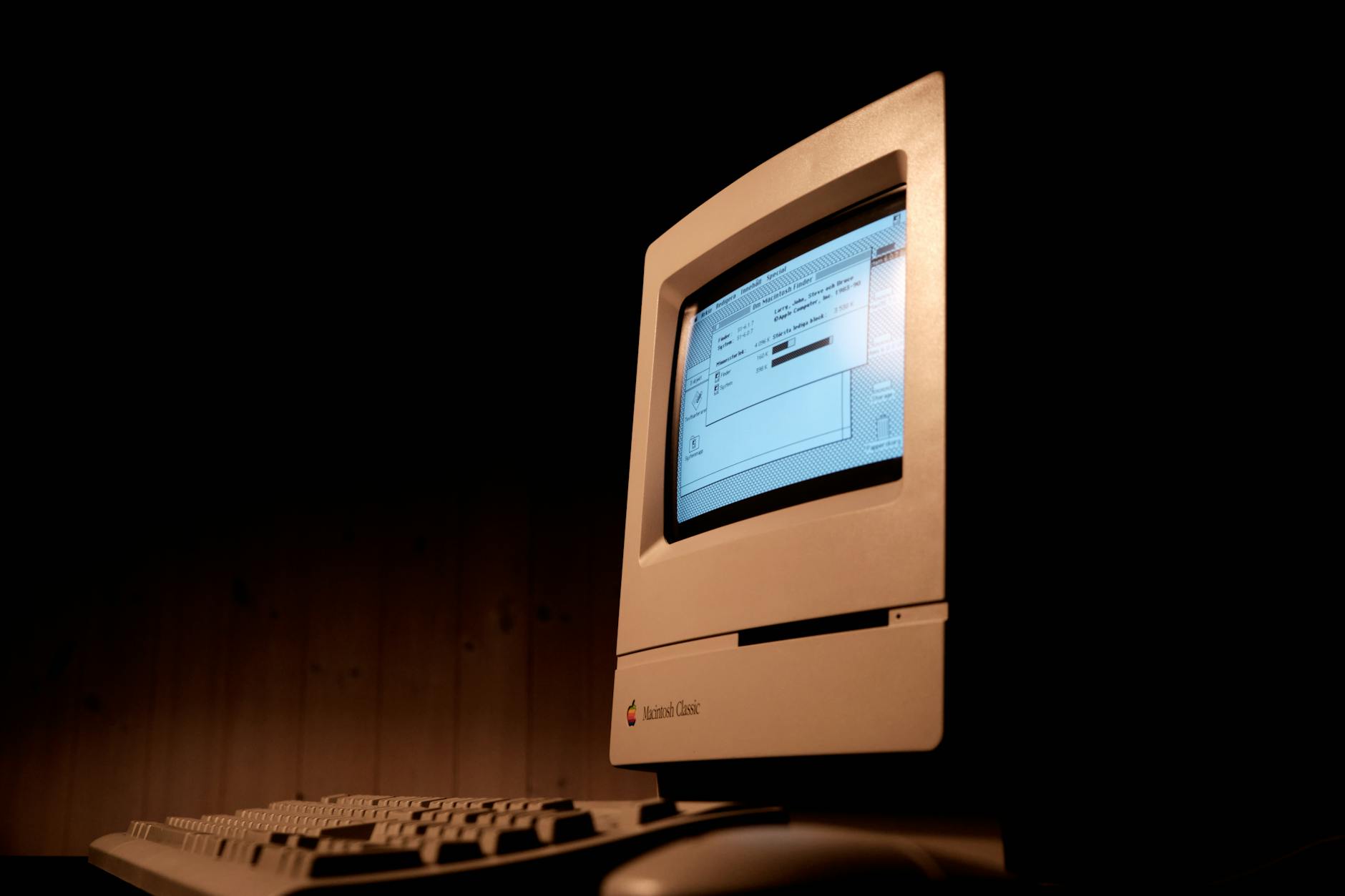
Kids, ask your parents about floppy drives. Photo by Sidde on Pexels.com
Because everyone else on the internet is doing it.
I did not use a Macintosh in 1984, My home computer at the time was a Commodore 64, which, at $200 U.S., was somewhat more affordable than the $2495 Macintosh.
But I did use a Macintosh in 1985, when, as part of a job entry program, I was placed into a small advertising firm that was outfitted with Macs and a LaserWriter. The LaserWriter fascinated me as a child of dot matrix printers that were slow, loud and mangled paper as soon as you turned your back to them. The LaserWriter was silent1OK, silent-ish and sexy.
I remember three things from my time in that early Macintosh office:
I didn’t have a lot to actually do, so I spent time writing a parody screenplay for a Friday the 13th movie I called “Friday the 13th, Part VII: Orville Finds a Meat Cleaver.” I printed out a copy on that sleek LaserWriter and still have it today.
I am left-handed but learned to use a mouse right-handed because the mouse cord was not long enough to place the mouse on the left side of the Macintosh. I still use mice right-handed today.
The owner of the company, a serious young man named Arnold Brown, got mad at me for adding helpful directions into a database of local businesses. I remain as adept with databases today. I could have easily fixed the entries, but he insisted on doing it himself, perhaps as penance for having agreed to bring me on.
My own Mac journey is thus:
2013: I got my first Mac, a MacBook Air. This was just after they got bumped to 8 GB of ram. They still come with 8 GB of ram, more than 10 years later. I didn’t really like macOS back then and traded the Air for a Microsoft Surface Pro 3. There are people out there who are probably wondering what kind of madman I was, but the SP3 had a better display, pen support (I used it for doodling at times) and I was able to crank out an entire novel on it.
2018: I got a Mac mini. It had the flakiest Wi-Fi and Bluetooth I have ever encountered in a computer. I got rid of this, too.
2020: MacBook Air M1. Finally, a Mac I genuinely liked! The one-monitor limitation was stupid, but I used a USB adapter to work around it. I used it exclusively at home, so eventually sold it, as it seemed silly to have a laptop that sat on the desk 100% of the time.
2022: We arrive at my fourth Mac. We’ll see how long this one lasts. It’s a Mac Studio with the M1 Max SoC. It generally runs everything very well. It is silent. The design is surprisingly ugly (a stretched up mini is not much to look at). Bluetooth is better, but also still flaky. It’s like Apple keeps the secret sauce to how it works for their own peripherals. The worst thing, though, is the way software will randomly crash out with no warning. This happens across all apps, including Apple’s own. I reboot the Mac every once in a while and just hope for the best. It’s a fine machine, otherwise, and while macOS has regressed in some ways recently, it’s better than it was in 2013.
Bonus story with me and a Mac in it: Four days before Christmas 1998, someone broke into my apartment while I was at work and stole my PC (a Celeron something or other, whose processor I had upgraded just a few weeks earlier) and my roommate’s strawberry G3 iMac. I think my roommie eventually got another Mac, though I have no recollection of what it was. The strawberry iMac was much prettier than my PC.
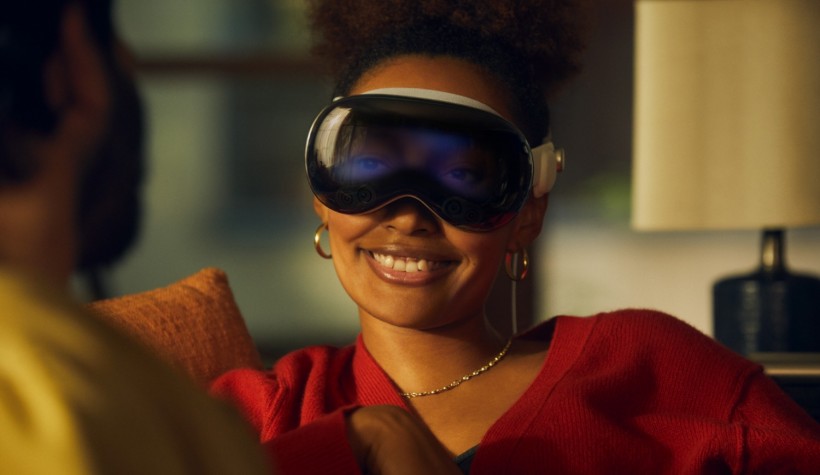
Apple wants everyone to refer to their Vision Pro headset as a “spatial computer”, not an AR/VR headset, because Apple loves twee-sounding names (that sometimes stick, but mostly just look vaguely silly years later, like “Dynamic Island” does and will). Verge writer David Pierce, in this article, refers to it (cheekily) as a “face computer” and it makes me smile every time I see it.
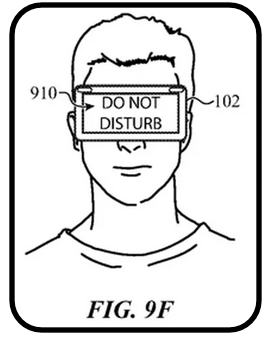
Also, the image below will always make me giggle. Apple is desperately trying to make wearing a VR headset (sorry, face computer) a perfectly normal, everyday thing, not something out of a Black Mirror episode where the eyes staring back out of the headset display start shooting death rays or something.
NOTE: This post is updated semi-regularly with any relevant news on the mentioned newsletters.
Substack has been in the tech/media news lately, for all the wrong reasons. Their position on moderation can be roughly summed up as:
Sex is bad
Incitement to violence is bad
Everything else, including actual Nazis, is OK!
After re-affirming that they would not actively moderate content on their platform, and only offering to remove a few newsletters specifically brought to their attention, a number of prominent newsletters opted to leave Substack, with most moving to Ghost, which, unlike Substack, is not a platform, just a company that provides a blog/platform service and that’s about it. Others went to Buttondown1My own piddly newsletter, recently renamed Doodlings and Noodlings, is debuting on Buttondown this very month, Beehiiv, other hosts or moved to self-hosting.
My stance on this situation is:
Substack is free to choose whom they host on their platform
I, likewise, can choose to not have any paid subscriptions on Substack, since my payments are helping to fund a lot of hate. See here for details: All the garbage I found on Substack in 1 hour
I also can choose to move my own newsletter elsewhere, which I have done
I’ve gone a step further now, by unsubscribing to all free Substack newsletters. In every case, I have written a polite message to the newsletter author letting them know why I have unsubbed. I’m hoping some of them will switch to other hosts, but at this point I think the ones who haven’t are probably leaning more toward not moving. And that’s their choice–as is mine to unsub!
I’ll update this post with any word back I may hear from these newsletters. The two I most recently unsubbed to are:
Austin Kleon (paid)
Experimental History (free)
UPDATE, January 29, 2024: Apparently I subscribed to a lot of Substack newsletters! 😛 Here’s more I’ve unsubscribed from:
Design Lobster (free–no pay option exists)
Links I Would Gchat You If We Were Friends (free–no pay option exists). UPDATE, January 29, 2024: The author wrote me back to say she has been in touch with Substack execs and is looking into moving to a different platform. Good to hear!
The Status Kuo (free, paid option exists)
GameDiscoverCo (free, paid option exists). I didn’t email to explain why I was unsubscribing, probably because I doubt they will move.
I’m Fine I’m Fine Just Understand (free, paid option exists). This one is weird, because it’s a comic about a person transitioning and Substack famously already had an exile a few years back for hosting openly transphobic writers. I also didn’t explain why I’m unsubscribing here.
Jason Snell, former editor of Macworld, posted a link on Mastodon to a story he wrote on his own site, Six Colors, about automations. So far, nothing abnormal here.
When I went to read the story, a newer one had been posted in the interim, about how the soon-to-be-defunct news app Artifact had one killer feature, as summed up in the headline of Jason’s story:
Jason: “…what I loved about Artifact was that you could take a meaningless clickbait headline and have the app read the story and write a new headline based on its contents.”
Also Jason: “…in the era of the web and news aggregators, headlines that give away pertinent information have become a lost art. Whole generations of editors have been trained to write coy headlines that will earn a click, even if the people who are clicking will be immediately disappointed by the truth of the story.”
Scroll a little down from this story, and you’ll find another piece linked from Macworld that Jason wrote. The headline on Macworld is a bit different, but essentially the same:
That’s right–it’s a classic clickbait headline, posted on the same day that Jason was complaining about…clickbait headlines. I guess writing good headlines truly is a lost art. 🙂
Proton (who is not an entirely unbiased source–they provide email and other services) provides a take on how the new Outlook is another vector in Microsoft’s ever-growing data harvesting/advertising empire. I don’t live in Europe or the UK, so I get none of the opt-out options the people there do to help control how much of their info gets hoovered up by Microsoft and its 722 (!) partners.
I have email accounts from multiple sources:
My main outlook.com account
My vestigial gmail.com account
My account for creolened.com
My account for protonmail.com
Probably a few others I’ve forgotten about or haven’t used since 1887
This means any solution that can’t incorporate multiple accounts is a non-starter because I don’t want to log in to a bunch of different webmail interfaces. I’m trying to work smarter, not work…more.
Since Outlook works with everything but Proton (I am on Proton’s free plan since I don’t use it much, and you need a paid plan to get access to third party clients) I’ve been using it, and it works well enough. The UI is a bit different between Mac and Windows (I prefer the Mac version), and there is no Linux version at all, but it mostly works.
But reading stuff like the Proton article made me think I should try Thunderbird again, since it will work with everything (save Proton) and has clients for Windows, Mac and Linux. Great!
There’s only one problem: It has been hit with an ugly stick, repeatedly and at length.
I am willing to overlook aesthetics to a certain degree. My journaling app, Diarium (that name) is great, but it really is nothing to look at. But it’s plain, not ugly. Functional.
Thunderbird is functional, but ugly. So, so ugly. Everything about the way it looks rubs me the wrong way. The size of elements, the various layout options, the colours, the fonts, the use of (or lack of) white space. It looks like something designed in the 1990s and has never been touched since.
But this time I was determined to make an effort into fixing it up. I opened it alongside the “new” Outlook app (really, just a standalone version of the outlook.com web interface) as reference and went to work making Thunderbird less ugly.
The good news is, I succeeded enough that I have now switched to it as my email client. Go me! (And go away to Microsoft and its 722 partners.)
Here’s what it looks like now, with certain info redacted. I am still tweaking, and it’s still not 100% where I want it, but it is no longer ugly1This is subjective, of course, and my taste may not match yours. For example, I don’t think plaid socks are a bold fashion statement..
I have pixelated most of the info, but you get the idea.
I’m sure there are Mac users who would still sniff in disdain at this, but it’s good enough for now.
Here’s what I did:
Switched to the built-in light theme (dark is OK, but light looks better to me). Note: If you don’t enable any theme, it will use the theme/colours of your OS.
Under Layout, I enabled Vertical View, Folder Pane and Message List Header
Under Folders I enabled All Folders and Favorite Folders, then collapsed All Folders and selected the Inbox for each (plus Junk for my primary account) as a Favorite. This allows me to compact what would otherwise be a crazy-long list of subfolders.
Density is set to Relaxed
Under Message list display options I chose Table View
Under Message List I chose Name only
Font size in the main view is 15 point, and the font is set to Aptos (this is the new default font Microsoft uses in Office and I like it!)
I have replaced the default set of gray icons with Phoenity icons, which is installed as a Thunderbird extension. This not only adds a splash of colour, I feel the icons are easier to scan.
I’ll continue to tweak, but I already find Thunderbird much more readable for when new mail comes in, both in the taskbar (there is a badge for new mail) and in the folder view, so I’m already benefitting from the move. As a bonus, this also seems to have fixed an issue where images were very slow to load into Outlook (maybe the hundreds of trackers get priority now), as images are working normally again.
Next up: Seeing how easy it is to replicate this on macOS and Linux Mint.
In November 2022 OpenAI revealed ChatGPT, a Large Language Model (LLM) chat interface that would answer questions, write poetry, whistle and dance, all based on data it had scraped and trained on from the internet (copyright be darned). It can be useful (it helped me write some code for this blog) and it can be silly/weird/dangerous (giving famously bad answers, of which there are too many examples to name).
But it also, more insidiously, provided a new tool to spammers, scammers and their ilk.
People were already complaining about Google search results getting worse, and now it’s filling up with AI-generated junk. That same junk is also serving to help train future LLMs and you see where this is going: an internet-wide ouroboros of spammy, misleading nonsense choking out anything written by actual humans.
My observation on this, coming as we near mid-January of 2024, is already old news. I just wanted to record it here for posterity. Let’s check back and see how things have evolved by year’s end.
This, of course, doesn’t look anything like me, and the hands are the usual nightmare stuff that screams “AI-generated”, but I still kind of like the composition.
These days I am restricting most of my social media stuff to Mastodon, and lately I’ve started doing non-posts. They go like this:
See an interesting post from someone I follow, or someone whose post has been boosted by someone I follow.
Start writing a reply to the post.
Question whether the reply adds anything of value.
Exit out of the reply, opting not to post it.
Repeat Steps 1-4.
Why do I do this? I’m not entirely sure, but I think it’s related to this latent fear of saying the wrong thing, somehow, of offending or coming across as weird or odd. I am a fairly shy person in face-to-face interactions, and I think this might be the online equivalent to that. I just prefer to watch others talk. Or type, in this case.
Proving this, I was originally going to make this a post on Mastodon, then changed my mind and posted it here instead.