Posthaven was not bad and was a finalist in my “replace WordPress” quest/fool’s errand. But I just wasn’t using it, so even $5 a month was too much. It turns out if you stop paying before having made 12 monthly payments, they nuke your site, posts and account. But you get a thank-you message for trying them!
I assume they figure you won’t be back.
I guess I probably won’t be, if I have to commit to a full year to avoid starting all over from scratch again. I’m curious how well this model is working for them.
(And yes, this particular culling was inspired by the IG culling. It’s cullings all the way down.)
It turns out the last time I posted to Instagram was July 30, 2023, over 16 months ago. That seems to be a good indication of how much value IG brings to my life currently.
I downloaded my data–786 MB worth–then made a post today, announcing I would be nuking the account (more precisely, I used the metaphor of sending it into a black hole). Yes, I could just leave the account alone, “just in case” but I looked over the last few notifications and it appears that sexy bots with strange names are liking my posts. That makes me feel a bit icky. I’m pretty sure I do not need validation from sexy bots with strange names. I will not miss the site.
In a few days, I’ll go back and delete the account. I’m giving the handful of people I had “friended” there a little notice. Do I miss their posts? I mean, maybe a tiny bit, but not enough to keep me active and willing to post on a platform and through a company that sees genocide as a fair trade for engagement.
If I really want attention for my photos, there’s always Pixelfed or some other site or service. But I am finding a kind of unnameable pleasure in stripping away these sites and platforms that attract billions (of sexy bots). Maybe I’m regressing to my teen rebellion stage, pushing off the man, or the mainstream, or whatever. The mental headspace it clears up is nice, and the bonus is I no longer have that insufferable teen angst to go along with the rebellion. It’s just pure rebellion now, baby!
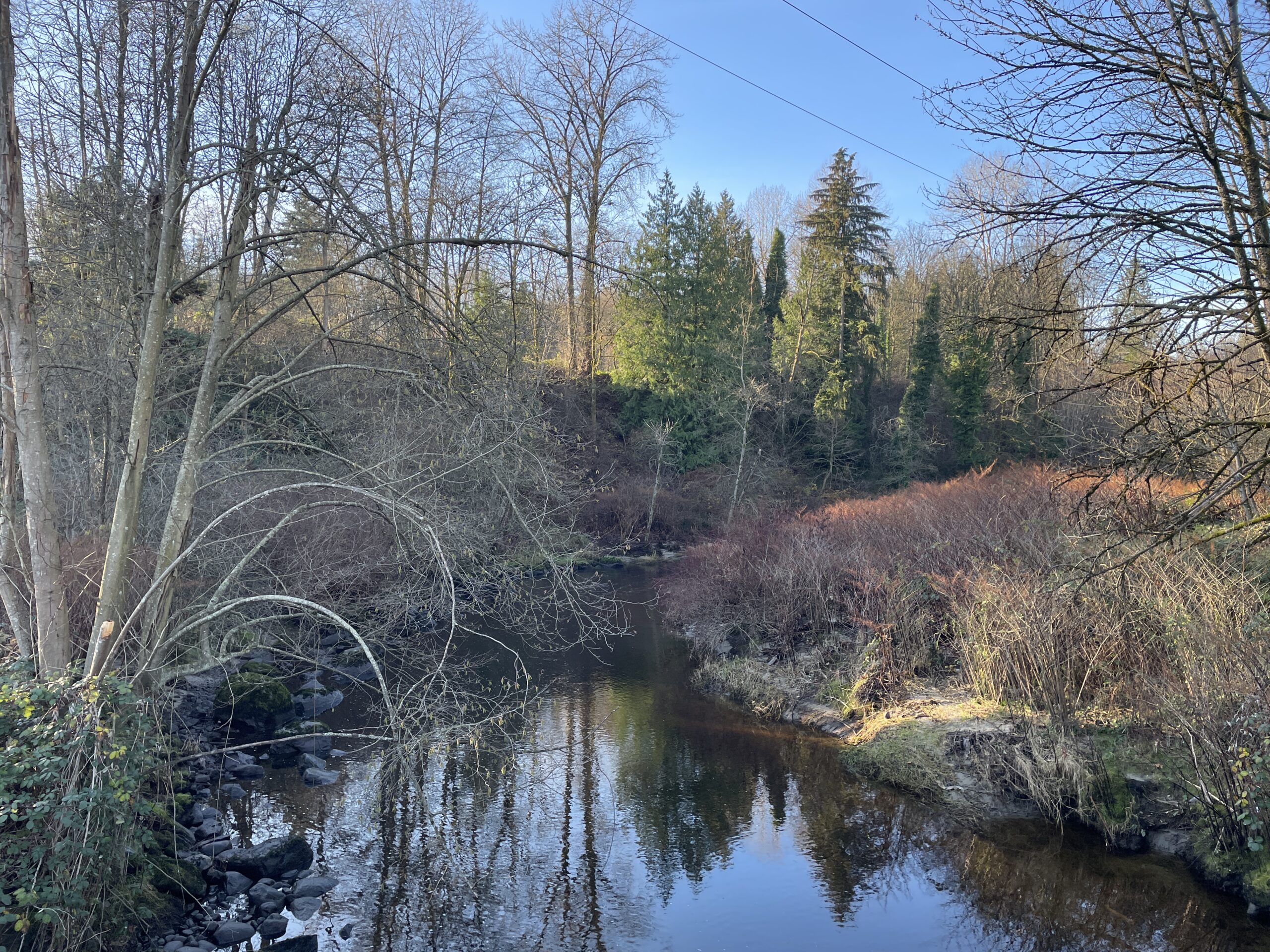
Here’s a photo of the sun-dappled Brunette River I took yesterday that you won’t find on Instagram:
As noted before, I find The Verge wildly inconsistent, so they won’t get my money. But here’s another reason:
I’m also delighted to say that subscribing to The Verge delivers a vastly improved ad experience — we’ll get rid of all the chumboxes and third-party programmatic ads, cut down the overall number of ad units, and only fill what’s left with high-quality ads directly sold by Vox Media. It will make the site faster, lighter, and more beautiful — more like the site we envisioned from the start, and something so many of you have asked us to deliver.
Nilay Patel, editor-in-chief
I mean, on the one hand, I admire that Nilay Patel could seriously write “vastly improved ad experience” and “high-quality ads” without his keyboard exploding, but here’s the thing: If I am paying you, the number of ads I want is zero. None! It’s how Ars Technica does it. They also don’t mention if paying gets you a track-free experience.
We’ll see how it goes.
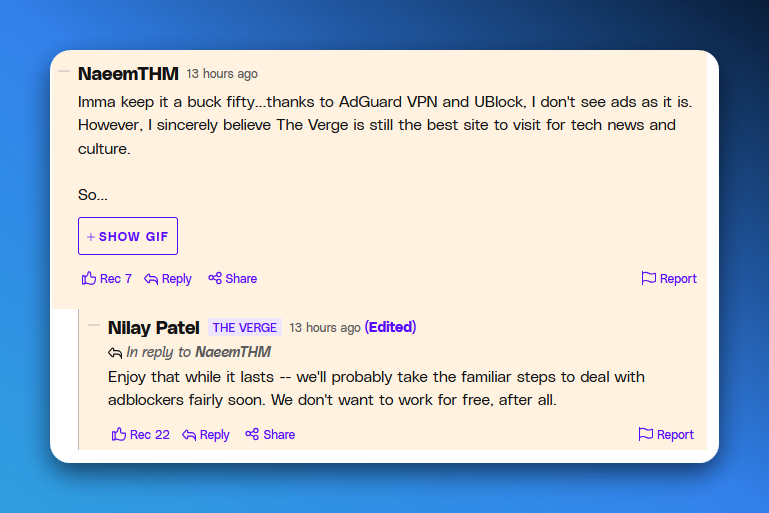
UPDATE: Nilay Patel has a warning for people using adblock:
In the spirit of fictitious cartoon character1I make the distinction because certain presidents-elect seem unclear on which people are real or not. Grandpa Simpson, I tied an onion to my belt and made my own humidifier by boiling a pot of water on the stove.
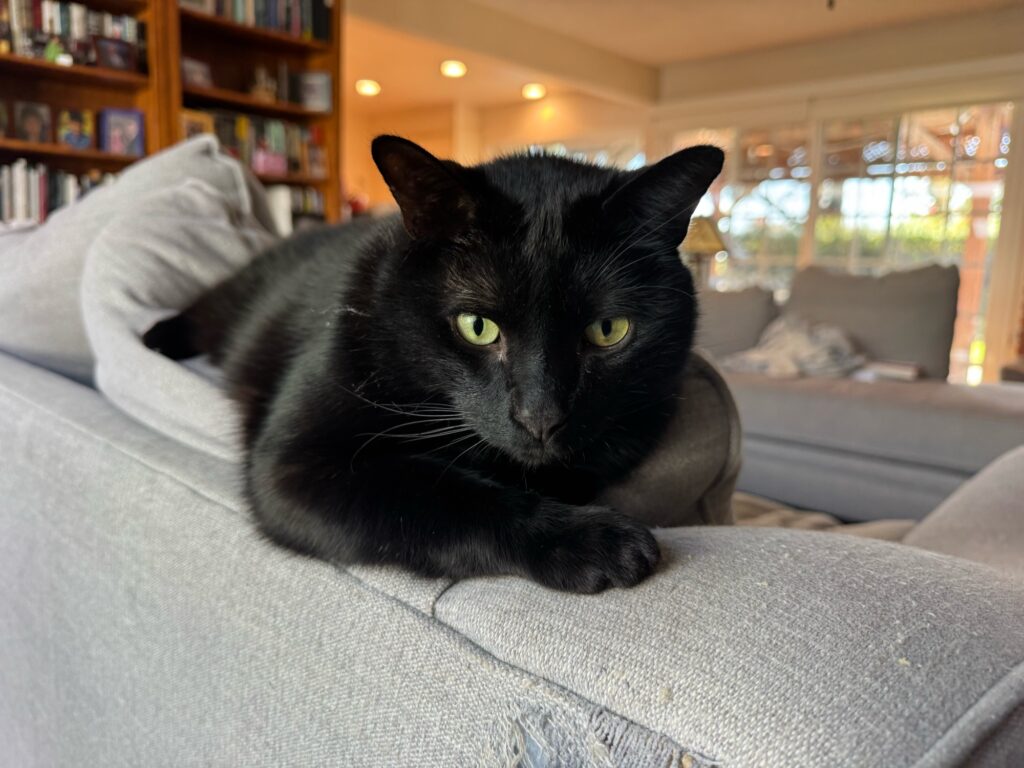
Some stats for reference below. This is stuff that will be interesting to no one but me, so I will include a picture of a cat at the end. If you don’t like cats, pretend it’s a dog with funny ears.
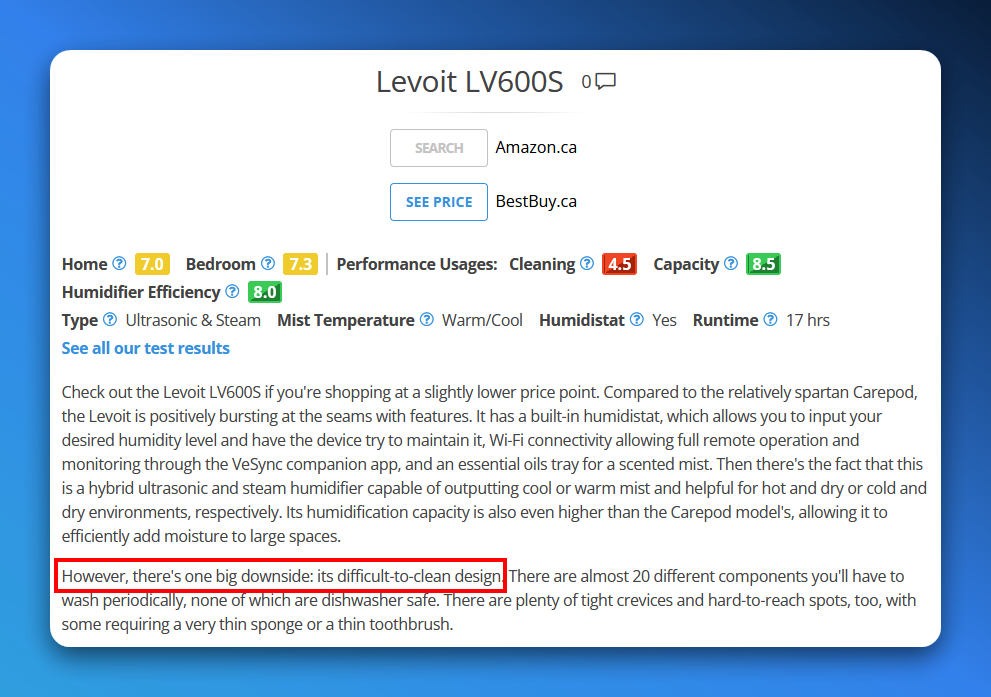
Observe two reviews for the Levoit LV600S humidifier (note: we are in the market for a new humidifier, I don’t just spend my time looking at humidifier reviews because that’s how I get my kicks):
Difficult-to-clean? That’s bad!Oh, but it’s actually easy-to-clean!
The Issue: Pressing the shutter button halfway down works as intended, allowing me to lock focus. But pressing the button the rest of the way results in a temporary black screen in the EVF, then it just goes back to the regular EVF view. There is no shutter click, no photo taken. Bonus: Occasionally the EVF itself just goes black on its own, though this seems more intermittent.
Possible ways to find a solution:
Take the camera to a local camera store
Ask friends, family or other people I know
Do a web search on the internet
Issues:
May require an up-front fee, likely repair cost will be disproportionate to the cost/value of the camera (that is, way more than I’m willing to pay)
I don’t know anyone with enough expertise to diagnose
And let’s expand on #3:
What it comes down to is this: Web search now sucks. And yes, it’s because of Google and its push for ads, AI and other nonsense that has trained site builders to optimize (SEO!) garbage that will get pushed to the top of searches, resulting in a web that is mostly junk pages full of keywords, listicles and not much useful information. And if you use another search engine like DuckDuckGo or Bing (which is one of the engines used in aggregate by DDG) you still suffer because all those crappy pages are still going to turn up, thanks to Google’s dominance in search.
Shorter version: I expect a lot of garbage results, with no genuinely useful tips or solutions. And this ignores another thing that Google isn’t even responsible for: The tendency to find many people asking the same question, but no one ever providing an answer.
Observe: Someone posting on a public forum: “Hey guys. I have Problem X. Anyone know how to fix it?” Three days pass. Same person: “FYI, got a fix, you can go ahead and close this thread!” In which the person never offers to others what the fix was.
I mean, I’ll break down and do a search eventually, but it ain’t going to be pretty. I will, of course, provide full details here.
My Canon camera took 78 photos today without issue. It then stopped taking photos, without explanation or apparent cause.
While editing a few of the good photos taken today, Windows 11 hard-locked, forcing me to reboot it. This has happened several times since installing the major fall patch.
TBD. There is still time before I turn in for the evening.
I have no idea what to do about the camera. For Windows 11, I am teaching it a lesson by rebooting into Linux Mint. It’s tough love, see.
Last night I had my PC running in Windows 11 and per usual, left both monitors on, with the screensaver running to blank the screens. Shutting the right monitor off would result in it acting flaky for up to half an hour before it would settle down.
This morning, the right monitor was acting flaky, anyway. I described the issue, which included the power button being ignored when pressing it. Jeff said that seemed funny and it occurred to me to try plugging in the power adapter from the other monitor. The “bad” monitor immediately sprang to life.
The fix is a $23 compatible (hopefully) power adapter, which should be here in four days. In the meantime, I’ve temporarily replaced one of the monitors with my old 24″ one and the part that bugs me is not so much the size/resolution difference (though 24″ seems really small now), but rather the colour/temperature difference. I’ve made enough adjustments to the 24″ monitor that now the 27″ looks funny.
I should probably just go outside for a walk.
But at least I don’t have a dying monitor, as once feared.
Maybe it’s also the secret futurist in me that hopes for a brighter, well, future.
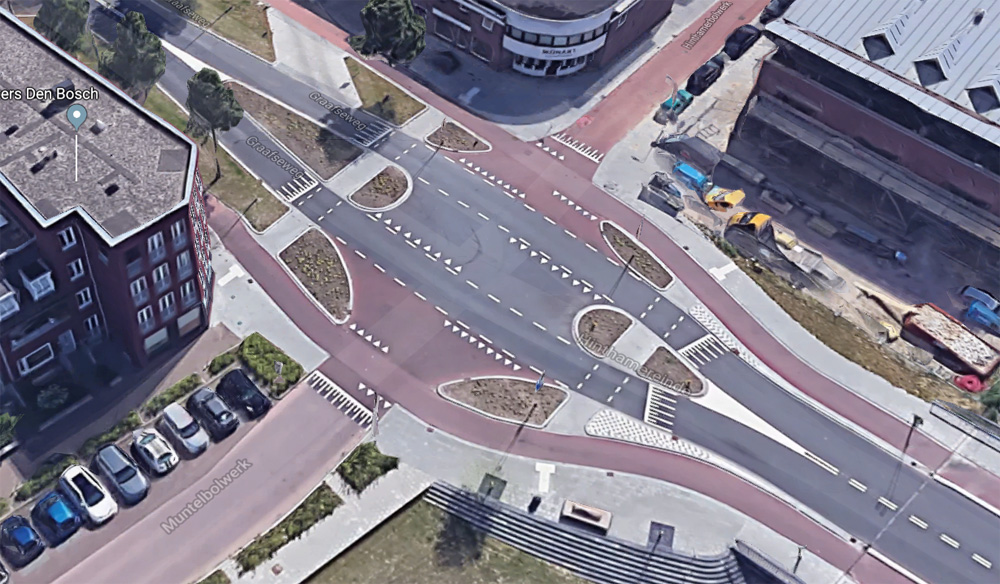
A Dutch intersection that works for pedestrians, cyclists and motorists. At first glance it seems confusing, but look closer, then read the article below. It’s a great example of considered, thoughtful engineering–the kind we see too little of in North America. But here’s hoping we adapt the lessons from our European neighbours.
I don’t know. It seems to have started in the past week and everything feels just sluggish enough to notice and, thus, be irritating.
I am typing this in Linux Mint, using Firefox, which remains snappy and responsive here in neckbeard land.
The slowness is probably some obscure bug in the major patch that came out this fall, or one of the billion processes always running in the background going wonky. You know, the kind of thing that is all but impossible to troubleshoot these days. We may be back to the days when you just reformat and start all over again.
Linux is getting closer to all I need for an operating system. Just a few more things and I can leave Windows behind after using it for the past hundred thousand years.
I just need to figure out how to play Diablo 3 in Mint. I mean, choose a good writing app. Yeah, that’s it.
Maybe the cloud isn’t all that. A few years ago I got a Synology NAS and it works pretty well. All of my photos from my phone are backed up effortlessly and I can access them from mobile using Synology apps. I can easily backup my camera photos, too, if I took the time to set it up. Right now I pay for the family plan for Microsoft 365, so Jeff and I can each get 1TB of OneDrive storage and access to the Microsoft Office apps.
But Word still drives me crazy, its permissions often create problems where none should exist, and there are free alternatives, like LibreOffice and OnlyOffice. My next renewal is in April, I’m thinking I might go with the NAS and open source apps instead. I just need to be prepared to provide tech support for the inevitable friction from making the move!
Basically, I am feeling this urge to pare back everything to The Olden Days of Computing, where everything was mostly local and the internet was for cats. I’m not saying I want to go back to floppy disks, but some things were better way back when.
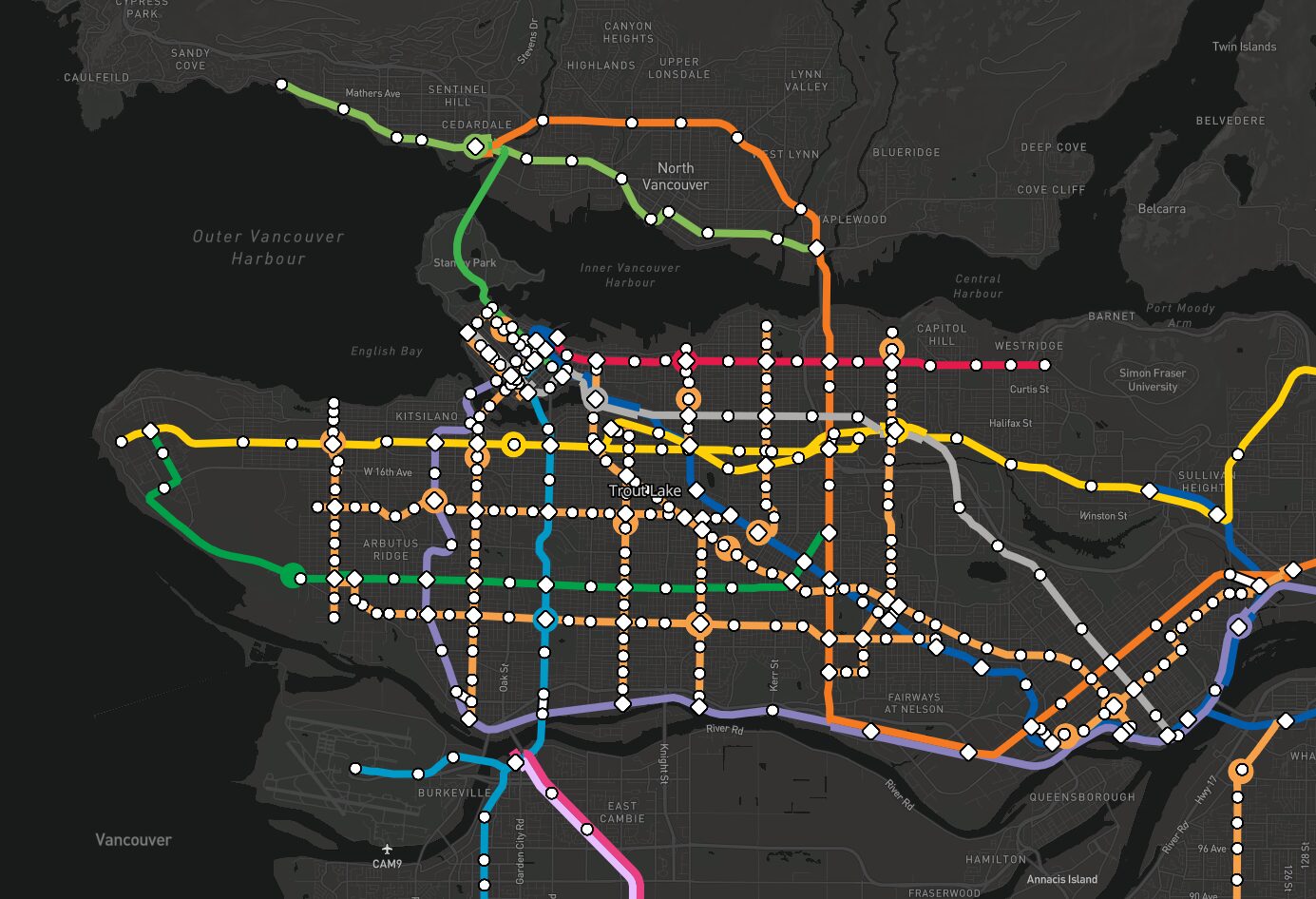
By way of Tom Scott, I came across MetroDreamin’, a site that allows people to design the transit system of their dreams anywhere in the world.
I was curious to see if anyone had done anything with Metro Vancouver, where the actual transit authority, Translink, has timidly expanded its rapid transit program over the last 38 years. And they had!
This is my favourite example, which includes tram lines and SkyTrain everywhere.
Here’s an image of the map for the click-averse, but the link above is better (and doesn’t require an account).
And a close-up of the dense section around Vancouver proper:
And not forgetting the legend that details the various lines, both existing and imagined:
I love this kind of stuff. It’s too bad this remains a fantasy, because there are a ton of good ideas here, but no political will (including the financing) to make it real. Metro dreamin’ indeed.