The smart home, now with more fur. Or the catswitch, if you prefer.


The smart home, now with more fur. Or the catswitch, if you prefer.
After realizing I am not ready to spend $1,000 on a new computer/office chair but am ready to spend $200, Jeff and I went out tonight to grab a MARKUS from IKEA, the budget pick in The Wirecutter’s guide to The Best Office Chair. I went for the Vissle dark gray as I prefer fabric over black leather and as a bonus, it’s $60 cheaper. After discount it was even less, only $129. It was so cheap I was tempted to spend $29 on the optional KOLON floor mat. Actually, I wasn’t, I just wanted to work KOLON into this post. I can’t help it, I still think half of the names at IKEA are sly Swedish in-jokes on the rest of the world.
After assembling the chair with the mandatory Allen wrench, Jeff wheeled it over and I’m sitting in it now. My back is a tiny bit sore because it is unaccustomed to being straight instead of slouching. The chair has lumbar support so I expect things to improve quickly. It is already a treat to have a chair that can be adjusted to the right height without requiring a pillow on the seat.
The arms are not adjustable, but if the chair is at the correct height it shouldn’t matter and hasn’t so far. In fact, when I’m typing my arms aren’t touching the armrests at all. I will likely lean an elbow on them from time to time, using the armrests to help support my chin under my hand as I think deep thoughts about my writing. Was that sentence awkward? Let me lean back and contemplate this.
Anyway, there’s not much else to say yet at this early point in the chair’s new life under my butt. Plus it’s a chair, it just sits there. It doesn’t really do much else.
But so far it’s a nice chair.
 Amazon Decoded: A Marketing Guide to the Kindle Store by David Gaughran
My rating: 4 of 5 stars
Note: This book is free, but is only available if you sign up for author David Gaughran’s newsletter (as he graciously points out, you can unsubscribe from the newsletter immediately after if it gives you the heebie jeebies or something.)
Amazon Decoded is essentially a companion piece to Gaughran’s Let’s Get Digital, his guide to self-publishing that focuses primarily, though not exclusively, on Amazon’s Kindle market. This short book obviously does focus exclusively on Amazon and it offers detailed advice and explanations for self-publishing authors, both new and more established.
The tone throughout is very conversational and Gaughran admits to areas where his knowledge is incomplete, such as in how Amazon’s “Also Bought” listings affect sales and rankings. But there is still a lot of good information here, including what not to do. Much of this involves being careful how you promote your book, as the “wrong” audience can muddy the various lists Amazon generates and impact book sales. Gaughran illustrates these points with his own promotional blunders, adopting a good-natured tone as he recounts his marketing goof-ups.
This is a very quick read. As Gaughran points out, it’s more a booklet than a book, and I recommend it be read alongside Let’s Get Digital if you intend to self-publish through Amazon’s kindle store. For others it provides some insights into the virtual machinery of Amazon’s Kindle store, but perhaps not enough to warrant a read just for that alone.
Based on my previously discussed criteria, here are some candidates I’m considering. It’s deja vu all over again, as I did this back in 2016 before buying the non-touch bar version of the 13″ MacBook Pro (which I’m now replacing because I just plain don’t like the keyboard and also I’m kind of afraid of getting stuck keys now that it’s past warranty).
Unless otherwise noted, these laptops all come with the following:
Pros:
Cons:
The main selling point of the Surface Laptop is it does everything decently. You might find laptops that offer better individual features but none that offer all of them at the same consistent level as the Surface. Still, the design has always struck me as being very conservative. When you look at it closely it appears to be a Surface Pro with a permanent keyboard attached, down to the same deficiencies that the Pro has, with few ports, no USB-C and so on.
That said, because it gets all the basics right, it’s a strong contender.
Pros:
Cons:
The Dell XPS 13 is often cited as the best Windows laptop (The Wirecutter calls it the best Windows Ultrabook) but the current version ditches all legacy ports, meaning you’re probably going to need dongles. It’s also a poor choice for those who need a webcam, though that’s a non-issue for me. Nearly everything about it is appealing or at least livable, but for some reason Dell is not offering the HD model in a touchscreen variant. This gives me serious pause, as I’ve come to really like touchscreens on Windows laptops.
Pros:
Cons:
The Spectre x360 comes close to hitting all the marks, with battery life, brightness and a wobbly touchscreen primarily holding it back. Plus the snazzy dark ash silver color is hard to find without ordering direct from HP (I prefer darker-colored keyboards to others, especially silver, which is the other color option here).
Pros:
Cons:
The main reasons to get the Yoga 920 are its large screen and battery life. Unfortunately the keyboard appears to be reminiscent of the 2016 MacBook Pro–and the MBP’s keyboard is the primary reason I’m looking for a replacement, which may prove to be the 920’s fatal flaw (I’d probably need to test it in person to make a final determination).
Pros:
Cons:
The Surface Book 2 is big, expensive and on the heavy side. On the plus side, it’s powerful, has a large, excellent display, and a very nice keyboard. It’s tempting but…expensive.
Beyond these laptops are plenty of others that get most but not all things right, sometimes by design (to keep price down, for example) and sometimes for no apparent reason.
If Apple revealed a MacBook Pro with a completely redesigned keyboard this year I’d probably consider sticking with it, but that seems very unlikely. They’ll just continue to tweak their existing butterfly design (which some people admittedly love) to make it more reliable, without fundamentally changing the feel of the typing experience.
The XPS 13’s baffling lack of a touchscreen in its FHD model almost puts it out of contention, but I’m keeping it in mind for now. My current ranking would probably look like this:
And now I ponder and, where possible, try some hands-on demos. Most of these are available to look at locally (heck, the Microsoft Store carries most of them), though the newer Yoga 920 appears to be not unlike hen’s teeth in the Lower Mainland currently.
While heading out for my run yesterday I spotted these flowers coming up through the dead leaves. Spring will soon be…springing. Yay.

Addendum: The sun was out, as you can see, and I didn’t fiddle with the photo so it looks a little blown out. I thought these fancy new smartphone cameras were supposed to magically turn me into a great photographer. Maybe next year.
Run 571
Average pace: 5:53/km
Location: Burnaby Lake (CCW)
Start: 12:29 pm
Distance: 5:03 km
Time: 29:37
Weather: Sunny
Temp: 9-11ºC
Humidity: 43%
Wind: light
BPM: 163
Weight: 168.5 pounds
Total distance to date: 4440 km
Devices: Apple Watch, iPhone 8
This is what happens when you take five days off between runs. You get sore knees. Actually, the sore knees is kind of new (both being sore, that is), which is a tad worrisome but we’ll see if they’re just creaky from lack of use or getting ready to fall apart when I resume a more regular running schedule.
Which should start happening soon as we switch to Daylight Saving Time tomorrow. Yay!
The bridge replacement at Still Creek is still being rescheduled so I took advantage and ran counter-clockwise. The mild conditions meant I wore my usual–t-shirt and shorts–and apart from the arms being a bit chilly early on, it was fine.
This run was curiously hard. I mean, I’m not in peak condition, obviously, and five days off between runs is not great, but still, it just seemed like more of an effort. The topper was ending up over two minutes slower than last Sunday’s run. Oy. I opted out of doing a full 10K as it seemed like it might be a special agony, but ended up jogging on and off regularly for the 9 km walk back home. The average pace of that walk was 8:33/km, which is approximately impossible at an actual walking pace.
While I didn’t suffer any issues during the run, I could feel my leg muscles already getting sore on the walk, home, much like the previous run. The knees also seemed achy, though that diminished significantly once I got home.
As good as I felt with the last run, this one has left me with more of a “Hmm” feeling. But I am going to try running more often now and that should help (?).
Somewhere in a box I have a bunch of old floppy disks that date back to the early to mid-90s, in formats for Amiga, PC and the Atari ST. I even have a box of old Commodore 64 floppies that date back to the mid-80s–more than 30 years ago now.
I doubt many or possibly even any of these would work now. For the Amiga and Atari ST disks I have no convenient way to find out, as I last owned the hardware for each…back in the early to mid-90s. And the current PC I have, already about four years old, is like the two I had before–no floppy drive. I suppose I could get a USB floppy drive if I really wanted to test the disks, but I’m not that curious.
Basically what I’m saying is the floppy is long dead and I don’t miss it.
But today it came back to haunt me in a way I could never have predicted.
I was taking an online course for Windows 10 and the labs involve using virtual machines through your web browser. In the final lab of the final day of the course, at Step 39 of 47, I suddenly hit a block. And it was shaped like a floppy disk.
Step 39 required me to copy some files to a floppy disk on VM #1 and then put the floppy in VM #2 and run the files from there. I thought it a bit odd to do this because really, no one uses floppies any more. Why not copy the files to a network share and move them that way? Or simulate a USB flash drive? I’m guessing a floppy disk was easiest with the VM setup. Or maybe someone just wanted to be all old school up in the hizzy. No biggie, it’s not like I needed to write a batch file to make it work or anything.
But after copying the files to the floppy and then “ejecting” it by clicking the appropriate icon, I found after “inserting” it into the second VM that it was not showing the proper files. As it turned out, both VMs refused to “eject” the floppy disk, even after restarts. The instructor dubbed it weird, copied the needed files over the network and kindly dumped them on the desktop of VM #2. I completed the lab a few minutes later. But for about 15 minutes I was suddenly reliving every bad experience I’ve had with floppy disks–and I’ve had a few. Press the eject button and you hear the disk try to eject, but it doesn’t. Instinctively start looking for a paperclip you can straighten out and stick into the little hole to force the eject mechanism. Wonder how much–if anything–would be readable once you got the disk out. Contemplate having to go to the computer store to buy another 10-pack of disks. Forget the whole thing and play an Infocom game instead because they’re on the fancy new hard disk you have in your PC and you never have to worry about ejecting it.
Then contemplate how long it will take to get an Invisiclues hint book mailed to you because you’re stuck. Again.
(This was before the internet. It was a dark and scary time, though perhaps less dark and scary than having the internet, come to think of it.)
Anyway, the instructor summed it up best by calling it weird. It truly was. This is not how I like my computer nostalgia.
On the plus side, I’m pretty sure I won’t need to handle a floppy disk–real or virtual–again any time soon.
This story really tickles me for some reason. Maybe it’s because of the sudden seeming obsession with and elevation of AI as a very important thing, coupled with prominent people like Stephen Hawking and Elon Musk warning about our grim SkyNET future if we don’t keep an eye on it.
You can find this story all over but here’s Ars Technica’s: Unprompted, creepy laughter from Alexa is is freaking out Echo owners
In short, Amazon’s Echo smart speaker is randomly laughing due to a bug. It sounds like the start of a horror movie.
The kitchen is quiet. You’ve just come home from work and set your keys on the counter. You haven’t turned on the lights yet, so it’s dark, the only light filtering in through the closed curtain over the sink. You don’t notice the soft glowing edge of the Amazon Echo over on the far end of the counter. But the moment the keys hit that same counter you hear it. A laugh. You swivel around, startled. It stops and you turn back and notice the lit-up ring on the top of the Echo. Did they keys wake it up? That shouldn’t be possible.
And even if it did, why would it laugh?
You stand for a few seconds to see if anything else happens. It remains quiet, so you flick on the light switch. And hear the laughter again. This time you are looking directly at the Echo and it’s clearly the source of the laughter. You’ve never heard Alexa laugh before. It’s unnerving and illogical. You think it must be a bug. You’ll look it up later on the internet (suddenly the thought of using Alexa for the task is incredibly unappealing). For now you decide to unplug it. You’ve just come home from work. You want to relax, not be harassed by a defective hundred dollar AI. You reach behind the Echo to pull the plug and wonder what you’d do if it kept laughing after…
The last time I went to Disneyland was in 1982. I was 17 years old and Trudeau was prime minister.
Today, 36 years later, I am not 17 and Trudeau is still prime minister. Okay, his son is, which is kind of weird.
Anyway, Google now offers Street View for a bunch of Disney parks (because they have a bunch now, instead of just the two they had back in 1982) as this story on The Verge points out. I immediately felt the pull of nostalgia draw me to the Disneyland map and while I’m familiar with the many changes made since I was last there, it is another thing to “walk” around and see them.
For every part that looked familiar–the Matterhorn is still the Matterhorn–there were as many that were completely new or dramatically changed. Tomorrowland is almost unrecognizable compared to its 1982 counterpart. Back then it went for a more realistic, science approach. Today it’s basically Star Wars rides with a few others sprinkled around. Space Mountain survives and still dominates the skyline with its 1970s future aesthetic–imposing and a bit sterile, clean lines that say “this is serious stuff,” which was kind of funny given that it’s a rollercoaster.
The People Mover is sort of gone–for some reason they never removed the elevated rail, which has that same 1970s future look that Space Mountain has. I’m sad that it’s gone. It was a strangely soothing experience to ride around in.
But what inspired this post were the people in these Street View shots. Google blurs the faces, but it’s not the faces I am interested in. It’s the crowds. The mapping was done in August 2017, which is prime tourist season, and the place is jammed, far more than I ever remember it. Also there seems to be about a million strollers parked all over. They either have a massive stroller service or people are bringing a massive number of very young kids to the park. Also, the general size of people has…uh…grown.
Mostly, though, I noticed these two as I was virtually strolling about.
First is “What did I step on?” kid:

Zooming in, it sort of looks like there’s something on the ground–gum, maybe? I’m not sure. He seems fully enthralled by it.

The next one is more straightforward. Here a man has found sanctuary from the sun, the crowds and the tens of thousands of strollers. At first glance he almost appears to be experiencing quiet anguish…

But then you realize he has taken his shoes off, suggesting he is merely resting his tired feet. And head. And everything else. Or perhaps the shoes are the source of his trauma and he is caught up in the existential dread of how can he leave the park without any shoes on his feet?

Anyway, the pseudo-tour of Disneyland left me feeling a mix of sadness for the quaint park that was (not to mention my youth, though not my hair) and a deepening realization on how change is constant and inevitable.
I’d still like to go back someday, though, assuming the U.S, doesn’t meltdown before I get a chance.
 Let’s Get Digital: How To Self-Publish, And Why You Should by David Gaughran
My rating: 4 of 5 stars
Let’s Get Digital is a concise, current and captivating collection of considerations on why and especially how you might go about self-publishing your books. It also doesn’t suffer from the terrible alliteration I used in the previous sentence. Sorry about that.
Author David Gaughran has updated his book with this third edition and considering the changes that have occurred since the first edition in 2010, it’s a thoughtful and interesting look back at the early days of self-publishing (through ebooks rather than a vanity press) and an excellent primer on what the current market is like. Gaughran covers the pros (many) and cons (a few) of self-publishing and doesn’t just focus exclusively on Amazon, acknowledging that other online stores exist. He highlights where you may want to spend money (editing, a good book cover) and advises against the necessity of many things that don’t apply to those working outside the traditional model of publishing.
He backs up his advice with anecdotes, both personal and at the conclusion of the book where 30 self-published authors share their successes, along with statistics on the growth of indie publishing. Likewise, he offers detailed advice on pricing, researching your market/genre and provides a good set of resources for further investigation and follow-up.
If you write and have toyed with the idea of self-publishing, it’s hard not to be enthused about the prospect after reading Let’s Get Digital. This is an excellent, clearly-written primer and highly recommended to aspiring authors looking to break into the burgeoning world of indie fiction (and non-fiction).
Run 570
Average pace: 5:27/km
Location: Brunette River trail
Start: 2:06 pm
Distance: 5:03 km
Time: 27:29
Weather: Cloudy with some sun
Temp: 5ºC
Humidity: 72%
Wind: light
BPM: 162
Weight: 169 pounds
Total distance to date: 4435 km
Devices: Apple Watch, iPhone 8
Answering the question, “How well will a run go if I take three weeks off?” with “I’m pretty sure my legs are going to be super-stiff tomorrow but otherwise not bad!”
The only runs I’ve done since February 10th were three on the treadmill ranging from about 12-120 minutes total and the last of those was almost two weeks ago. Since then I’ve done almost no exercising at all while battling a cold.
The cold is largely vanquished now and I actually wasn’t feeling bad at all after yesterday’s unplanned 16 km walk, so I set off to the river under a semi-cloudy sky, bundled up with two layers up top because it hovered around 5ºC.
I had no expectations, I just wanted to get through and keep my BPM under 170. I ended with a pace of 5:27/km, only a few seconds off from February 10th’s run, which is pretty good, and my BPM was actually lower than that run, coming in at 162. I was also tubbier today, a fairly chunky 169 pounds. That’s like 500 stones or something. A lot of stones. The weight was a not-insignificant factor in prompting me to get out.
Along the way I felt a few minor creaks but nothing really of note. The left knee was fine. I experienced a bit of cramping right near the end, but that was probably a combination of me pushing to end the run and also an impending bowel movement. I swear my bodily functions are now wired directly to running.
Overall, a pleasing result after a long stint off. With Daylight Saving Time starting next week, I should be able to start doing runs after work pretty soon, too, so woot for that. 150 (pounds) here I come! (And also no more snacking, I swear-ish.)
Today it was pleasant and mild and I went to Lougheed Mall, except I decided semi-spontaneously to detour a bit at Burnaby Lake, to see what the trail is like in anticipation of actually maybe running there again soon™.
I got distracted by the sun or something and ended up doing a full loop around the lake. I know my legs will regret this tomorrow as I am definitely not in peak condition after no exercise for the past week and a half.
Still, it was nice to be back there. The trail was in good shape, with only a few dabs of snow here and there, mostly off to the sides. A few sections have been patched up, which was nice to see.
Signs reported a delay in the construction of the new bridge at Still Creek, but the supports for it are now in place. It will sit directly east of the current bridge. They still say there will be no access for three weeks, but I’m reasonably confident they’ll finish early. I’m curious to see what the new bridge will look like. I’m pretty sure I have a photo or two of the current one around somewhere.
Speaking of photos, here’s a shot on the north side of the lake, just before you get to the fork for the Spruce Loop, approaching from the west. I actually sweated! My average pace was 9:26/km, which is fairly zippy considering how inactive I’ve been. The total walk, in which I stopped only to pee (twice) took just over two hours and thirty-two minutes. Surprisingly my feet never got sore. My left knee did, which proves it may just be a thing now–I’ll ask my doctor about it when I see him in a few weeks. The knee recovers fairly quickly, though.
Scenery:
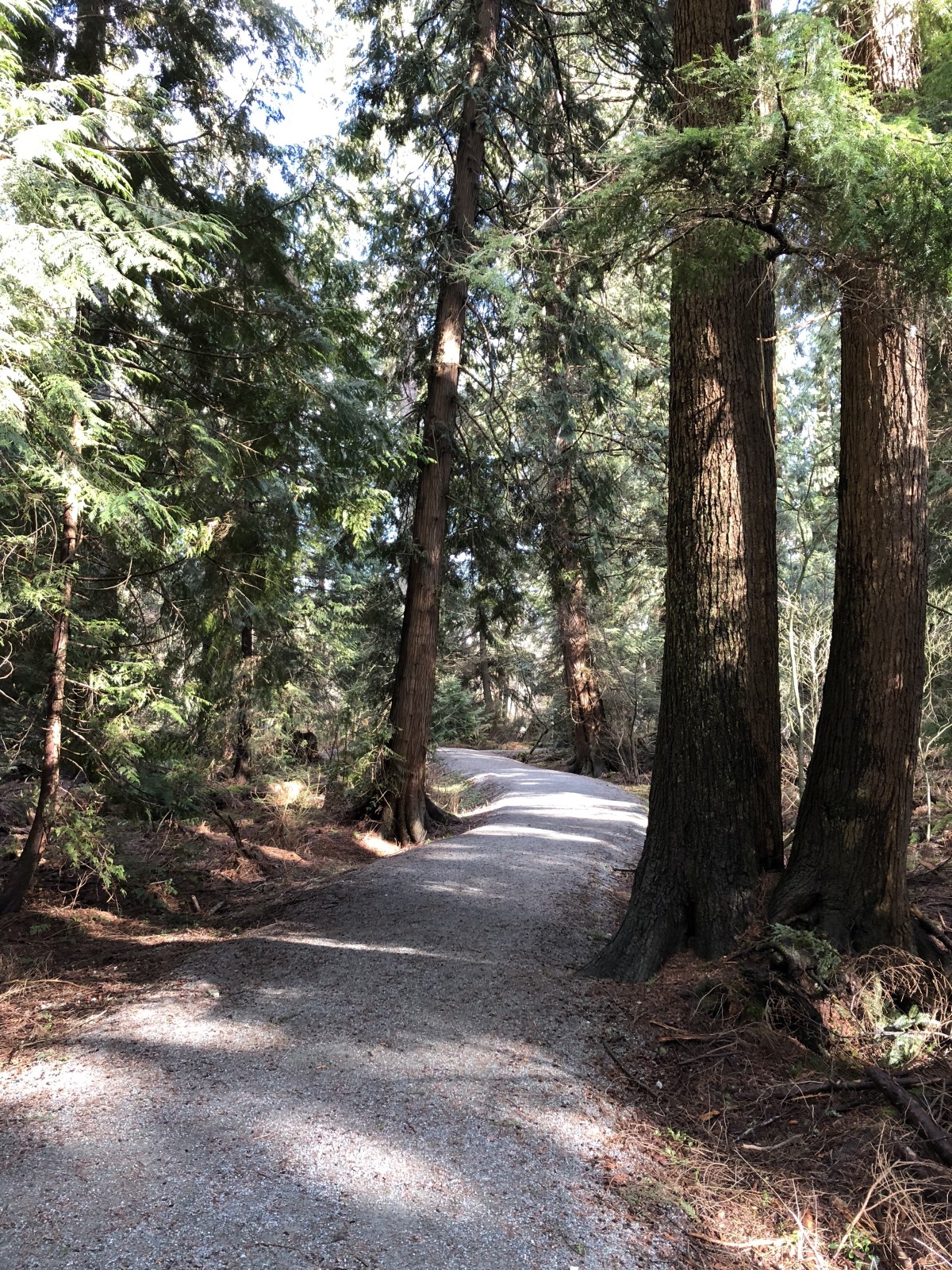
I like shots like this because you can pretend you’re actually in the woods and not in the middle of a huge urban sprawl.
Also, I hate to say this, Apple, but I honestly don’t see a difference in the images from my iPhone 8 compared to my iPhone 6. I know they should be better and maybe they are better, but I ain’t seeing it. They’re still nice! And I’m willing to admit I have pretty much no eye for photography. I point the camera (or phone), try to hold still and press the button. Caveman photography, basically.