An Inspire-d post

After referring to the possibly skeevy nature of the Microsoft Store app Inspire Writer, a fairly shameless Ulysses copycat, I noticed it had a 10-day trial, so I thought I’d download it and have a look. What could possibly go wrong?

The developer is Sunisoft, which describes itself thusly: “Established in 1999, Sunisoft is a developers tools software provider located in Zhu Hai, China. We are committed to providing more effective tools for software developers” (link). It apparently has fewer than 25 employees.

In terms of user interface, this is a straight-up copycat. You have the Library bar on the left, the list of sheets next to it, then the editor next to that. You can toggle these on/off the same way you can in Ulysses.
You can export to multiple sources, including WordPress, which is how I’ve made this post (I’ll edit this if it turns out to not work, and I have to post the old-fashioned way in WordPress).

EDIT: While Inspire recognized all of my settings for my blog (categories, tags, etc.) it produced a simple error dialog every time I tried to export this post to WordPress:
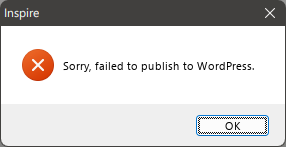
There is an option to configure a proxy, but I have not successfully gotten that to work (yet), either. I'll update this post again if I do. Also, dumping in the straight markdown from Inspire into WordPress leaves a lot of clean-up to do. The rest of my look at Inspire continues below.

It supports markdown, of course, and you can set it to sync across devices, mimicking Ulysses’ seamless use of iCloud. You can also choose any font you have installed on Windows for the editor, unlike some markdown apps that restrict you to ones that are deemed most appropriate. Want to use Comic Sans? You can!
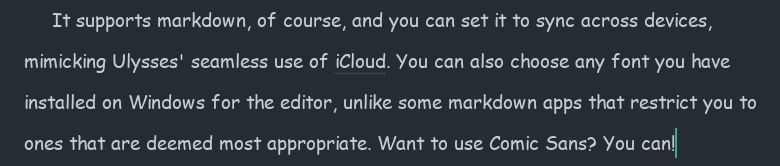
You know someone will do this.

But there are differences.

Missing features

  • While there is a Dark Mode you can toggle on, there is no support for themes or styles. You get Light and Dark modes, and that’s all. In this way, it feels closer to iA Writer.
  • Some shortcut keys are missing. For example, there is no shortcut for bringing up Preferences. Mac-first apps often use the Mac Preferences shortcut for their Windows versions, which would translate to CTRL-.

Clumsier or simpler features

  • Like Ulysses, Inspire Writer includes a word goal you can modify and invoke by hitting F5. Unlike Ulysses, there is no way to keep the goal open while writing, since its dialog takes control of the UI. You do get a ring icon in the top-right corner of the sheet in the Sheets view, which can be kept open. To its credit, the ring fills dynamically and changes from blue to green when you’ve hit your goal.
  • The documentation is obviously translated, but it’s never difficult to understand, so I don’t knock it too much for this.

Overall, it seems to do all the core things Ulysses does, just without the same degree of polish, and with some “extras” missing. It seems to work well otherwise, but it still feels like it hews a little too closely to Ulysses’ UI and would benefit from breaking free a bit and charting its own course. Ulysses is a fine program, but it’s not necessarily the definitive word on distraction-free writing apps.

I am unsure on what I will do when the trial ends. I really like the way it matches Ulysses’ use of indents, as it’s so helpful when writing fiction and most markdown editors simply don’t include this support or require you to at minimum add in an extra key for it (like hitting Tab), which eliminates the convenience of having indents in the first place.

Why do I care about indents so much, anyway, you may ask. Let me illustrate.
Let’s say there is a scene where two characters are engaged in rapid-fire dialog, like this:

Bob tapped on the desk. “You see this desk here?”
Jim nodded. “Yes. It’s very desk-like.”
“It’s my desk.”
“Says who?”
“Says me.”
“You and what army?”
“The Swedish army!”
“I’m pretty sure Sweden doesn’t have an army.”
Bob sighed. “You need to see more of the world.”
Jim folded his arms. “Yeah? How much more, smart guy?”
“Twelve percent, minimum.”

Now, I was able to write that quickly (never mind the quality) because the indents happen automagically. In most text editors, I’d have to hit Enter twice after every line of dialog to get proper separation of paragraphs. I mean, I absolutely could do this, but having automatic indents is just easier. It’s the one concession to being Word-like that I approve of in a text editor.

All of this is to say, why is is that only a clone of Ulysses matches this feature among all the text editors I’ve tried. I was even hoping Obsidian would somehow have a community plugin that would mimic this, but I haven’t found one. It puzzles me, but maybe it’s a niche feature or considered “wrong” somehow.

Anyway, I will continue to tinker with Inspire Writer during the 10-day trial and render a verdict by the time it ends (curiously, it gives no indication of how much time is left, so I have no idea what will happen when the trial ends. Also, the app has only a single one-star rating on the Microsoft Store, and I’m really curious why).

Addendum: This SEO-y site lists a great big pile of alternates to Ulysses on Windows. I will perhaps go through this list in another post soon.
My two writing app wishes, July 2022 Edition

Wish No. 1

A Windows version of Ulysses or its functional equivalent. It would need to be fully cross-platform and have no subscription.

There is actually a suspiciously Ulysses-like program on the Microsoft Store called Inspire Writer from a publisher I’ve never heard of. I mean, it basically has everything I like about Ulysses–again, suspiciously so. Whether they were just “inspired” by the app, reverse-engineered it or just plain decided to copy its features and UI, it makes me feel a little skeevy even considering it. And it makes me lament that there are no other writing apps for Windows that are like Ulysses. iA Writer is a pretty good markdown editor, but it doesn’t work well for long form (novel) writing, and most other markdown editors are the same–excellent for writing blog posts and short pieces, but not much else.

Odds of this happening: Pretty much zero. The company behind the app is one of those weirdly proud Mac-only (except now also iOS and iPadOS-only) developers. Also a Windows version would totally have a subscription, anyway.

Wish No. 2

Scrivener fully supporting cloud saves and syncing.

Scrivener was never designed to work with cloud services like Dropbox or OneDrive, due to the way it saves (by default every two seconds!) and the way it handles files (each project is not just a simple document, but rather a collection of files that effectively appear as one to the user). They cobbled in Dropbox support when the iOS version was released, but the official word from their support is to stick to using Scrivener locally and use cloud storage only to keep backups of your work.

It’s good advice, because it’s pretty easy to mangle your Scrivener files if you keep one document open (in error) on Computer A then go to open it on Computer B. Trust me, I know!

Odds of this happening: Very close to zero. I think we’d have to see a complete rewrite of the application, or a different “cloud-only” version of it, and neither seems remotely likely at this time.

That word

HISTORICAL NOTE, April 8, 2022: This post was saved as a draft on August 18, 2015, but never published. I think I wanted the list to be longer. I no longer feel this need, so enjoy!

Words that don’t mean what some people may think they mean:

  • Bemused. It sounds like “amused” so maybe it’s a synonym. It means perplexed or bewildered.
  • Penultimate. Some may think this means “uber-ultimate”. It actually means next to last.
  • Arid. This one gets confused with arable (fit for cultivation) but means pretty much the opposite in that it refers to land that is very dry. Like a desert or all of California, for example.
  • Inflammable. This is perhaps the perfect example of crazy English. If you think it’s like invisible and thus means “not flammable” you’d be wrong because it actually means flammable. What does flammable mean, then? The same thing. Why? English! Actually, you can blame the Latin origins, which treat the words similarly.

Book review: Gotta Read It!

Gotta Read It!: Five Simple Steps to a Fiction Pitch that Sells by Libbie Hawker

My rating: 3 of 5 stars

This short book is about pitches. The story kind, not the baseball kind. I got it as part of a book bundle and I love short books, so I dove in.

And it’s fine. Hawker provides plenty of her own pitches as examples and while it may seem ego-driven at a glance, it’s nice in that there is an authenticity to the pitches. She’s not “writing to the crowd”, she’s providing examples of work she has relied on directly to help sell her novels.

The writing style is light and the book can be finished in an afternoon, all the better to apply the lessons therein. I don’t foresee myself making use of it much with my own writing, but for those who may need to work on and use pitches, this is a concise and worthy resource.

View all my reviews

Drawing prompts 2022: The Solution

A few days ago, I mulled over how to move forward on drawing prompts for the rest of the year.

I concluded with this promise/threat:

I’m going to give myself a deadline to come up with a plan. That deadline will be:

Sunday, March 20, 2022

March 20 has come and gone, so here is the plan. I’m going to give it a honking big title to be fancy.

The 2022 Drawing Prompt Plan

And that plan is to scrounge up a prompt from any random place I can find one. Possible prompt sources include:

  • Inktober (new or old)
  • Making Art Everyday (same)
  • Results from semi-random web searches:
    • Drawing prompt sites
    • Writing prompt sites
    • Miscellaneous searches on weird stuff that pops into my head
  • Random words in books
  • The inside of my own brain
  • The inside of someone else’s brain
  • A bunch of words printed out and put into a hat that I pull from
  • Benevolent super-intelligent aliens who take pity on me, the pathetic earthling

I’ll start on the prompts before the end of the week, then follow up with an assessment on how well this plan is working before the end of the month.

Posting from iA Writer

I still can’t post from a toaster yet, but I can post from yet another writing app, iA Writer. But only from the Mac version because they secretly hate Windows or something. Or maybe it’s Microsoft’s fault. I don’t know.

A few notes on this for future reference:

  • The title gets put in the title (yay), but also at the top of the post itself (???)
  • You can’t pick categories or tags
  • It posts using the “Classic” block, though you can choose to Convert to blocks afterward

Overall, not as robust as Ulysses and not something I would find myself using very often (or maybe ever again), but probably better than posting from a toaster. Probably.

RANDOM BONUS OBSERVATION: I left the “u” out of the word “fault” and the spelling checker did not know what word I meant to type (ie. it did not suggest “fault” as an option). We are still safe from SkyNET for a while yet.

Substack gonna Substack (again)

I have a piddly little newsletter on Substack and after four issues, have been mulling over what to do for Issue #5 and all others going forward. In the end I decided I needed to offer more than funny/random links, I needed to offer stuff that was uniquely me, because you can’t get that stuff anywhere else unless someone clones me in my sleep.

And while it’s been challenging to get together all-original stuff™ for future newsletters, Substack keep making it harder for me to think of having a future on the platform, because I continue to question their motives and their competence.

I found their editorial on “censorship” to be a facile and weak defense of being hands-off in moderating content on their platform. It just means they are allowing hate and disinformation to find a home on Substack. They seem to be blind to where this may ultimately lead–but with more writers abandoning Substack, they might figure it out eventually.

Here’s a recent story on writers leaving on Mashable: Why Substack writers are leaving the platform, again

But while this is an ongoing (and serious) concern, it’s not even what I’m going to discuss here. It’s the release of their new iOS app and the rollout of it, and how it feels like a calculated move to benefit Substack, possibly at the expense of the writers it offers a home to.

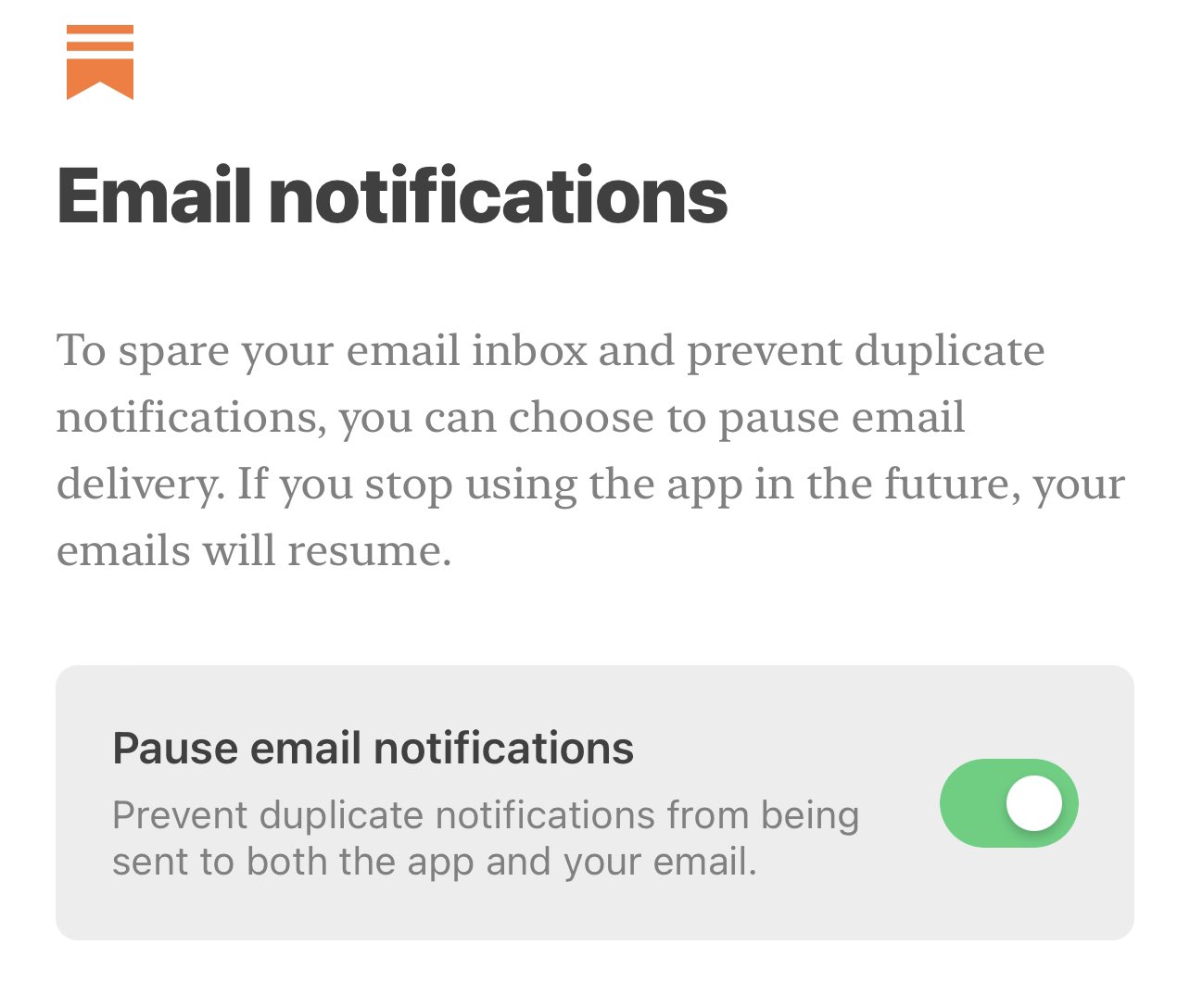
In its initial release (which they will be changing–more on this in a bit), anyone installing the app on an iPhone or iPad would see an option to “pause email notifications” as shown in the tweet below. This option was enabled by default.

(I’ve also included a redundant image of the screenshot in the event the tweet goes away.)

Image
Pause email notifications = Never see a newsletter in your inbox again

From Casey Newton’s Platformer (hosted on Substack):

(Substack co-founder and CEO Chris) Best told me there were practical considerations for this design choice. Many people enable notifications for both Substack and email, and receiving duplicate notifications might be frustrating.

But the company also believes in the superiority of the app as a place to read. “Email is great for all of the reasons it has always been great,” Best said. “It’s low friction. It’s this direct connection where you can reach out, unmediated by the algorithm. But it’s obviously not the best version of that reading experience.”

Let’s step back and examine what Substack, at its base level is, and how it works:

  • Substack hosts newsletters from a variety of writers on a variety of topics
  • In exchange for 10% of revenue (if the writer offers paid subscriptions) Substack handles almost all of the business/technical stuff. The writer uses the provided editor/tools to put together a newsletter, hits the Publish button, and is done.
  • The newsletter then makes its way to the email inbox of anyone who has subscribed (and is also available for viewing on the Substack website)

It’s pretty simple and works as expected.

What that “Pause email notifications” does is not pause notifications. The wording is either deliberately or ineptly misleading. What it does is prevent newsletters from being sent to a subscriber’s email address. That meant that if you installed the app and didn’t change the defaults when setting it up, you would never again get any newsletters from Substack in your inbox, which is, you know, the entire point of Substack. That the CEO apparently thought this was fine because email is “not the best version of that reading experience” is telling. I find it hard to believe the ambiguous wording of this option was anything but deliberate, in order to get people to shut off newsletter emails entirely and make the app the only handy way to view newsletters (I suspect few people search for them on the Substack website, but do not have any definitive info on this one way or the other).

They have since changed this toggle to default to off after getting a great big ol’ backlash over it (no surprise there–perhaps they thought it would be smaller and they’d be able to ride it out) and have said a future update will remove the option from the onboarding process of the app and will just be something that can be toggled on under settings, should the user wish to do so.

I toggled this option off when I installed the app on my iPhone after realizing what it would do. This morning, I noticed several of my newsletters did not arrive in my inbox as they should have. I opened the app and the option was toggled back on. Great.

What I have since done:

  • Removed the app from both my iPhone and iPad
  • Begun setting up a trial on Ghost to see how easily I can move my piddly little newsletter over
  • Mulled cancelling the subs I have paid subscriptions for. I am very good at mulling.

At this point, I have little confidence that the people behind Substack care about the effects of spreading disinformation and hate (they will continue to rail against “censorship” all day long, I suppose, while their platform continues to grow ever more toxic). I have no confidence in their vision for the platform, as the way they initially set up the onboarding experience of the iOS app suggests an attempt to corral writers’ work into an app over which they will have no control. I am no longer comfortable providing them money through the subs I have.

I love the idea of Substack. But I am rapidly souring on the people behind it and the decisions they are making. It sucks.

Substack, “freedom” and my stupid little newsletter

I created a newsletter on Substack because it’s free, all the cool kids are doing it, and I thought it might be a good way to exercise some creativity, coupled with a dose of discipline. The discipline part is maybe in need of some fine-tuning. I stalled after four issues, trying to rethink what I wanted to do with the newsletter and having only vague notions but no actual content to go along with any bold re-visioning. But eventually!

In the meantime, the editorial staff of Substack pushed out a newsletter to everyone on the platform because they’re feeling the heat by hosting anti-vax writers decrying censorship.

You can read it by clicking the link below. And DO read the comments!

Society has a trust problem. More censorship will only make it worse.

As I read through the comments, I noted that they seemed to be mostly, “Boo censorship! Yay Substack!” at the start and continued mostly along those lines. Further in, though, you start to see the “uncensored on Substack” voices appear. That’s right, the lunatic fringe, safely protected on Substack because of freedom (until they cause legal troubles or other reasons, one of which I will get to shortly). These people use Substack to peddle conspiracy theories and the usual bullshit we’ve all grown used to. Substack lets them because they don’t believe in censorship, even though refusing to publish these writers would have nothing to do with censorship any more than requiring a driver’s license is censoring driving (insert your own terrible analogy here, I’ve got plenty more to spare!)

Substack’s staff doesn’t seem to want to take responsibility for the content it hosts, much like the social media companies they sneeringly look down on in the above editorial. I get it, as the platform grows, it becomes a massive pile of work to control, with the headaches to go with it. So they wrap themselves in the righteousness of being anti-censorship while allowing increasingly lunatic content to flourish.

And guess where that leads? That’s right, to Substack being known as “oh yeah, they’re the guys that host all the crank newsletters.” More reputable writers and creators who don’t peddle bullshit and lies will start moving off Substack, and more cranks will move in. Substack will defend itself as a champion of freedom as it swirls down the metaphorical bowl.

Or maybe not. Maybe it will all work out, or it turns out to be much ado about nothing. But the fact that this kind of theorizing is already in the air is not a good omen for the platform. I’m hardly the first to express these thoughts. I’m probably like the twenty-third, at least.

It’s made me think whether I want to stick with Substack, and it makes other issues with the platform (their editor is surprisingly bare bones for a place that targets writers) stand out more in relief. For now, I mull, which goes well with the mulling I am doing over the content of the newsletter. But I’ll make a decision soon.

(Originally I was going to quote from the editorial and object to certain reasoning and/or leaps of logic, but I don’t feel the piece warrants that kind of dissection. I found it pretty facile, that’s my hot take.)

Remember writing prompts?

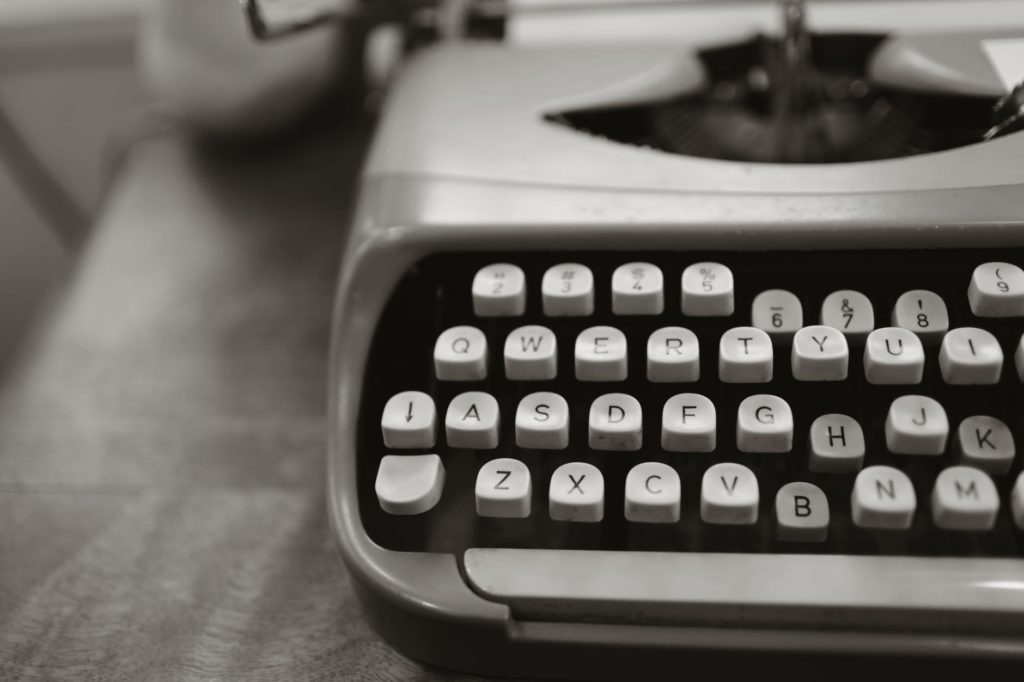
close up photo of gray typewriter
Generic photo because I’m pretending I’m writing on Medium or something. Also, accurately reflects how I operated a typewriter. Photo by Leah Kelley on Pexels.com

Yeah, it’s been awhile. I remember vowing to do every prompt in a book filled with a thousand of them. I did ten. Here’s the last post regarding the prompts from just over five years ago: 1,000 creative writing prompts: No more of 1,000

Basically, the prompts weren’t working for me. Maybe that makes me a bad person. Probably. Either way, I gave up after achieving a mere 1% of my stated goal. I feel like I could do better. That I must do better.

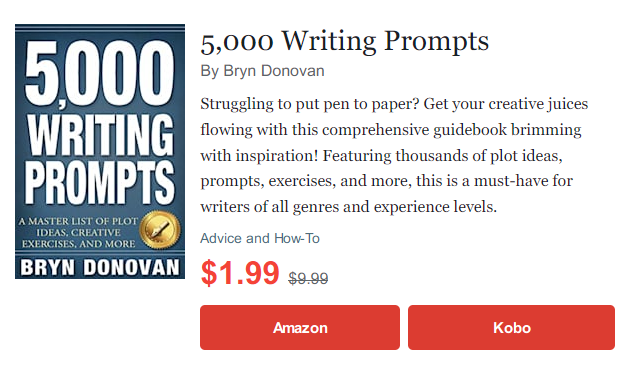
So I’m going to start again, and absurdly I am going to use a book of 5,000 writing prompts that I reviewed two years ago. Here is the Goodreads link to the book:

5,000 WRITING PROMPTS: A Master List of Plot Ideas, Creative Exercises, and More

I feel these prompts will be better-suited to what I want to do, and I’m not necessarily going to try completing all 5,000 of them, though that would probably win me some kind of internet prize.

I am going to use the same parameters as I did back in 2016, so I will repost them here:

My intent is to write ultra-short stories that are no more than a few paragraphs long, working through the prompts in order. When I am done, I will perhaps have a party of some sort.

Sometimes the short stories will be longer and sometimes instead of a story I will answer the questions (most of the prompts are in the form of questions).

I will begin doing this in the next post.

UPDATE, December 15, 2021: Weirdly, it’s just one day later and the very book I’m using has shown up on sale in Book Bub again. It’s like this was meant to be. Or just a complete coincidence.

Note that below is just an image, not a link, since the sale will expire a few days after this post goes up, and I don’t want people crushed by being offered the book for full price.

Things you wrote that make you go, “Hmm”

I use the Drafts app to capture notes on the go and my typical use case is to invoke it through a complication on my Apple Watch. I tap the mic icon, then dictate whatever witty/clever thought I want to record. Sometimes the voice dictation is not completely accurate, but I can usually get the gist of what I meant from context. I found the note below in Drafts and:

  1. I have no recollection of making this note
  2. I have no idea what it means. Bad voice transcription? Fever dream? Who can say? It feels like something an erratic AI would compose, with actual meaning just out of reach.

A mystery for the ages.

11 leaven 30 you might have a talk tonight 11 leaves 30 you might have a talk tonight

Using Obsidian to try to keep myself organized

Not actual obsidian, though it would be totally cool if I could find some way to make an igneous rock keep my life organized.

In this case, it’s the Obsidian note-taking app, which promises “a second brain for you, forever.” This sounds suspiciously like promising immortality, but I’ll settle for just keeping all of my notes in a single location, so my current and only brain has an easier time remembering to find things.

Why Obsidian. Well, let’s face it, it’s a new (to me) app and I like new toys, so I had to try it out. There’s a mobile version that can sync over iCloud Drive, allowing me to make notes from any device, which is convenient. So far this doesn’t sound much different from other note-taking apps like OneNote or Evernote, but Obsidian also uses a plain folder structure and text files, so everything is portable and accessible through simple apps like Notepad (Windows) or TextEdit (Mac). Because nothing is proprietary or stored in the cloud (unless you choose to put it there), your data is secure and yours alone. Obsidian also supports Markdown for quick formatting and has some features that promise to expand it beyond just a random collection of notes, such as:

  • Backlinking. Obsidian allows you to easily create links between notes, expanding what notes can do.
  • Plugins. Both core and community-made, extending the capabilities of the app.
  • Graph view. This visually shows relationships between notes.

Really, if I can just stick to Obsidian for all my note-taking, that would be a huge improvement over having to search for notes in OneNote, Ulysses, iA Writer, Drafts, the iOS Notes app, Notepad, Notepad++ and whatever else I’ve used over the years. None of these are bad programs–some of them I really enjoy using! But scattering my notes over all of them just makes it harder to find things, and stuff gets lost or forgotten. Or both. Lostgotten.

We’ll see how it goes, but I am cautiously optimistic that this is the beginning of some actual organization on my part and will usher in 2022: The Year of Really Fantastic Organization.

NaNoWriMo 2021 update #2 (I think, or is it #3?)

Well, it never happened.

About ten days ago I went back to the idea of picking up on an unfinished NaNo project and re-read the 22,000 or so words of The Journal. And I liked it! Enough that I chose to pick it up, knowing I was unlikely to hit the 50,000 word goal, even with that head start.

But then the writing part never happened. I muddled about, then worked on other stuff. And so here we are with only three days left (including today) and unless I can manage 9,333 words per day, I will fall short. Alas.

But I think I will revisit The Journal, anyway, just on my own schedule, whatever that may be.

Technically, I didn’t actually “lose” NaNo 2021 because I never officially declared a project, but still, I feel bad. Fortunately, I have no cookies to console myself with, because I’d convince myself I need a lot of consoling, a lot of delicious chocolate chip-flavored consoling.