And yes, there’s hardware beyond the display itself. Most notably, Apple has placed the widescreen 12-megapixel camera that has spread across the entire iPad line in the top bezel of this display and enabled Center Stage. This is the first time that Macs have been able to take advantage of the automatic pan-and-zoom technology—and a desktop monitor is a perfect place for it, since so many of us sit at our desks doing video calls these days.
John Gruber:
I don’t really understand why Apple chose to support Center Stage with the Studio Display, and thus use this ultra-wide angle camera, in the first place. Center Stage feels clever and useful on iPads, which are often handheld and often positioned in all sorts of different angles and dynamic positions. But how is that [Center Stage] a good choice for the camera on a big desktop display that isn’t intended to move around, and which you tend to sit in front of in a fixed position?
Unsurprisingly, the Apple tech crowd have soft-pedaled their criticisms of the monitor, which is in the end an overpriced run-of-the-mill IPS monitor with some nice but strictly speaking unnecessary features (speakers, webcam, microphones) and ludicrously doesn’t include an adjustable stand. Gruber’s indirect reference to this is embarrassing cover for Apple (emphasis mine):
My review unit is the $1600 base model with the standard glossy finish and tilt-only base. On my desk, it’s the perfect height; if I had the model with the adjustable-height base, I’d probably set it at this exact height anyway.
Because everyone in the world is the exact same height as John Gruber, so obviously an adjustable stand is no issue being a $400 extra, amirite? Why include it when the monitor is already THE PERFECT HEIGHT. (Yes, I know Gruber isn’t literally saying this, it’s still stupid.)
Also, the power cord is permanently attached to the back of the monitor. What the actual heck, Apple? Did their design team journey back to the 1980s for reference? Just appalling, lazy, consumer-hostile choices all over the place on this.
UPDATE, March 21, 2022: It turns out you can remove the power cable on the display, if you have a special tool from Apple made just for the task. I think what we are seeing here really is Apple stepping back into the 1980s and the days when nearly everything they made was locked down and/or proprietary.
Because it was raining like the dickens today! What are dickens, anyway?
The workout went well, and I even went well past 5K to finish the video I was watching. It was this one by Tom Scott, in which he corrects (and also mocks) perceptions about VPN, given how ubiquitous VPN services are as sponsors for videos on YouTube (something that still happens in a lot of current videos, nearly three years later):
I started doing the #makingarteveryday prompts again in January, but took a bit of a break when I was spending a lot of time on art for game projects. By the time I was ready to come back, I found that the prompts had gone off in a wacky new direction, with some kind of journal thing (see here for details). I think this is great and shows some real creativity (and hard work) on the part of Lisa Bardot–but it’s just not what I want to do right now.
And so I have resumed my DDP1Daily Drawing Prompt quest once again. As you may or may not know, certain commercial interests have basically turned any web search for “best of” lists into a blasted, apocalyptic wasteland of sites designed only for SEO and serving ads to you, in the same way Homer was served donuts in Hell. Except if Homer didn’t ironically turn out to enjoy it.
For reference
Trying to find a decent prompt site can be challenging.
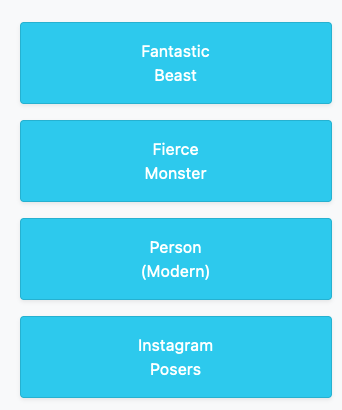
There is a site not surprisingly registered to drawingprompt.com. This is what I first saw:
And now I have the image of a Toast Human stuck in my head.
Which might not make for a bad prompt, really.
The site has you click on subjects to generate prompts. It’s like a game where everyone wins or something.
(I don’t know what an Instagram Posers prompt would look like. I’m not sure if I want to know.)
I’ve checked a few other sites and there’s always the weekly Inktober prompts, though weekly is not daily, unless I just draw a tiny bit of the prompt every day over the course of a week. I could always just come up with my own prompts (my brain hurts just having typed that out), or devise a method for generating random prompts, which feels like work and is therefore yuck.
I’m going to give myself a deadline to come up with a plan. That deadline will be:
Sunday, March 20, 2022
This is also the first day of spring, so a good time for fresh commitments!
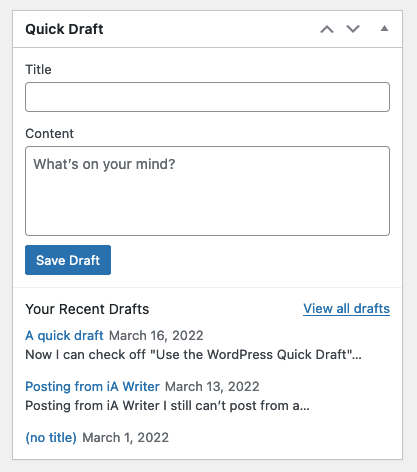
Now I can check off “Use the WordPress Quick Draft” feature from my bucket list.
If it had been on it to begin with. Which it wasn’t. Nor ever will be.
Fake edit: This feature literally just lets you enter some text into a box and click a Save Draft button. That’s it. I guess it’s useful if you happen to be on the WordPress Dashboard, have inspiration strike and must record your incredible moment of insight ASAP, lest it be lost forever.
On my mind: Why does Quick Draft exist? Also, why is world peace so elusive?
In other bloggy news, I’ve changed the fonts in an attempt to give the blog a slight refresh, going with a somewhat matched set of:
Roboto – for body text
Roboto Slab – for headings
Mr Roboto – for people who have been bad and must be punished
I am feeling the need for change, but at the same time I’m not even sure if I want to stick to WordPress. Or start a new, different blog. Or something. All I know is I am restless and things will happen. Soon. Not fake soon™, but actually soon!
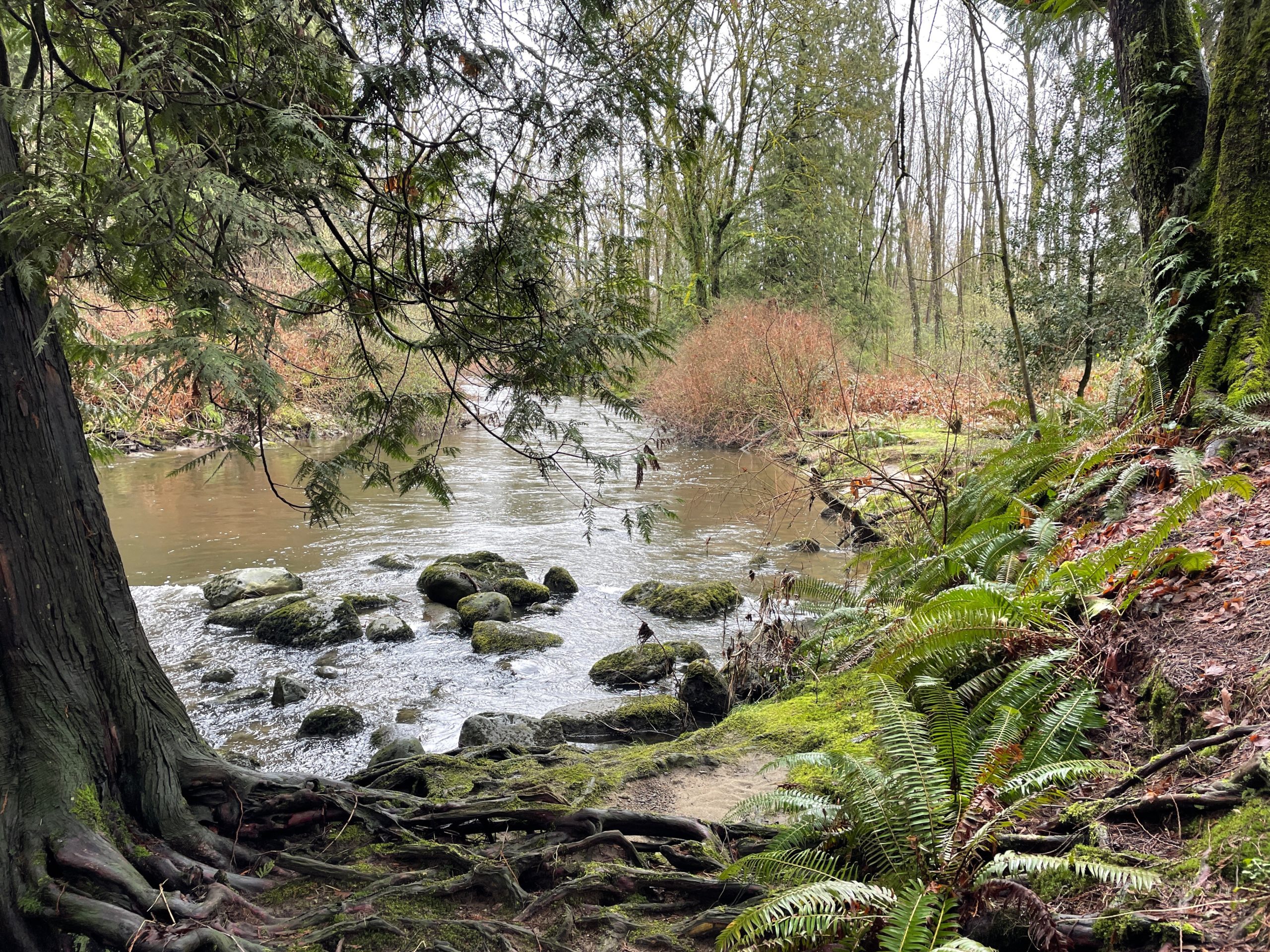
I had been cooped up too long, so went on a scenic walk to the mall via the Brunette river trail. It was nice. I have stats! And pictures.
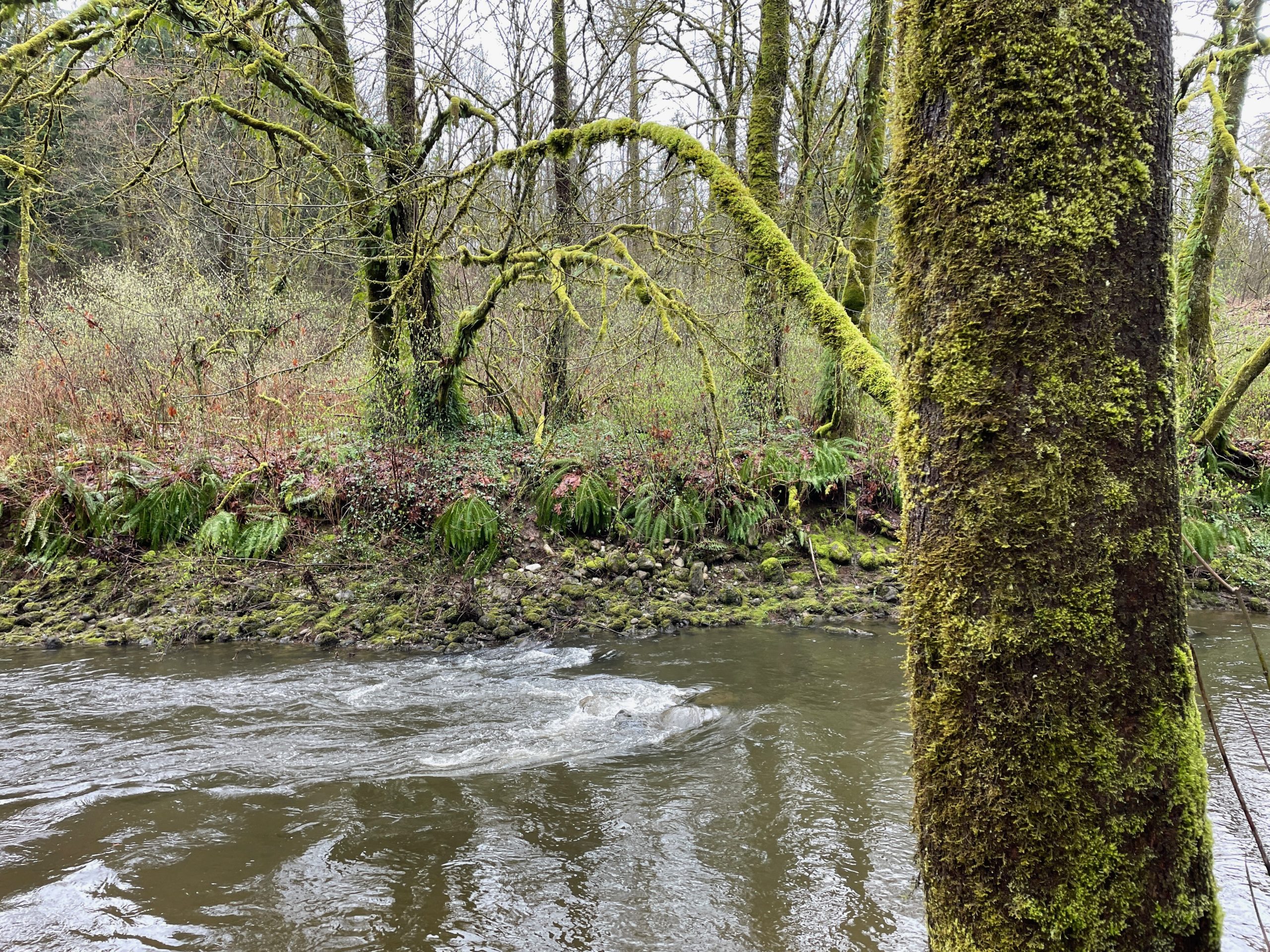
Behold, the forest primeval:
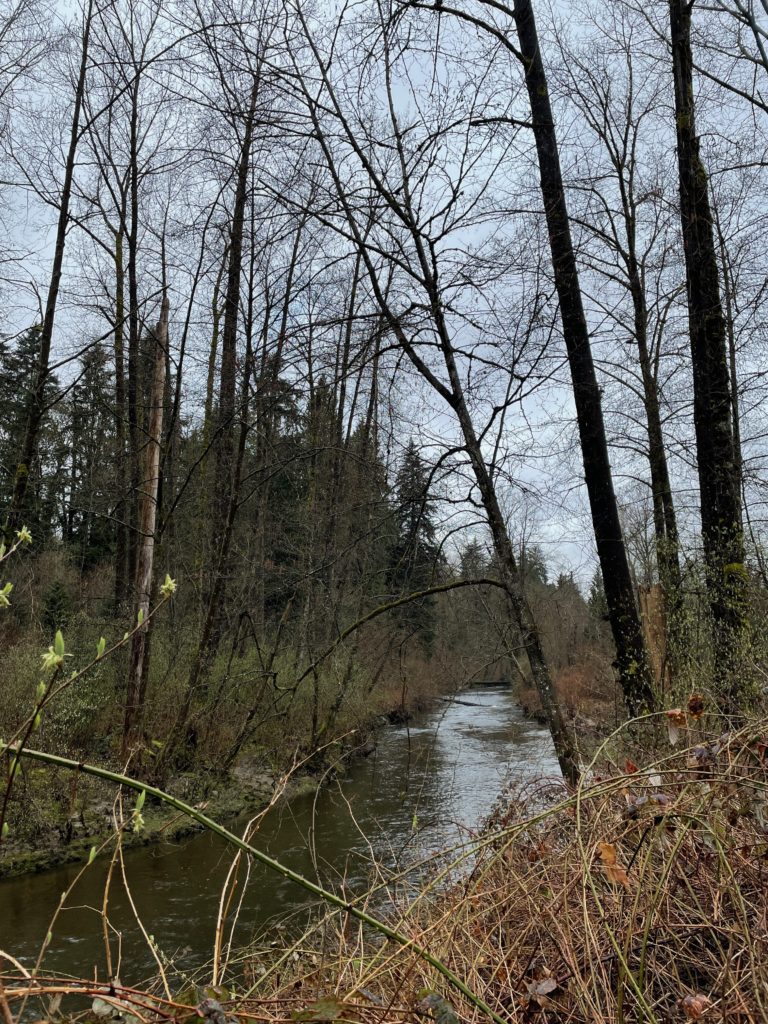
The river, with signs of spring dotting the landscape:
Roots and ferns and stuff:
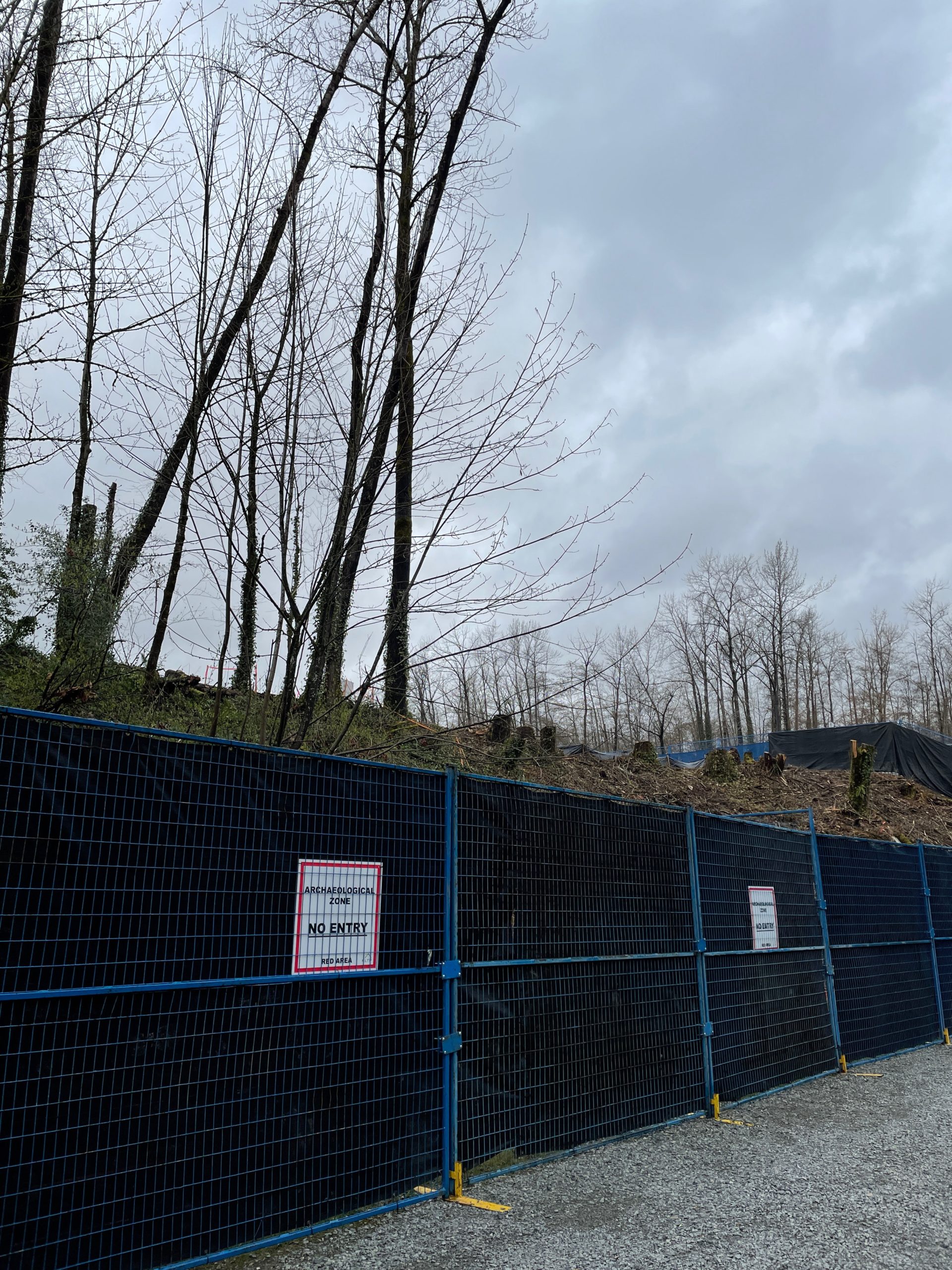
And finally, more pipeline destruction near Stoney Creek, Thanks, Transmountain!
And the stats. Not super hardcore, but I kept up a decent pace for walking (no running involved to avoid being stinky and sweaty when I got to the mall).
Walk 64
Average pace: 9:36/km
Location: Brunette River trail and beyond
Distance: 5.65 km
Time: 54:15
Weather: Cloudy
Temp: 5ºC
Humidity: 93%
Wind: light
BPM: 120
Weight: 177.4 pounds
Total distance to date: 478.26 km
Devices: Apple Watch Series 5, iPhone 12
Nothing exciting to report. I watched some videos, all the stats were pretty standard, but with a little more pep than yesterday. I’m edging closer to trying an actual run outdoors, but the weather this week has been very soggy. I’m being fussy, but I don’t want my first outdoor run in a few months to be in the rain.
Back to a more reasonable time of day for today’s workout and was a bit faster. I had the bedroom/office door mostly closed, so it got a bit warm and sweaty and my BPM predictably went up as well.
I have nothing else to add. For now.
Maybe I’ll try an actual outdoor run this week. Or even try running on the treadmill again. I bet it would feel weird. Weird, I say.
Today was a bit of a lazy day, but I still had to complete my rings, so off I went to the treadmill around 10:30 p.m. I only did just over 30 minutes to hit my goals and my pace was a little slower than usual, but as always, I did it and that’s good.
I still can’t post from a toaster yet, but I can post from yet another writing app, iA Writer. But only from the Mac version because they secretly hate Windows or something. Or maybe it’s Microsoft’s fault. I don’t know.
A few notes on this for future reference:
The title gets put in the title (yay), but also at the top of the post itself (???)
You can’t pick categories or tags
It posts using the “Classic” block, though you can choose to Convert to blocks afterward
Overall, not as robust as Ulysses and not something I would find myself using very often (or maybe ever again), but probably better than posting from a toaster. Probably.
RANDOM BONUS OBSERVATION: I left the “u” out of the word “fault” and the spelling checker did not know what word I meant to type (ie. it did not suggest “fault” as an option). We are still safe from SkyNET for a while yet.
I wouldn’t say I’m running out of good videos to watch, exactly, but I do seem to be picking more for the queue that end up being ho-hum. For now, let’s call this a me problem. I don’t know if ho-hum videos result in a slower workout, but today’s started out pretty sluggish before improving in the latter half. I felt pretty blah. The end result was decent enough, though, so I can’t really complain.
The stats are eerily similar to yesterday’s workout. I have nothing to add to that, but wanted to point it out.
But I will be more discriminating in what I pick for the next workout! Or maybe I’ll try listening to music again, just to be zany.
I have a piddly little newsletter on Substack and after four issues, have been mulling over what to do for Issue #5 and all others going forward. In the end I decided I needed to offer more than funny/random links, I needed to offer stuff that was uniquely me, because you can’t get that stuff anywhere else unless someone clones me in my sleep.
And while it’s been challenging to get together all-original stuff™ for future newsletters, Substack keep making it harder for me to think of having a future on the platform, because I continue to question their motives and their competence.
I found their editorial on “censorship” to be a facile and weak defense of being hands-off in moderating content on their platform. It just means they are allowing hate and disinformation to find a home on Substack. They seem to be blind to where this may ultimately lead–but with more writers abandoning Substack, they might figure it out eventually.
But while this is an ongoing (and serious) concern, it’s not even what I’m going to discuss here. It’s the release of their new iOS app and the rollout of it, and how it feels like a calculated move to benefit Substack, possibly at the expense of the writers it offers a home to.
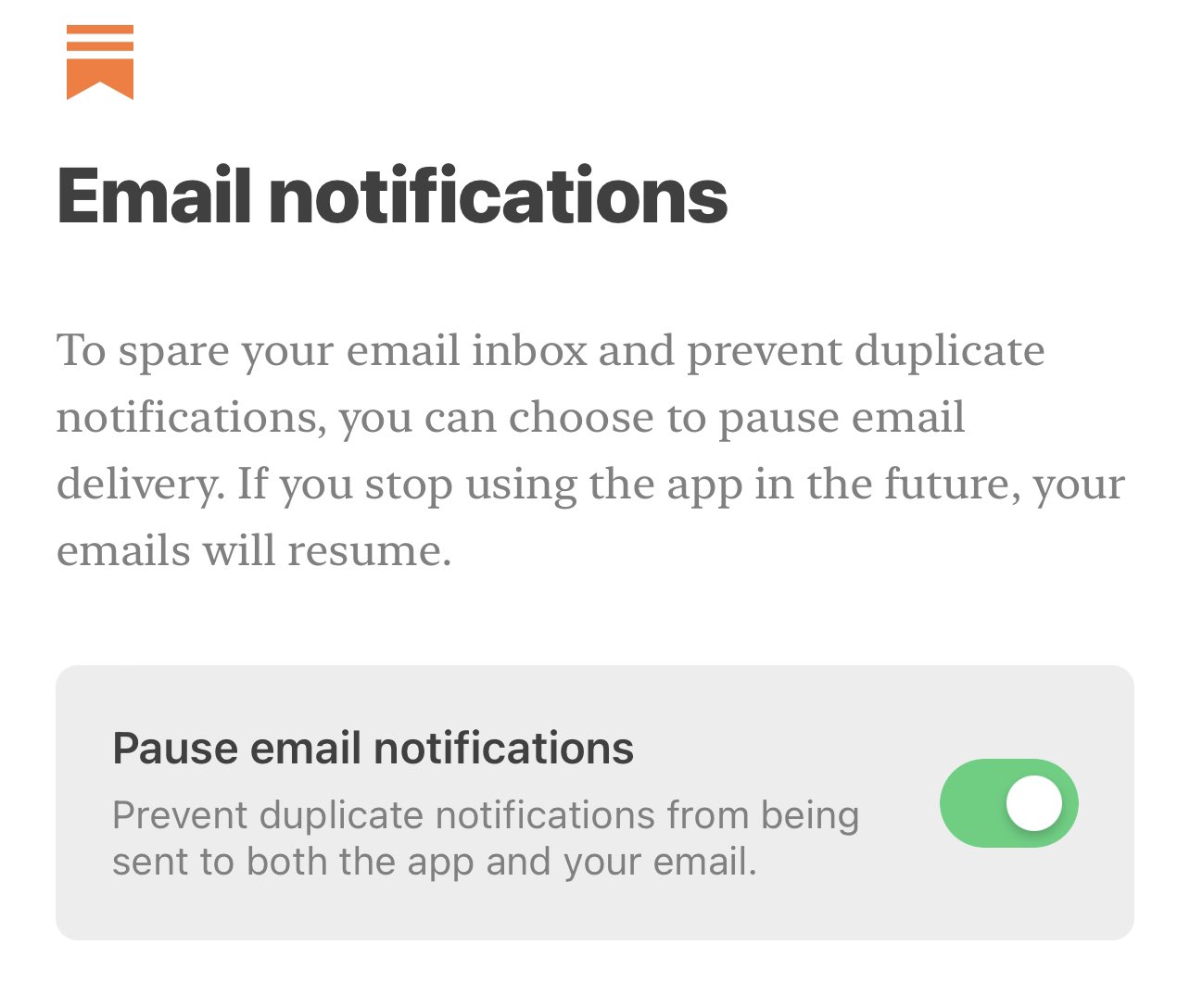
In its initial release (which they will be changing–more on this in a bit), anyone installing the app on an iPhone or iPad would see an option to “pause email notifications” as shown in the tweet below. This option was enabled by default.
(I’ve also included a redundant image of the screenshot in the event the tweet goes away.)
Substack’s app is part of the rebundling. Will be a balance between the Substack brand and newsletter brands. The default setting is for app users to not get emails. https://t.co/SfwGtM1QZ1pic.twitter.com/Ywx2H7WDuL
Pause email notifications = Never see a newsletter in your inbox again
From Casey Newton’s Platformer (hosted on Substack):
(Substack co-founder and CEO Chris) Best told me there were practical considerations for this design choice. Many people enable notifications for both Substack and email, and receiving duplicate notifications might be frustrating.
But the company also believes in the superiority of the app as a place to read. “Email is great for all of the reasons it has always been great,” Best said. “It’s low friction. It’s this direct connection where you can reach out, unmediated by the algorithm. But it’s obviously not the best version of that reading experience.”
Let’s step back and examine what Substack, at its base level is, and how it works:
Substack hosts newsletters from a variety of writers on a variety of topics
In exchange for 10% of revenue (if the writer offers paid subscriptions) Substack handles almost all of the business/technical stuff. The writer uses the provided editor/tools to put together a newsletter, hits the Publish button, and is done.
The newsletter then makes its way to the email inbox of anyone who has subscribed (and is also available for viewing on the Substack website)
It’s pretty simple and works as expected.
What that “Pause email notifications” does is not pause notifications. The wording is either deliberately or ineptly misleading. What it does is prevent newsletters from being sent to a subscriber’s email address. That meant that if you installed the app and didn’t change the defaults when setting it up, you would never again get any newsletters from Substack in your inbox, which is, you know, the entire point of Substack. That the CEO apparently thought this was fine because email is “not the best version of that reading experience” is telling. I find it hard to believe the ambiguous wording of this option was anything but deliberate, in order to get people to shut off newsletter emails entirely and make the app the only handy way to view newsletters (I suspect few people search for them on the Substack website, but do not have any definitive info on this one way or the other).
They have since changed this toggle to default to off after getting a great big ol’ backlash over it (no surprise there–perhaps they thought it would be smaller and they’d be able to ride it out) and have said a future update will remove the option from the onboarding process of the app and will just be something that can be toggled on under settings, should the user wish to do so.
I toggled this option off when I installed the app on my iPhone after realizing what it would do. This morning, I noticed several of my newsletters did not arrive in my inbox as they should have. I opened the app and the option was toggled back on. Great.
What I have since done:
Removed the app from both my iPhone and iPad
Begun setting up a trial on Ghost to see how easily I can move my piddly little newsletter over
Mulled cancelling the subs I have paid subscriptions for. I am very good at mulling.
At this point, I have little confidence that the people behind Substack care about the effects of spreading disinformation and hate (they will continue to rail against “censorship” all day long, I suppose, while their platform continues to grow ever more toxic). I have no confidence in their vision for the platform, as the way they initially set up the onboarding experience of the iOS app suggests an attempt to corral writers’ work into an app over which they will have no control. I am no longer comfortable providing them money through the subs I have.
I love the idea of Substack. But I am rapidly souring on the people behind it and the decisions they are making. It sucks.