Courtesy of Microsoft’s Bing image generation thing. I mean, it is a very large cat.
Tomorrow, my birding report from today, as it is late, and I am pooped, and a little sunburned.


Courtesy of Microsoft’s Bing image generation thing. I mean, it is a very large cat.
Tomorrow, my birding report from today, as it is late, and I am pooped, and a little sunburned.
At least in OS wars, the only casualties are your time and probably some of your brain cells.
Ruben Schade made a post on Mastodon that blew up in a predictable way, with a lot of “Well, actually…” replies. He documents what he posted with an update that collectively addresses some of the responses here. He has a longer post expanding on it here.
I generally love discussions of operating systems, because they are such an important part of our lives, yet also something we don’t usually think much about–until they do something that annoys us (or don’t do something, which also annoys us).
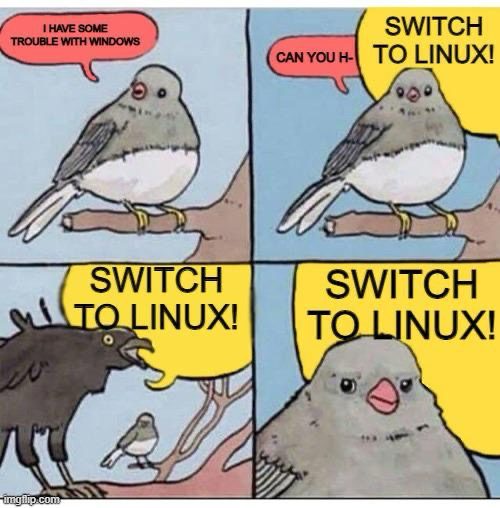
This made me think again how I am running three OSes across two machines:
I spend most of my time in Windows, a smaller chunk in macOS, and a sliver in Linux Mint. I do this not because of a company mandate or other official requirement, but because of the choices I’ve made in the software I use for the things I do.
There are things I dislike a lot in each OS, and also things I quite like. In the end, it comes down to the software, because that’s all it really is.
They all look fine. They all run relatively well. A lot of software is available on all three platforms, but the gaps are biggest on Linux, and I spend the least amount of time there. I still don’t have a replacement for Ulysses, where I write my fiction, and I prefer editing photos in Pixelmator Photo. Both of those are Mac-only apps.
I may have a replacement for Ulysses sometime this year, and I am continually exploring other options to replace Pixelmator Pro. With the latter, the UI is a big part of why I stick with it. Good UI is important to me, because it reduces friction in using software, it lets it just blend into the background.
While my quest for the perfect OS continues, I am glad that I made a rule to never debate on the internet some years back. I don’t blame Ruben for starting the thread he did–in fact, I think it was almost charmingly naive. But the responses are so utterly predictable. There is always someone waiting to tell you that you’re doing it wrong, then argue with you about it to the point of exhaustion.
People are weird.
This is just for my primary email account, which is used mostly for receiving newsletters and such. I have various others I use for various other things, but they get little in the way of messages. They mostly just sit idle in Thunderbird, just the way I like it!
My recent(ish) email history:
Now begins the task of moving the bulk of my mail over to Proton. I suspect my approach will be to do this very gradually, to minimize the drudgery. I’ll report more on actually using Proton Mail soon. So far, the UI is pretty clean, but it is mostly just email, not really trying to break no ground. But it doesn’t share my data with anyone (unless they’re not telling, which would make me sad).
A few years ago, I switched my primary email from Gmail to Outlook. My thought process was:
The switch took many months, but now virtually all of my email goes to my Outlook account. My Gmail account is largely vestigial at this point, though I do keep in active, in case I need to log in and find something from the Before Times.
You might see where this is going if you look at the first bullet point again. Under Satya Nadella, Microsoft has started turning into Google Jr., with an emphasis on ads, data collection/harvesting and everything I disliked so much about Google.
For example, this, when you use the new Outlook email client (which will eventually be mandatory across all platforms):

That 772 number varies by region (it can be even higher). I can duck some of this by using Thunderbird as my email client, which I do, and I’ve generally been happy with it.
But better yet may be using an independent company for my email, one that treats customers as customers, and not data to be mined. This means paying, of course, which is the primary disadvantage. I did this once before with HEY, and I found it a bit weird, but it brought some innovation to the email space. Then the owners of HEY revealed themselves to be Musk-championing tech bros of the worst sort, so I had to kill HEY. This was a bit painful, so I’m reluctant to do it again.
On the other hand, I write very few messages. Most of my email is in the form of newsletters, updates and things like that. This makes moving my account less painful than it otherwise might be.
The two options I’m considering are:
Both can integrate with Thunderbird, both have web clients (Proton’s is prettier, the Fastmail client is more just functional), pricing is similar, though Fastmail offers more storage (30GB vs. 15 GB). Proton offers additional privacy-focused services, though both emphasize privacy and security.
I am currently undecided, but doing a trial of each right now (Proton’s is technically costing me one U.S. dollar for a month).
I’ll have to decide one way or another fairly soon, so I’ll have an update in a few weeks. Whee!
This will be a quick one, because it’s just me explaining why it’s been a while since I had an update. Mainly, I have been preoccupied with other more pressing matters and this has taken time away from my search. I’m also increasingly skeptical that any alternative will give me what I want, despite my issues with WordPress, which means I might just stay with WordPress. But we’ll see.
I’ll have a more detailed report in Part 5, in which I will have actually tested write.as, as promised earlier.
I try to avoid ordering from Amazon at all now, but occasionally they really seem to be the only option for certain items. When I order, it pleads with me to resubscribe to Amazon Prime by interrupting any purchase with this screen:

The part I need to click to continue with my order is that blue text toward the bottom left (I have made it considerably larger here for legibility):

After this, the observant shopper might notice the total price seems higher than it should be. That’s because if you’ve added enough to your cart to qualify for free shipping ($35 or more), Amazon will still select paid shipping for you, so you can save two entire days time in getting your items1Which is not guaranteed, of course. After selecting the “No, I prefer free and waiting an entire 48 hours longer” option, it will finally let you process the transaction.
I would not object to federal legislation that:

Anyway, Amazon is a bad company and every executive that is part of it should feel bad. I also feel bad. I’ll buy something local and artisanal next time to compensate.
I am in a quandary. I thought that researching the supposed finalists would clarify things, but I feel I am no closer now to making a decision.
I looked at what I felt were the two best choices–write.as and blogtastic. They have many broad similarities, not the least of which is an apparent fear of capitalization (or love for e.e. cummings). blogtastic has an advantage in price–at least until April 1, 2024, when their pricing increases.
I was leaning toward blogtastic, partly due to that price advantage, but then I checked its showcase page. And…it’s not good. It’s filled with blogs that have clearly been abandoned, or only ever had a few posts. Only one has a post from 2024. All of them have slow-loading images that draw onto the screen like a JPEG on a Pentium in 1998. blogtastic also features testimonials elsewhere on their site. One writer spoke highly of blogtastic. I click on the link to his site–and it’s very fast! Images load instantly. It’s also running on Ghost. Hmm.
Meanwhile, write.as doesn’t show many examples at all. One is in Japanese, and it looks…OK? It’s hard to get a handle on how sites typically look. To be fair, Matt Baer, who created write.as, does have a link to his own personal blog, and it looks perfectly fine. write.as also lets you have three blogs for its price, which is a nice bonus. The editor is clean, but also very spartan. Maybe a little too spartan. blogtastic leans a little more heavily on what I’d call extra features, like footnotes and things. I love that kind of stuff.
After looking over both, I came away completely unsure on whether either would meet my needs.
Here’s a look at pricing, with Ghost thrown into the mix, as it and blogtastic will be pretty close after blogtastic’s price increase. All prices are per year.
All three let you do a limited-time trial, so you can test drive each. Since I have no idea how any of these will actually feel in practice, I’m going to do that next.
Part 4 will be my test run on write.as.

I do most of my social networking on Mastodon these days and I’ve talked a bit before about why I like it. Here are a few tips on making it a better experience and a recap on why I like it.
In Part 2, I offer some takes on platforms I skipped, summarize my experiences with ones I’ve tested, and offer some alternatives to blogging altogether.
Here are a few sites I skipped because they focus on text over images, though some do support images.
Some of these may seem pretty obvious, I include them, anyway.
For Part 3, I will be doing more research and narrowing down my choices a bit more.
Here is another cat GIF. The cat is industriously working away on its blog, All the Mews Fit to Print.

Back in January I wrote that I was contemplating moving off of WordPress for various reasons.
Back then, I posted four possible options:
I have narrowed down these options to one (and a half):
The next question is: Which WordPress alternative? Because it turns out there are a lot of options. Like, a lot. Oodles. Too many.
But since my needs are specific and known, I can winnow down the list. If your needs are like mine, this might be useful for you, too. If not, there is an animated GIF of a cat at the end of this post.
My needs (also in the linked post above, but paraphrased here):
Pretty basic stuff, really. If I eliminated photos (I will not do this, but let’s pretend), my choices would be nigh-infinite. I could go for one of many super-minimalist blogging sites. But having no photos would also mean no drawings, which are like photos I put together with my hands and brain instead of a camera. This is a dealbreaker. I don’t want to revive my old Flickr account.
That clears out the wide array of minimalist, text-only sites. What’s left? Still oodles!
Important note: I am omitting blogs that lean into more technical, nerdy skills to set up or maintain, so there's nothing here that installs from a command line or runs from a folder or requires scripting, etc. These follow the flow of:

Write a post  Click a button  Your thoughts are on the internet
Here’s an incomplete list:
And a quick summary of them, with some emphasis on what I’m looking for:
This is probably the most WordPress-like, and it takes the most direct aim at WordPress and its features, claiming to be better/faster and, in some cases, cheaper.
The biggest con is that it’s $9 U.S. per month minimum1All prices listed here are in U.S. dollars. This is a lot of money to record my inane thoughts that could just as easily be typed into Notepad for free. You can also self-host Ghost, which is cheaper, but not exactly a simple process.
Ghost does have another notable pro, though–it can import from WordPress, so the nearly 4,000 inane posts I’ve made here could be carried over.
This is reasonably priced at $5 a month, but has an emphasis on community (not a bad thing if you’re looking for that) and while longer pieces are possible, the focus is more on short, quick posts.
There’s a free plan, with some reasonable limits, so you can try before you buy (note: as of this post, the free plan is listed as “Closed for now”), and it’s $6 per month after if you pay annually. It supports not just photos, but albums. It has a blog community and supports newsletters, which suggests it has started moving away from its personal blog roots.
Pika has a free plan that is essentially a trial–you can make 50 posts, and then you’re done. So if you only ever have 50 things to say, you don’t have to pay! It’s otherwise $6 a month. It emphasizes a great writing experience, has some simple themes, and supports images. It’s also really new, as it just launched at the end of January 2024.
With a name like Blogtastic, you would expect this to be a good blogging platform. It has multiple plans, including Starter for $20 and Expert for $50. Prices are going up on April 1st, though (no foolin’), with new names like Hobby for $50 and Startup for $100. I don’t think the old $20 and new $50 plans match up, though their chart doesn’t make it especially clear.
Anyway, this platform seems to offer everything and has been running for about three years, so it’s still relatively new. It feels like a Ghost competitor and, indeed, they compare themselves directly to Ghost, stating that they are more focused on writing and less on “secondary” things. They claim their gallery management is “robust”!
There’s a $5 per month Founder Plan (good for 10 blogs) and–that’s it! No other options. It keeps things simple. Posthaven bills itself, somewhat weirdly, as “the blogging platform designed to outlive us.” I mean, OK, but I’m not sure if I care much about my blog a hundred years after I’ve departed the Earth for parts unknown.
A major caveat for me is image sizes seem to be limited due to their theming. They mention 800 pixels max, which is tiny and probably a dealbreaker.
Having gone through these, the ones I feel can be eliminated are:
This leaves Pika, write.as and Blogtastic. Currently, only one offers a free trial of sorts, so I’ll give Pika a test-run and do more research on write.as and Blogtastic.
Coming up in Part 2:
Here is the promised cat GIF for this post:

Yes, I did it. Did what? If I listed everything, we’d be here a while, and while I love lists, I don’t know if I love them that much.
What I did four days ago, though, was secure the following:
If you click that link, you’ll see this:
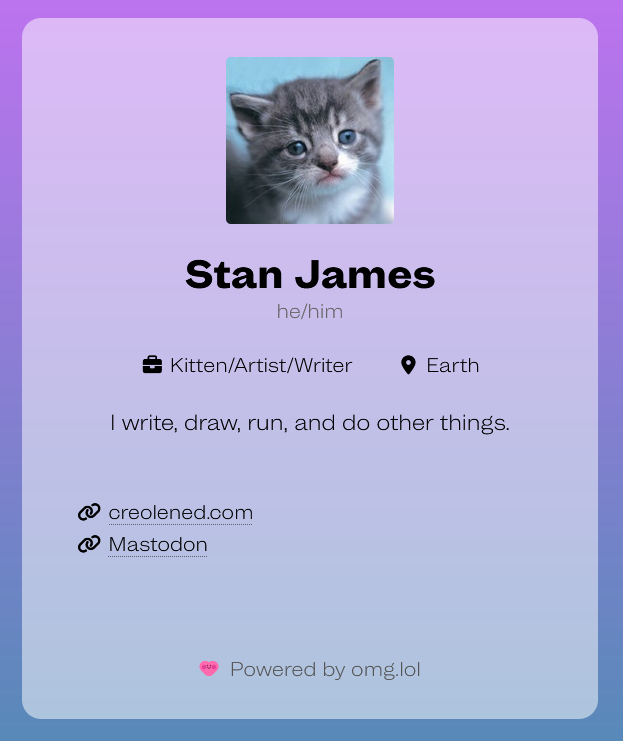
Why did I do this? Now I can do a list!
It has to be renewed every year, so I’ve got 11 months, 3 weeks and 6 days as of this post to decide if I want to keep it or not. In the interim, it’s play time. I’ll have more on this in the next week.
(Also, the status you should see in the right sidebar is courtesy of omg.lol)
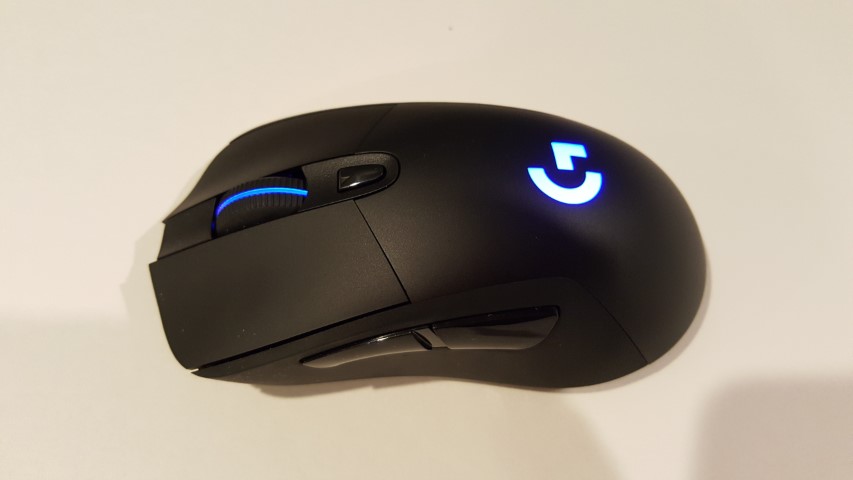
It seems that the switches on my trusty Logitech G703 mouse are finally starting to go, particularly those under the left button, as it is starting to register double-clicks, no clicks or some random combination of the two.
I can’t remember when I got the mouse, so I suppose I’m not too upset, but, unlike days of yore, I’m not looking forward to looking for and getting a new mouse, I’d rather one that worked just magically appeared on my desk.
Sine that seems unlikely to happen, what I may do instead is switch to one of my backup mice (yes, I have multiples) and use one of those in the interim and begin a search for a new mouse. I could also swap out the G703 with the G403 currently on the Mac (they are the same mouse, the G403 is the wired version). That would likely mean using a wireless mouse on my Mac, which would be bad because they kind of suck (unless you use Apple’s mouse).
I checked Logitech Canada’s site and the G703 is still available…for $129.99. I must have bought mine on sale or in an alternate dimension because I know I didn’t pay anywhere near that for it (nor would I ever pay that much for a mouse).
Time to start some research!