After my run at Burnaby Lake, I came across a garter snake. They usually slither off quickly as you approach, but this one was contentedly sunning and remained indifferent to my presence as I took some photos.


After my run at Burnaby Lake, I came across a garter snake. They usually slither off quickly as you approach, but this one was contentedly sunning and remained indifferent to my presence as I took some photos.
I had to get back on the full run bandwagon again, so I headed out a bit earlier in the afternoon today to do so. Fortunately, it was also a pleasantly warm and sunny early autumn day, which provides some grease on the motivation part vs. a monsoon with high winds (which we had last Friday).
I opted to do a full loop around the lake, running the first 5K, then walking/running out the rest of the way.
I felt a tiny bit of a stitch threaten late, but it subsided quickly, and there were otherwise no issues.
The delusion came as I headed to the lake, thinking I might try for a full 10K. That notion was cast aside by around the 3 km mark. 😛 I’ll get there, though!
This was my best run at the lake with a pace of 6:08/km, edging me closer to breaking the six-minute mark.
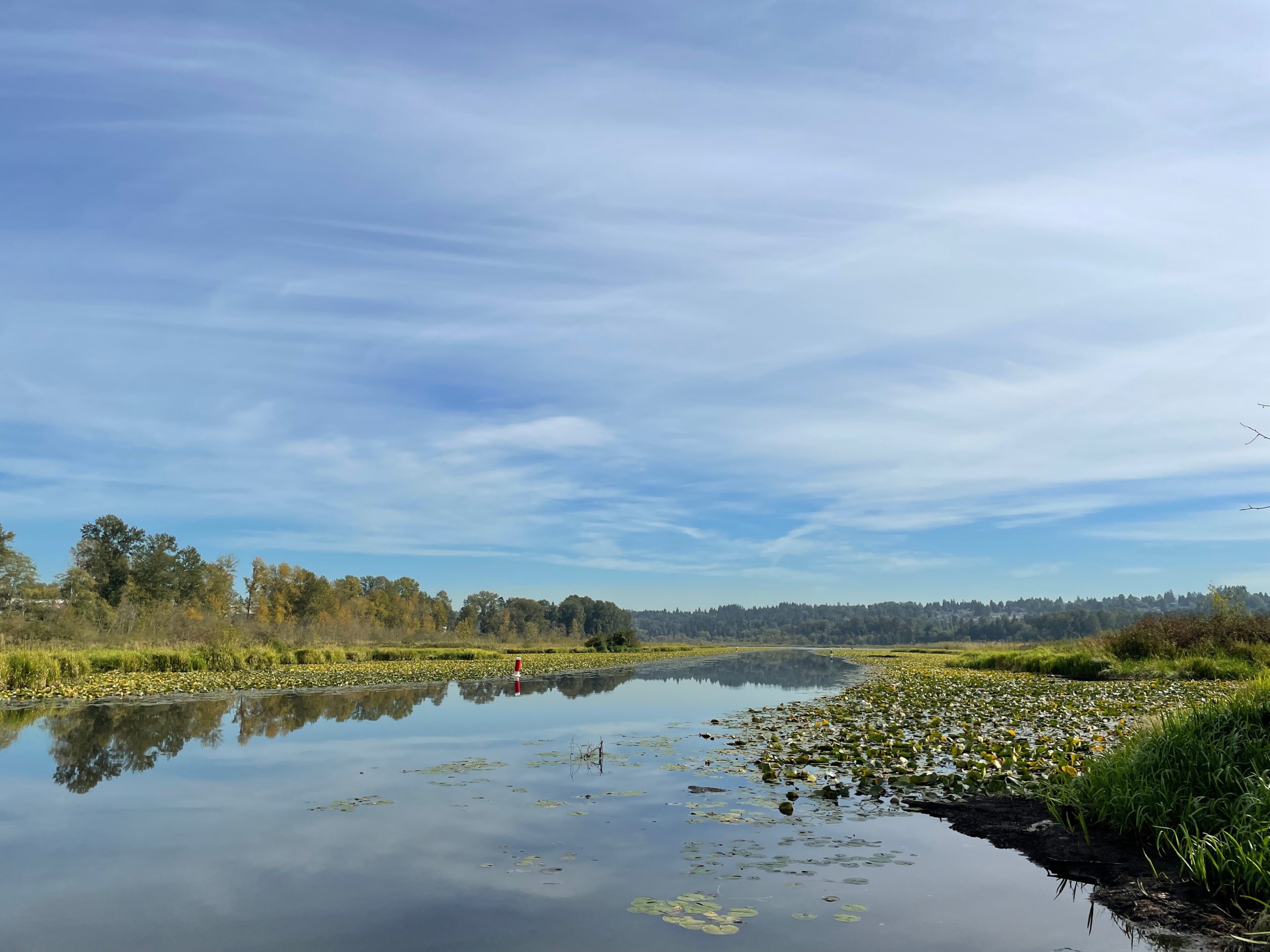
I also saw a snake post-run. It was just hanging out on the trail, soaking up the sun. It didn’t budge even when I got close to take a pic. I’ll post the photo in another, uh, post, but here’s another post-run shot of Burnaby Lake looking serene and pretty in its early fall colors:
Stats:
Run 659
Average pace: 6:08/km
Location: Burnaby Lake (CCW)
Start: 2:10 p.m.
Distance: 5.02 km
Time: 30:50
Weather: Sunny
Temp: 23ºC
Humidity: 50%
Wind: light
BPM: 154
Weight: 177.9
Total distance to date: 4900 km
Devices: Apple Watch Series 5, iPhone 12
Shoes: Brooks Caldera 5 (30 km)
UPDATE, April 18, 2022: I can confirm that in my own experience, variable refresh rate support is working in macOS Monterey. Since I have switched to using a Mac Studio as my desktop machine, I have found the following:

• Connecting via the Studio's HDMI port to one of my Asus VG27A monitors works with the 144Hz refresh rate
• Connecting via one of the Studio's Thunderbolt ports to HDMI via a USB-C to HDMI cable does not allow for the 144Hz refresh rate, only 60 or 72 (and 72 does not work, as shown below)
Here’s my public service for the week. It happened to me, it could happen to you! (If you have the right combo of hardware).
The problem: When putting my M1 MacBook Air into clamshell mode, the 27″ external monitor it was connected to would go blank. The Air was still on and otherwise running, but was not getting a signal from the monitor.
Attempted fixes included:
The fix: I found the fix in this Reddit post: https://www.reddit.com/r/mac/comments/knrcof/m1_macbook_air_in_clamshell_mode/
Unlike the author, I believe the issue isn’t related to the cable, just the fact that macOS does not support variable refresh rates and when closing the lid on a monitor with variable refresh rates, it would switch to a rate it didn’t actually support. In my case, I have an Asus VG27A, which has a max (without overclocking) refresh rate of 144Hz. I run it at 60Hz on the MacBook, but when putting it into clamshell mode, it switched to 72Hz, which doesn’t work, causing the display to go blank.
Step-by-step solution
Here’s my step-by-step for the fix in case something happens to the Reddit link:
What this applies to:
What you need:
The steps:
Apple is adding variable refresh rate in macOS Monterey, which is due in Fall 2021 (probably a month or so from now as of this writing, but this will likely continue to be an issue on Big Sur. Story on MacRumors

When someone tells you that cats can’t show facial expressions, just have them take a gander at this, where the look on the cat’s face speaks (or meows) volumes.
By which I mean I got so fully into run mode that when I hit the 6 km mark (and had two full km of run completed) I automatically stopped the workout, which I did not mean to do, as I still had 1.66 km of walking left (see Part B, below).
That said, this was another good effort and save for a few moments of creakiness right toward the end of the initial running stretch in my lower right back, I felt fine.
Well, I felt a little guilty. Today would normally be a run day, not a run/walk day, but I started rather late than intended, so opted for the combo instead. I can’t say I entirely regret it, as it was still a decent workout.
And it was very humid, showers having occurred earlier in the day. This assured there would be sweating, but no dry mouth. I can live with the trade-off.
My average pace of the combined efforts averages out to 7:38/km, which seems too fast, but is…possible. My running pace was 5:36 and 5:37/km, which is probably my best 1-2 so far this year.
Stats:
Walk 59
Average pace: 7:55/km
Location: Brunette River trail
Distance: 6.04 km
Time: 47:53
Weather: Sunny with some cloud
Temp: 17ºC
Humidity: 72%
Wind: light
BPM: 127
Weight: 178 pounds
Total distance to date: 451.09 km
Devices: Apple Watch Series 5, iPhone 12
Part B:
Walk 59b
Average pace: 7:21/km
Location: Brunette River trail
Distance: 1.66 km
Time: 12:16
Weather: Sunny with some cloud
Temp: 17ºC
Humidity: 72%
Wind: light
BPM: 146
Weight: 178 pounds
Total distance to date: 452.75 km
Devices: Apple Watch Series 5, iPhone 12
Today is the last day of summer, and it was downright pleasant for a walk/run combo.
I wasn’t sure what I was going to do when I headed out (I missed yesterday’s usual run) but in the end I opted to stick to my run schedule and do a walk today (which always means running 2+ km, anyway). I felt pretty good, had no issues and overall it was a solid effort–almost identical to the last walk/run, actually. It’s always a little weird to match a previous effort with such precision.
The bonus old is this is the first running since my birthday on Sunday. I’m 57 now, and if you had asked me 20 years ago if I’d be running regularly at 57 I probably would have laughed, imagining myself with a cane and a long gray beard.
Well, maybe not the beard. Actually, not the cane, either. But I would have imagined myself creaky and docile, more likely to exercise by padding to the fridge and back to the recliner in the living room.
The reality is, I have no idea what 57 is supposed to feel like, but I feel pretty good. So that’s, uh, good!
The weather tomorrow is looking a little damp (though not like the downpour we had back on Friday), so this may be my first real test of getting out for a run, regardless of the weather.
Stats:
Walk 58
Average pace: 8:00/km
Location: Brunette River trail
Distance: 7.75 km
Time: 62:04
Weather: Sunny with some cloud
Temp: 21ºC
Humidity: 50%
Wind: light
BPM: 131
Weight: 177.8 pounds
Total distance to date: 445.05 km
Devices: Apple Watch Series 5, iPhone 12
I can’t decide!
A comprehensive overview of my thoughts on the strengths and weaknesses of both systems coming soon.
In the meantime, an animated image for your enjoyment:

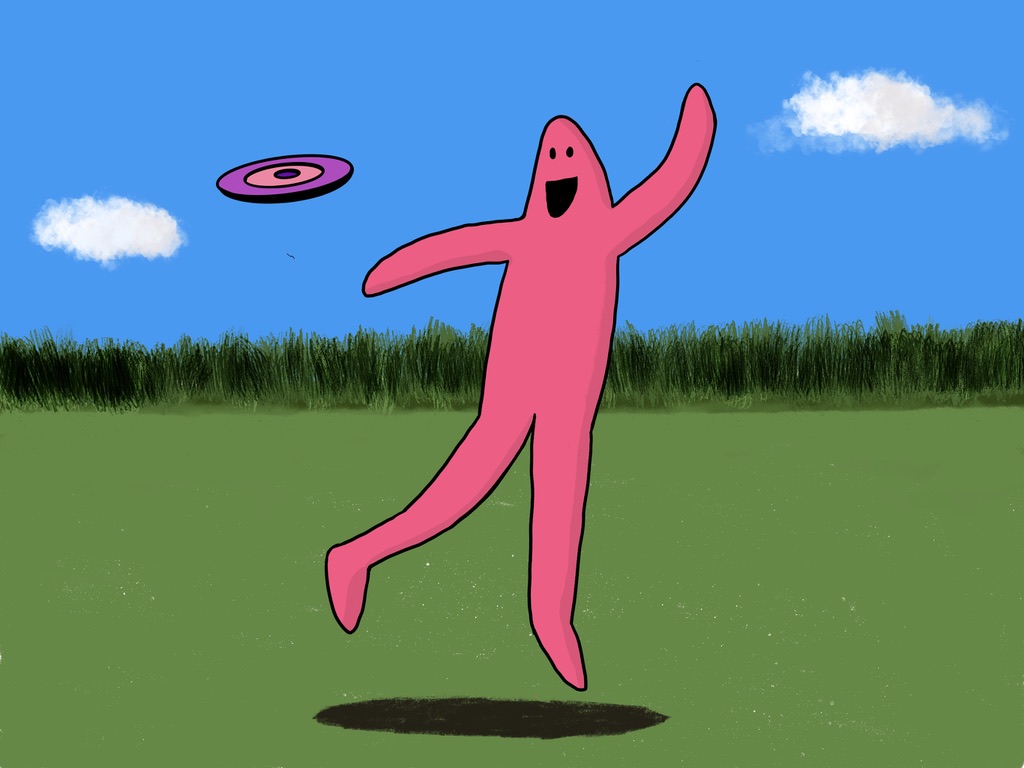
I redid the legs multiple times. I always make them too long. I need to bone up (ho ho) on GGP anatomy more.
This was relatively quick, but I intend to draw more Gum Gum People over the next while.
I hemmed and I hawed while heading out today. Would I:
I ended up going for option #3 and was glad I did.
It was somewhat humid again but cooler than last time, resulting in some sweating, but also my mouth not really drying out. This was a good compromise, really, and probably provided a bit of an energy boost.
The strobe light part happened because the sun was low enough that it was shining through the tops of the trees when I was running westward, producing a distinct strobing effect. It’s a bit distracting. By reversing after 2.5K I completely avoided the effect on the way back, thus saving myself from getting bedazzled and running off the trail and into a clutch of giant skunk cabbage.
Also of note, I saw a squirrel on the trail holding a chestnut in its mouth–with the outer shell/skin still on it. You know, the one that’s covered in spiky bits. This must be the squirrel equivalent of eating Cap’n Crunch.
I found a comfortable pace from the start and maintained it throughout, completing the run without that OMG WHY HASN’T THIS ENDED YET?! feeling hitting me.
As a result, I shaved four seconds off my previous pace, had an even lower BPM and just generally felt a lot better. Running the lake trail is more technical than the river, though it’s pretty mild in terms of curves and dips, but it’s still so much nicer to run on an actual travel and not a seldom-used-by-vehicles service road, so the extra walking is worth it. Plus, with the resurfacing going on now between Piper Spit and Phillips Point, the entire loop is pretty much 100% exposed tree root-free. Even when the leaves pile up in the fall, I won’t have to worry about snagging a foot on one of those evil wood things. Woo!
When that resurfacing is done, the only remaining area will be the strip alongside the athletic fields, which can still flood or get very swampy from the rain, or even when they run the sprinklers for too long. The drainage in the area is a bit lacking.
In any case, it’s good to be back to a regular run routine. Here’s hoping my body doesn’t goof it all up.
Stats:
Run 658
Average pace: 6:12/km
Location: Burnaby Lake (CCW)
Start: 4:29 p.m.
Distance: 5.02 km
Time: 31:10
Weather: Sunny
Temp: 19ºC
Humidity: 50%
Wind: light
BPM: 150
Weight: 177.8
Total distance to date: 4895 km
Devices: Apple Watch Series 5, iPhone 12
Shoes: Brooks Caldera 5 (25 km)
This CBC story explains how putting a colorful collar on a cat can help warn off birds they might prey on, as birds have good color perception.
I just like how fabulous it makes the cats look.

Some showers in the morning meant it was once again quite humid, but for the walk it was sunny and the temperature around 19C, so perfectly pleasant.
As has become my custom, I am now running an even two km on the way back from the end of the river trail and the pace for these two km was 5:50/km and 5:51/km, so I found a good pace and stayed with it. I actually kept running most of the way back after that–through Lower Hume Park and then along Fader Street (my shins especially notice the difference between running on a gravel trail vs. a concrete sidewalk and the difference can be summed up mostly as, “Don’t run on this really hard stuff.”
As I neared the condo, I experienced the first real taste of “I could keep going” since resuming my runs. It was nice.
I also just squeaked under the 8:00/km mark for overall average pace–not that I need to keep going faster and faster, but it’s still a fun thing to see.
The rest of the week looks a bit soggy. We’ll see how the runs go.
Stats:
Walk  57
Average pace: 7:59/km
Location: Brunette River trail
Distance: 7.78 km
Time: 62:13
Weather: Sunny
Temp: 19ºC
Humidity: 62%
Wind: light
BPM: 128
Weight: 176.8 pounds
Total distance to date: 437.30 km
Devices: Apple Watch Series 5, iPhone 12
I dithered a bit on getting out today and wasn’t sure if I’d walk, run or do some crazy combo. As is the case when I face this sort of indecision, I walked to the end of the river trail, hoping to find an answer along the way. And I did!
I decided to do another looping 5K run at the lake, this time going clockwise because of variety and all that.
I got to the lake under partly cloudy skies–nice for running! I started out, thinking about where I’d be on the trail when I hit the 2.5K mark and had to turn around. I noticed it was very humid.
Setting down the Avalon trail, I passed a few people and off in the distance noticed someone walking down from the Freeway trail. No one walks on the Freeway trail pretty much unless they have to, because it is completely exposed and, true to its name, within sight of the highway, which is not really the most scenic thing to look at when out for a nice run.
This turned out to be the case, because when I got to the spot where the trail splits, the turn-off for the lake loop had a big ol’ sawhorse blocking it with a TRAIL CLOSED sign on it. Fooey.
Having no choice, I continued on the Freeway trail. The sun also came out. Combined with the high humidity, I began sweating like crazy and felt like some invisible energy vampire had suddenly arrived to take my energy, because that’s what they do.
When I reached the first fork leading back to the lake loop, there was another sawhorse, but this one was pushed aside, so I tentatively set down the path. The parks people were doing some kind of remedial work at Ramsay Creek, and I could see equipment parked on the bridge. Another runner (or at least I think he might have been as he was drenched in sweat) was walking ahead of me and seemed to get through, but I decided to head back, along the forbidden part of the trail that was CLOSED, thinking I would not encounter any work, equipment or things of that nature due to the CLOSED part.
I was right! In fact, the trail was blissfully empty right up until I approached the first sawhorse from the other side. I zipped around it, feeling a little naughty about the whole thing.
Since I was going to come up short on 5K, I had to cross over the dam and run a ways counter-clockwise to make up the difference. I found a tiny bit of gas to finish and ended up with a pace of 6:15/km, only one second slower than my previous lake run. Not bad considering how humid it was. Did I mention the humidity? It was very humid.
Other than the energy-sapping humidity, I encountered no issues while running, so overall I’m pleased to have gotten out and continue to build on my 5Ks. I don’t have any great plans on where to take this, I’m just going to keep running regularly for as long as I can and take any improvements in stamina and increased leg sexiness as they come.
Stats:
Run 657
Average pace: 6:16/km
Location: Burnaby Lake (CW)
Start: 3:29 p.m.
Distance: 5.02 km
Time: 31:25
Weather: Sun and cloud
Temp: 22ºC
Humidity: 62%
Wind: light
BPM: 152
Weight: 178.1
Total distance to date: 4895 km
Devices: Apple Watch Series 5, iPhone 12
Shoes: Brooks Caldera 5 (20 km)