UPDATE: As of 9 a.m. it's actually -13 °C. This is fine.
It means this is the weather predicted for tomorrow:

We may break both high1Achievement already unlocked and low temperature records this year. Climate change is fun 2Not actually fun!

I have no idea what the malls were like today. With snow on the ground, the high temperature of the day being -6C and the Omicron variant of COVID-19 doing a variation of Oprah’s “You get a car and you get a car and you get a car!” with the entire general population, it seems unlikely the stores were packed.
But people do love a good bargain.
I went for a walk but otherwise stayed inside, warm and content to avoid crowds, plague and things.
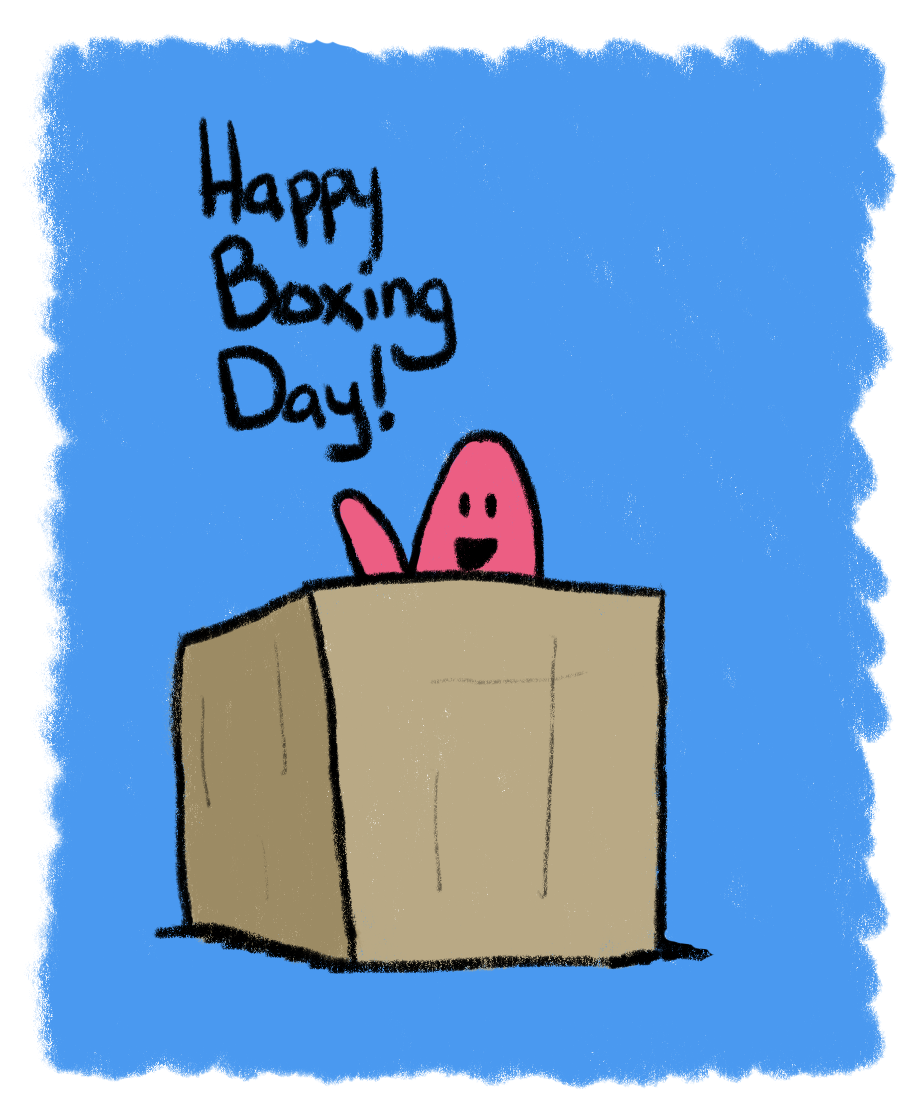
I did a quick drawing to celebrate Boxing Day, though. In hindsight, I wished I had put flaps on the box. I mean, I still could, but maybe I should just move onto bigger, better boxes.
I’m also thinking about restarting some art lessons, to better ground myself in the basics. I’m a bit rusty.

As the ancient elders Environment Canada foretold, we have indeed been bestowed with a white Christmas in 2021. It’s time for a list!
Snow good
Snow bad
And today’s evidence:



Ah, Christmas eve. It’s quiet as I type this, the temperature has dropped to zero degrees, and a big chill is forecast for the next five days. Environment Canada summed it up thusly:
Wind chill values: below minus 20.
Temperatures: Near record cold temperatures next week.
I have my winter woolies ready!
But tonight, before tucking in, I became annoyed enough at the narrow scroll bar used on outlook.com that I sought a remedy.
This was a terrible mistake.
To elaborate a bit, Firefox normally uses regular width scroll bars on sites, but sites can use thin ones if they choose. They may look sleek but are hard to see and harder to manipulate and really, just dumb.
I did find a remedy quickly, in the form of a Firefox extension that lets you override the browser settings to go with a permanent “wide” scroll bar. Despite the name, it’s just the regular width we’ve all known and loved for the last hundred years. It worked great. I was pleased.
I should have stopped there.
Instead, I noticed–as I was on the Firefox extensions page–that I had a whole slew of updates available for my extensions. most are disabled, but a few of the active ones also had updates, including the speed dial I use for the new tab page, called NelliTab. I have discussed this extension before and quite like it. It wasn’t until later that I noticed the update came out today–December 24th–and that the dedicated developer might have been drunk on spicy eggnog (edit–the update actually came out on December 6th, I misread the install date as the date of release).
Why do I think this? After installing the update, NelliTab stopped working. It would only show a serene blank page. I did all the usual troubleshooting, but nothing worked. I then went with the nuclear option–I removed the extension, then added it back. This reset its settings, but it would not take long to tweak it back to my liking.
This appeared to work–the extension popped back up and all my bookmarks were in place, but without the icons that make them easy to scan. For most sites, NelliTab will grab the site icon after you’ve visited the site once, so over time, all sites will show an icon in NelliTab. Except that wasn’t happening. Again, more troubleshooting. Nothing I did would fix this. Without the icons NelliTab is worse than a list of bookmarks because it is more difficult to scan. I cursed myself for updating.
I decided to go with the even more nuclear option: a restore point. Fortunately, I had one from just two days ago, when I installed the update for DaVinci Resolve. With some trepidation I chose it and waited. I waited for some time. I waited long enough that I became concerned.
But finally, my PC rebooted, and everything looked pretty much the same, as expected. I loaded up Firefox to take in the wonder of my now-un-updated NelliTab page. Except it was the exact same broken page as before. The restore point did nothing except take up time.
So, I’m not sure what to do next. If I do a refresh of Firefox, it’s going to affect everything, which will be a major pain in the patootie. There doesn’t seem to be a way to step back to a previous version of NelliTab, though I haven’t investigated this in detail yet (it’s getting late).
SPECIAL REPORT: I interrupt this post to inform you that a big ass stink bug just started casually strolling across my desk. What the hell. I can’t remember the last time I saw one. I didn’t even know what it was until I looked it up. I know a lot more about stink bugs now.
I put it in a glass covered with plastic wrap. It climbed up the glass and then sat attached upside down, to the plastic wrap. Reading up on them, it seems there are pros and cons to having them around, but mostly cons and so I put it in the freezer, as an entomologist said that’s the best way to get rid of them. I suppose it’s humane, sort of? I still feel bad. But I have this weird feeling that if I just tossed it outside it would make its way in again and breed or something. Something stinky. Anyway, I’m sorry, stink bug!
We now return to the Firefox extension crisis already in progress.
I’m writing this post in Edge because I can’t bear to use Firefox with a broken NelliTab. That almost sounds like a country song. I feel like this is a country song, a sad one. I’ll take another crack at fixing this tomorrow, hopefully imbued with the magical spirit of Christmas to help me.
Remember, kids, if something is working, DON’T UPDATE IT. I have re-learned this harsh lesson once again.
UPDATE: I looked through a pile of new tab/bookmark extensions (and still have oodles more to look through) but found none that really work the way NelliTab does. This makes me sad. I have manually added icons back to the sites I use most often in NelliTab as a band aid solution for now, and also submitted a bug report to the extension's Github page. We'll see how it goes, but for now I'm still using NelliTab.
Here we go again!
As previously mentioned, I’ll be going through Bryn Donovan’s book, 5,000 Writing Prompts, doing each prompt as a super-short story (or sometimes not super-short, as you’ll see below). The last time I did this, with a book of 1,000 prompts, I made it through ten, or one percent of the prompts. We’ll see if I do better this time.
I will have a blurb at the bottom of each post explaining the whole thing. It’ll be fun!
Also note, these prompts will be appearing in my newsletter (sign up here).
Prompt 1: The arrival of a letter, email, or package
(NOTE: I actually used this prompt when I first got the book in 2019. The story was about writer’s block. I never finished it. The irony.)
Story based on Prompt 1:
Charles Smith-Jones was a boring man. But he aspired to be more. He wanted to be a famous writer. And rich. Rich and famous, as he cleverly thought. Fame alone would be insufficient.
Charles had a problem, though. His mind was an empty vessel, and when the great god Inspiration did deign to fill it, it was with clichés, stereotypes, ideas that, when transformed into words, were terrible, but not terrible enough to provide entertainment value through their sheer awfulness. They were just terrible.
He thought of praying for guidance, for wisdom, for dumb luck, but he was not a religious man and his prayers, mumbled half-heartedly while he made toast in the morning, were like partly-inflated hot air balloons, rising, drifting, crashing.
On this particular day, which was a Saturday and thus a writing day, the doorbell rang. Charles could not remember the last time it had done so. He never had visitors and door-to-door salespeople had long given up on that sort of thing, at least in his neighborhood.
He opened the door to find not a person, but a package. It was wrapped in plain brown paper and bore no return address. It was just big enough to be awkward to carry. He picked it up, anyway, and crabwalked it into the kitchen.
He carefully sliced the paper away with a razor knife, revealing an entirely unremarkable cardboard box. He carefully sliced the tape holding the top of the box together and pulled back the flaps, revealing wads of packing paper inside. He removed them, carefully putting them aside on the kitchen table, thinking he might be able to re-use them later.
With the packing paper removed, Charles found himself looking at a large, smooth piece of wood. He investigated further. It seemed to be a large wooden cube.
He used the knife to cut away the rest of the box, as he did not like the idea of doing more lifting than absolutely necessary. He had some paranoia about putting out his back and being unable to pursue his dream of being a rich and famous writer.
He hoisted the cube onto the kitchen table and tried to puzzle out who would send him such a thing, and why. The effort fizzled after a few minutes, but it made him hungry, so he made more toast, sitting down at the table and eating it while staring at the cube. He turned it to look at all four sides, and it was when he turned to the fourth and final side that he saw written on it the words WRITER’S BLOCK.
Cute. So it had to be a joke. But from whom? Again, no names came to mind.
He held up the knife, still partly smeared with peanut butter, and gently poked at the cube. He steadied the cube with his other hand and pressed harder. The knife dug in. He twisted it and a curl of wood peeled off. He couldn’t remember what the word was for a piece of curled wood.
He finished his toast, then got a larger knife and began working away at the cube, shaving away–that was it! The word was shaving!–more and more, unsure if he would end up with a huge pile of wood shavings on his table, which he would have to then dispose of, or if there might be something inside the block, like a Kinder surprise, which he loved as a kid.
It turned out the latter was the case.
After working away long enough for lunch to draw near, Charles at last came upon the hollowed-out center of the cube, like some kind of hidden treasure vault. What treasure would he find?
It was a typewriter. He could not remember the last time he had seen a typewriter. Maybe on a TV show set in the 1940s.
He pulled it out and took it into the dining room, setting it on the table there. It was blue and might have been a portable unit, as it was smaller than he imagined a typewriter to be. The name identified it as a Smith-Corona.
He cocked his head at it. Maybe it was a joke after all. He held out his right index finger and stabbed it down on the X key, secretly hoping to make the key stick. That was always fun to do as a kid. It did not stick. But doing this made him realize a sheet of paper was tucked into the roller. He cranked the knob to roll it up and read what had been typed on it:
Hello. Follow your dreams! Use this typewriter and you will become famous–I guarantee it!
Charles laughed, though he wasn’t sure this was actually funny.
He pulled up a chair and sat at the typewriter. He snapped the guide back onto the roller and began to type. Before he had finished his first sentence–another facile bit of dross–the typewriter erupted in a huge explosion. The windows of the dining room were blasted out. The fake crystal chandelier that hung above the table and which Charles rather liked, was blown up into the ceiling and shattered. Little was left of the typewriter.
Little was left of Charles. He was quite dead.
He did earn fame of a sort, though, his unremarkable life exposed briefly by the media, who dubbed him a victim of The Typewriter Killer, a moniker so bland and unoriginal that Charles himself might have come up with it.
About this whole prompt business

This is my attempt to do all 5,000 prompts from Bryn Donovan's book 5,000 Writing Prompts.
It turns out there’s actually a video of perhaps my favorite animated gif ever. A former co-worker had it come up as a recommended video for him and shared the link, for which I am joyously grateful because this is the best cat.
I would be remiss to not include the gif as well:


Last night, I dreamed that I returned to work at Starbucks as a barista, a position I last held 24 years ago. Yes, it’s been awhile.
Here are the details as I recall them:
In conclusion, I would like a nice dream about fluffy nice things tonight. Or winning the lottery and not having it turn out to be an ironic horror or something.

From our Chinese food dinner last night. This is just absurdly delightful:
A routine will turn into an enchanting escapade.

My mind boggles at what this could entail. I wonder how doing laundry could become an enchanting escapade. I mean, it could happen! Somehow. Possibly.
Or I could be on a run and magically enter a delightful fantasy realm where the animals all sing together and have awesome harmony. In a universe of endless dimensions, it’s theoretically conceivable.
Wait, I may have figured it out. The fortune also gives six numbers to use in the lottery. Maybe my routine of buying lottery tickets will yield riches at long last. That would definitely lead to an enchanting escapade or two.
FAKE EDIT: I have purchased an additional Lotto 6/49 ticket using the provided six numbers. I consider it my charitable contribution for Christmas. Maybe the funds will help provide someone with an enchanting escapade, because now that I re-read the fortune, it doesn’t necessarily even refer to me, just that a routine–maybe someone else’s–will become an enchanting escapade.
We’ll find out on December 22nd!
Right now, I am caught between two worlds. Specifically, Mars and Jupiter. I’m stuck in the asteroid belt, send help!
Just kidding.
I use both a Windows 11 PC and an M1 MacBook Air. Both are very nice machines and perform well. I think Windows 11 has caught up in many ways to macOS in terms of appearance and UI, and even surpasses it in some ways (window management remains much better, as I’ve noted before).
I would be Windows-only save for one thing: my fiction writing is done in Ulysses, which is a Mac-only app. Now, it’s true that my fiction writing has been moribund (very, very moribund) for the last year or so and if I had no intent on changing this, I could just put aside the MacBook Air for the fabled time when I’d actually need to go back out into the world with a laptop again.
But I am intent on actually trying to revive my fiction writing and I’m too lazy to look for or switch to another writing app, so I’m keeping my Mac–for now, at least.
My previous setup was a single 27″ monitor and it worked well for both PC and Mac. Switching between the two was not instant, but it was pretty easy and only took a second or two. I added a second monitor, which has been glorious for my Windows 11 setup. However, for ?reasons? Apple deigned to make its initial Apple silicon offering, the System on Chip (Soc) known as the M1, only work with a single external display.
This means I can only use one of my two 27″ monitors with my MacBook Air and I am sad.
But wait!
You can use a DisplayLink adapter or dock to sneakily connect more displays via USB. It’s confirmed to work with all M1 Macs (it’s not needed for the newer M1 Pro and M! Max SoCs, since they support multiple external displays). I procured one of these devices, specifically a StarTech USB-A to HDMI DisplayLink adapter. I downloaded the latest DisplayLink drivers (also required), connected the adapter to a free USB-A port on my CalDigit 3 dock and…it didn’t work.
With both monitors connected, only one or the other would work, neither would work at the same time (the “permanent” monitor is working via USB-C to HDMI).
Thus I began troubleshooting.
It’s worth mentioning here that the reason I went with a DisplayLink adapter as a solution is because it would be the cheapest way to get a multi-monitor Mac setup going (about $100). The next cheapest option would be to trade-in or sell my Air and get an M1 Mac mini, which supports two external monitors because it really only supports the same number as the Air, but since it doesn’t come with a display, it can actually display to two external monitors. This option, no matter how I might finagle it, other than winning the lottery, would cost more than $100.
Troubleshooting involved a lot of the usual stuff. I won’t go into details. It was bad enough that I suffered through it. No one else should suffer through it by proxy.
In the end it’s still not working. I have one thing left to try–switch the “permanent” connection from HDMI to DisplayPort, but this would upset my PC configuration, which is working just dandy, so I am loathe to do it. I might, if I manage to reach the right balance of bored and desperate.
For now, my Mac work continues to be single monitor, with the second display dimly showing my forlorn reflection and nothing else.
I have considered getting one of those new MacBook Pros by selling my Air and using other monies I have from previous trade-ins, but there’s no getting around it costing a lot more than $100, and it would be serious overkill for writing. I rationalize it by saying I’m getting into game development now and video editing and it would be useful for those things. But my PC already works well for those. But it is now and shiny and solves a problem, and so I ponder, occasionally glancing up to that forlorn figure looking back at me.
tl;dr: DisplayLink is definitely a hack when it comes to M1 Macs. This isn’t the technology’s fault, really, it’s Apple’s strange and arbitrary regression on monitor support for their first batch of Apple SoCs. Still, it’s important to remember what you may be getting into before making the leap, as I did.
Also note: All PCs happily support multiple displays without any trickery!
I end with a repeat of this:
A week or so ago, I got an email from “PayPal” saying that I was going to be charged an “inactivity fee” because I hadn’t logged into or used my account in a very long time. I ignored this, because it smelled just like a phishing scam.
Today I got another email saying I had been charged the inactivity fee and to avoid further charges, I’d need to log in to my account. I decided to do just that (not by clicking any links in the email, of course).
Turns out it’s legit! I was charged a dollar and change, taken from the whopping $5 I had in the account. Oddly, I also had an offer to have $5 added by just clicking a button that was basically, “Gimme gimme free money!”, which offset the charge nicely.
Still, it reminded me that I don’t use PayPal anymore, and the idea of being charged for not using a service is dumb and customer-hostile. So I closed my account.
Thanks for helping me simplify my life a little, PayPal!
Specifically, from the corner of Cariboo Place and Cariboo Road. It’s all Cariboo there. I edited out a couple of errant power lines to preserve the illusion that this is way out in the woods and not in the middle of a large urban center (the intersection of the Cariboos is right behind me in the shot).

One of the reasons I chose to try Obsidian as my new note-taking app is that it works with plain text files and stores them locally, meaning there is less likelihood of file corruption due to weird syncing/internet issues. As they put in on their site:
In our age when cloud services can shut down, get bought, or change privacy policy any day, the last thing you want is proprietary format and data lock-in.
With Obsidian, your data sits in a local folder. Never leave your life’s work held hostage in the cloud again.
Taken from the Obsidian site
But they also state:
Your notes live on your device, period. You can encrypt them or back them up however you want; it’s your decision, not ours. Plain text files let you do various sync, encryption, and data processing on top of it. Obsidian plays nice with Dropbox, Cryptomator, and any software that works with plain text files.
Here they suggest you can back up or sync files–if you choose–using whatever suitable service you may have access to.
I chose to use iCloud Drive, because it lets me sync between the three devices I’m likeliest to use Obsidian on:
It has worked fine so far. But then it didn’t. Ack. What happened was I restarted my PC (because Windows 11 still requires reboots after most updates for reasons) and when I reloaded Obsidian, it began to sync files and folders, and to also index them, which it promised was a one-time operation. It then seemed to cough up a hairball on one file I had open previously (my random newsletter) and started creating non-working duplicates of it. It renamed the original file. It was just generally weird.
On the iPad and MacBook, things seemed to be working normally, so it appeared to be a Windows-specific issue. I managed to create a local version of the files and folders on my C: drive and that is working as expected, but on PC the iCloud version is still behaving weirdly. I might try duplicating the local version and see if that works.
My main point here is that the makers of Obsidian are right–while data failures are possible on local storage (SSD could suddenly die, for example), when your stuff lives in the cloud, you increase the surface area for failure/corruption and can potentially lose your data forever if you don’t have any local backup.
This has been a good reminder for me, albeit a somewhat unwelcome one.
I’m still deciding how best to maintain my Obsidian vault. Local network storage might be a way to go. We’ll see.