December 2022 weight loss report: Up 4.6 pounds

No miracle weight loss at the end of the month. Or year. Or at all!

Yes, December was a bad month. I snacked and snacked and even as I type this around 8 a.m. I can hear the people upstairs banging and thumping around, and I have definitely turned to snacks to help manage the stress their constant noise is causing. But I know I can do better and be more disciplined, so I remain committed to my 150 pound weight loss goal.

The good news is that I am still down a respectable amount for the year, as I started at 182.8 pounds, meaning despite the weight gain this month, I am still down 17.3 pounds for the year, which ain’t nothing.

But at one point I was at 157.3 pounds and was so close to hitting my goal. Sad trombone.

Here’s to (early) 2023 being when I actually hit that goal! Or else. Or else I won’t.

But I will!

Weight:

January 1, 2022: 182.8 pounds
Current: 165.5 pounds

Year to date: Down 17.3 pounds

December 1: 160.9 pounds
December 31: 165.5 pounds (up 4.6 pounds)

Body fat:

NOTE: The Garmin scale is calculating my body fat differently, or something, because it has it much higher than the Fitbit scale ever did. Oddly, this means for the year to date, my overall body fat is...exactly the same. Garmin also doesn't convert your body fat percentage into weight, so I had to do this myself. As a result and assuming I did the math right (always questionable), I only shed about four pounds of body fat for the entire year, despite dropping 17.3 pounds overall. Did I lose 14 pounds of muscle? Of course not. We'll see how this stat plays out in 2023 with just the Garmin scale being used for weight measurement.

January 1: 23% (42.1 pounds of fat)
November 30: 23% (38 pounds of fat--down 4.2 pounds)
The Ultimate Guide to Writing More

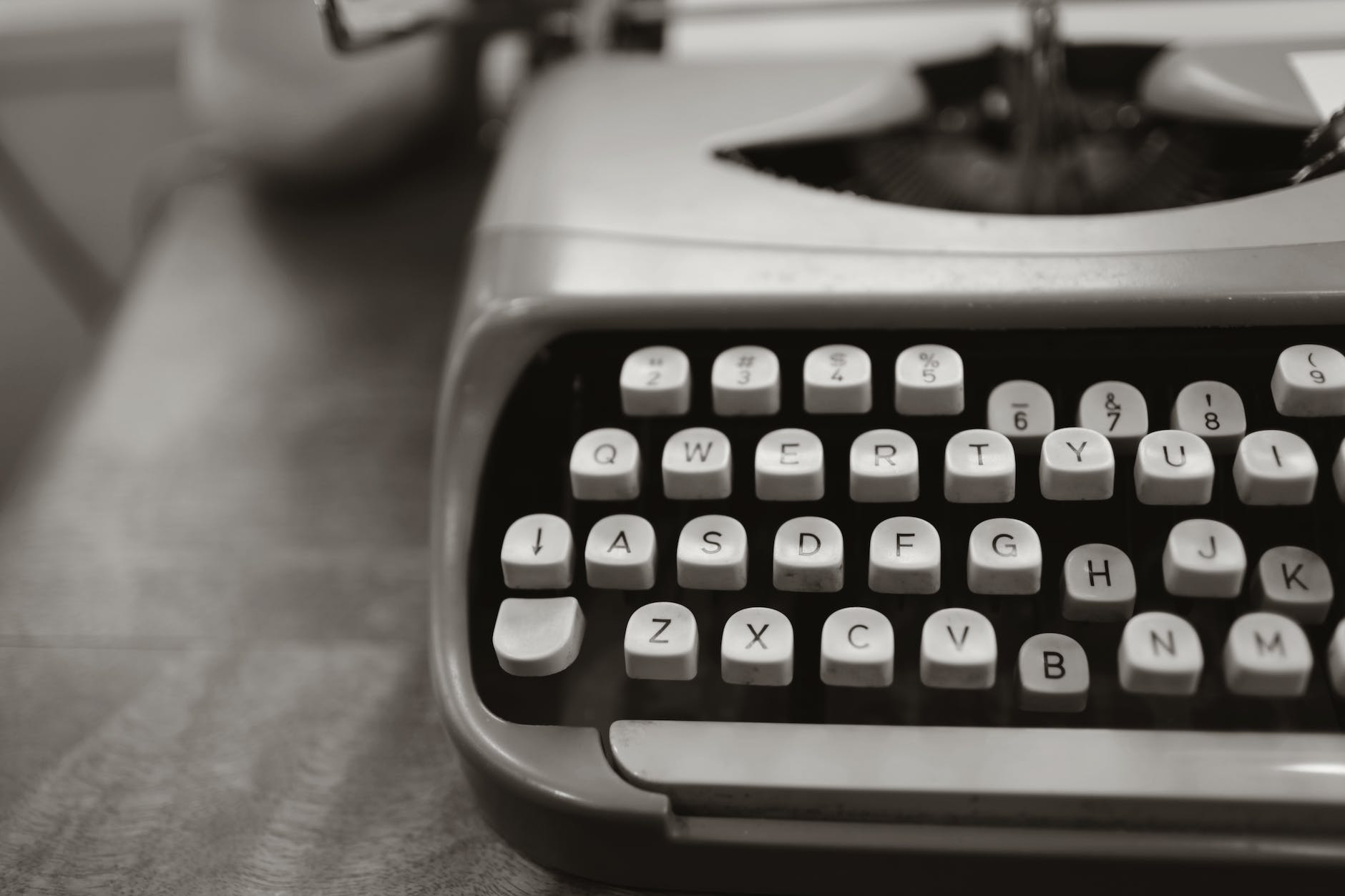
close up photo of gray typewriter
Photo by Leah Kelley on Pexels.com

Here it is, after years of research and planning, my guide to overcoming writer’s block and writing more.

Are you ready? It’s just a few steps!

Ultimate Guide to Writing More

  1. Acquire a writing tool. This could be:
    • A laptop or desktop computer
    • A tablet
    • An old-timey typewriter
    • A notepad with pen or pencil
    • A stone tablet with chisel
    • Chalk and a chalkboard
    • Dry-erase marker and a whiteboard
    • A voice memo app on a smartphone
    • A digital recording device
    • Your amazing photographic memory
  2. Sit down. Or stand, if you prefer.
  3. Write something using your preferred writing tool.
  4. Repeat until writing is done.

This post brought to you by coming across yet another article on writer’s block/boosting your writing productivity by stating the obvious, which is to be disciplined (write) and consistent (write regularly).

I mean, I get it, it’s really what you should do. But how do you achieve that discipline if you don’t have any? How do you find out if maybe writing just isn’t for you, and maybe you should sew adorable stuffed animals instead?

Subscribe to find out!

Just kidding. I have no idea. Here are some random thoughts, though.

How to Achieve Writing Discipline (possibly for real)

  1. Determine if you’re a morning, afternoon or evening person
  2. Set aside time to write during the period that matches the type of person you are. It can be as little as five minutes.
  3. Write something at that time. Free write nonsense if nothing comes to mind, just write.
  4. Repeat this on a regular basis. It doesn’t have to be every day, but it should be often enough to be a regular thing.

This seems simple, because it really is. And if you make yourself sit down to do the writing, and you make yourself actually write (anything) and stick to it, you’ll develop a habit and start writing more and better stuff. Like magic! Or science. One or the other.

If you’re easily distracted by something (e.g. social media on your smartphone), then remove the distraction (throw your phone into the ocean, or maybe just put it into Do Not Disturb mode and leave it in another room). Then write!

How I use social media in 2022

Remember when social media was just seeing what your friends were up to? That was about a hundred years ago!

Here’s how I use social media in 2022, which roughly mirrors how I’ll probably use it in 2023, too.

Instagram: I use this solely to post my photography and drawings, and to look at birb photos Nic posts. I follow a few people who don’t post much, so most times I’m on and off in a few minutes. Recent changes to IG make it really wonky on the iPad, which still lacks a native app because who’s ever heard of the iPad, am I right?

Facebook: My IG posts automagically go to FB, so I will see if anyone liked or commented on them there. Friends and family post more on FB, but most of the posts are memes and travel photos of places I’ll never get to, and I’m totally not jealous. FB is also stuffed full of annoying ads.

Twitter: I rarely used Twitter and started logging in more when Elon Musk bought it, and every decision he made regarding Twitter was terrible. But I don’t check anymore and deactivated my account. I don’t have a good analogy, but imagine driving a regular route and seeing this spectacular flaming car wreck one day. Then imagine you see it every day, forever. Eventually, you’re just done with flaming car wrecks.

Tumblr: I have never purposely used Tumblr.

Mastodon: A decentralized Twitter-ish service run by non-profits. A little clunky, but I made an account and pop in to check the few people I follow there. I have only made a few posts, and will probably not make many more.

Post: Another post (ho ho)-Twitter refugee camp. I made an account, will probably never post.

TikTok: I have never used the app nor been to the site. I’ve probably seen more TikTok videos on IG than IG videos.

I think that covers most of them. If I have accounts on anything else, I’ve forgotten about them.

Basically, I don’t use social media much, and I am good with that. I spend more time creating than consuming, which scratches the itches I have better. Although I do watch a fair number of YouTube videos. Do they count as social media? Probably.

Run 739: The last and soggiest run of 2022

On the river trail, en route to my run at the lake. It was a little wet.

The forecast said it would rain today. It was accurate!

I dressed in my long-sleeve shirt, light rain jacket and shorts. This proved fine. It was around 4C to start but warmed up a few degrees over the course of the run. I never felt cold, really. I did get wet. Very wet.

It poured for the entire walk to the lake and all of my 5K run. Funnily enough, the rain stopped almost exactly when I finished the run, as if the rain was synced to it. Showers returned on and off later, but still, I found the timing amusing.

Which means I didn’t mind running in the rain too much. It wasn’t windy, which helped with visibility (less rain on the glasses) and the jacket held up well, keeping me dry on the inside. I did not see another jogger on my entire loop around the lake.

While I feel I could have done 10K, I held to 5K to avoid overexerting myself. I did run most of the second half of the loop after, anyway. When I started the workout on my Forerunner watch, it actually said REST and told me to take it easy, why are you running, are you crazy? I clicked it away, assuring it I knew what I was doing, mostly.

Other than having to dodge a lot of debris again (including another new ex-tree_, I had no issues on the run and my energy level was improved over Wednesday. Other than the rain, it was actually pretty nice!

Back to 10Ks and probably more rain next week. As long as it’s not snow…

Stats:

Run 739
Average pace: 5:50/km
Location: Burnaby Lake (CW)
Start: 10:00 a.m.
Distance: 5.04 km
Time: 29:23
Weather: Rain
Temp: 4-7ºC
Humidity: 98%
Wind: low
BPM: 155
Weight: 165.5
Total distance to date: 5465 km
Devices: Garmin Forerunner 255 Music, iPhone 12, AirPods (3rd generation)
Shoes: Saucony Peregrine 12 (137 km)

New Year resolutions for 2023

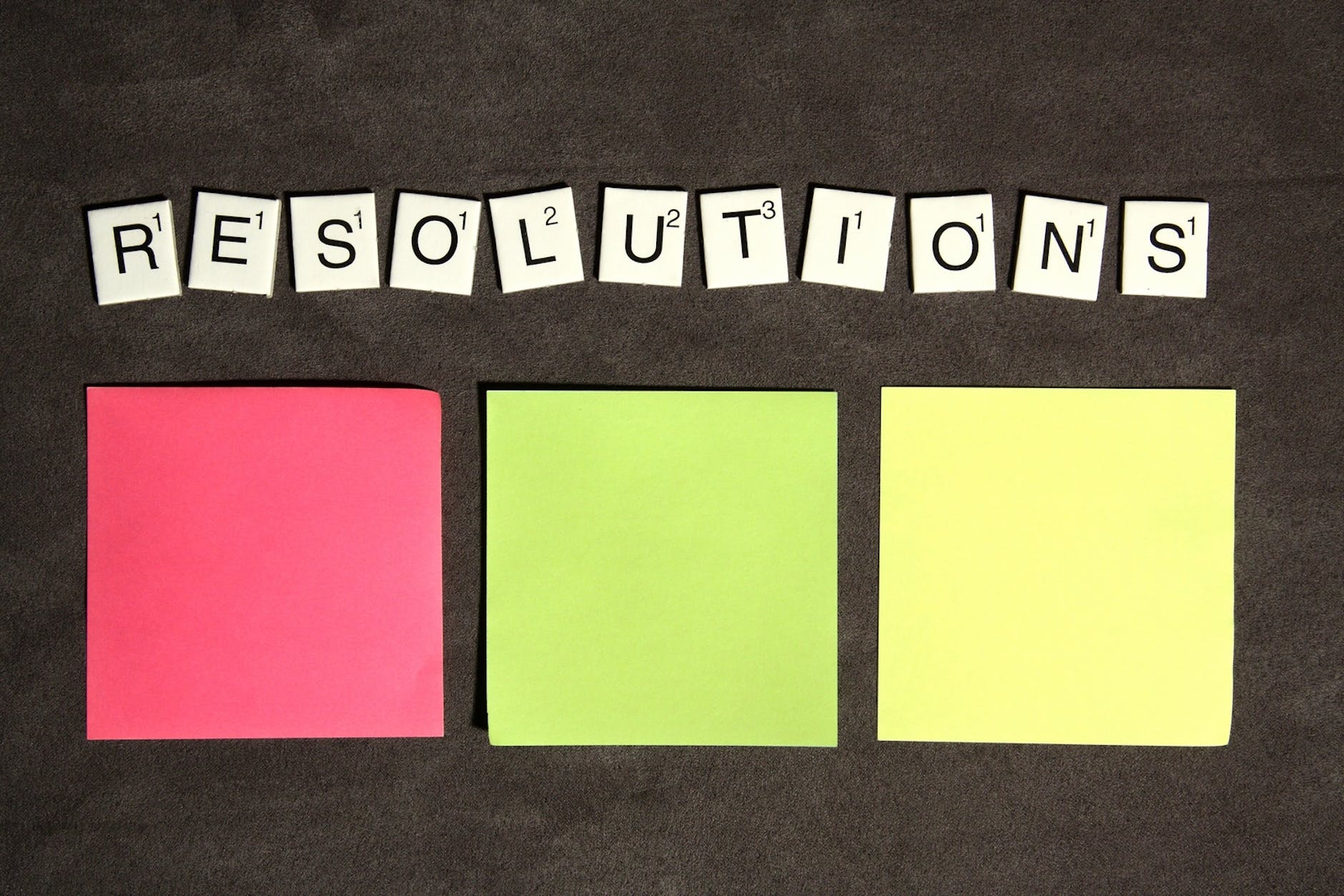
scrabble resolutions
I resolve to buy three sticky note pads! Photo by Breakingpic on Pexels.com

Here they are:

  • Get to 150 pounds by the end of February. I am 164.8 pounds as I type this, so that would mean losing 14.8 pounds, which breaks down to:
    • 0.25 pounds per day. Like eating a negative quarter pounder.
    • 1.85 pounds per week. Like eating, uh, seven negative quarter pounders.
  • Keep running. 2022 was the first year since 2017 that I regularly ran 10Ks again, and I want to maintain that in 2023. Run, Ned, run.
  • Finish my Gum Gum game. This also means further developing my mad skillz with the following software:
    • Unity
    • Visual Studio
    • Blender
    • Affinity Designer
    • Affinity Photo
    • Procreate
    • DaVinci Resolve
    • And more!
  • Do more bird art. It’s very Zen and I quite like how some have turned out. A goal of at least one per month seems perfectly doable.
  • Keep birding. Also, just keep taking photographs of stuff. This is also very Zen.
  • Finally finish my blog redesign. This can be useful in other ways, too, so it’s a priority.
  • Finally start doing some stretching. For real this time. Totally. Yep.

Weird bonus resolution:

  • Record an original song in Garage Band. Also, learn how to use Garage Band.

Bonus promise to myself:

  • Try to avoid resolutions next year that include “finally” in them

I think that’s enough. It feels like enough. I have a few more days to adjust as needed.

Run 738: Trail of destruction, Part 2

Burnaby Lake: It looks peaceful here….

For the first time in 16 days, I ran outside. Woo!

And an interesting run it was.

I originally planned to do a 5K on the river trail, if enough snow had melted. Indeed, that was the case, but with some snow still on the trail, I thought I might continue to the lake, to see if it might be better there. Initially it seemed to be the case, so I headed out for a 5K, with the possibility of doing more, if I felt perky enough.

I did not feel perky enough. But after clocking in a respectable 5K, I found that after around half a km of walking, I got my second wind and ended up running most of the rest of the way around the lake.

My initial blog entry for this run was going to be “Picking my steps” because the first half of the run I encountered some stretches of trail that still had enough snow to require caution, or to find a nice clear rut left by one of the putt-putt cars the parks workers use to get around. But as I continued to run, “Trail of destruction” felt like a much better fit.

Conditions were decent–cloudy and around 5C, with little to no wind. I wore two layers and running pants, but shorts and even one layer would have been fine. As mentioned, snow in some spots meant I had to be careful at times, but it didn’t affect my pace that much, really.

But I have never, in over ten years of running at Burnaby Lake, seen so much destruction in the form of downed trees, branches, bushes and other debris littering the trails. Even a lot of stuff that hadn’t collapsed was now leaning precariously over the trail, often right at eye level.

Several large trees that have been leaning over the trail for years are leaning more prominently now, and I suspect they won’t last much longer. A lot of this will be cleaned up soon, no doubt, but at the same time, we’re not even two weeks into winter, so there may be a lot more havoc to come.

Still, it was nice to finally get back out again. Friday is looking soggy so boo on that, but I’ll head out, anyway, probably doing a full 10K this time.

Stats:

Run 738
Average pace: 5:55/km
Location: Burnaby Lake (CCW)
Start: 9:34 a.m.
Distance: 5.03 km
Time: 29:45
Weather: Cloudy
Temp: 5ºC
Humidity: 98%
Wind: low
BPM: 155
Weight: 164.1
Total distance to date: 5460 km
Devices: Garmin Forerunner 255 Music, iPhone 12, AirPods (3rd generation)
Shoes: Saucony Peregrine 12 (132 km)

Treadmill workout: The snow must go on

Sorry, couldn’t help myself. The snow is actually mostly gone now, thanks to rain and plenty of it!

As for the workout, a half hour tonight to finish up my activity goals, which I did. Hooray for me!

I did start to lose gas in the final km, possibly because I got a Super Lousy™ sleep last night. Or maybe it was something else. I’m not a sleepologist. Curiously, my pace was exactly the same as my previous workout. How do I manage these sorts of weird coincidences? I don’t know. I’m not a coincidencologist.

Stats:

Speed: 6.3
Incline: 0

Pace: 9.24/km
Time: 30:05
Distance: 3.20 km
Calories burned: 180
BPM: 117

My hopefully last batch of snow shots for 2022

Snow is not in the forecast, and it’s mostly washed away (again) due to heavy rain, but here’s a last few photos to look over before the year comes to an end. Taken on December 26th.

Fun fact: I regularly mistype “Burnaby” as “Burnbaby.”

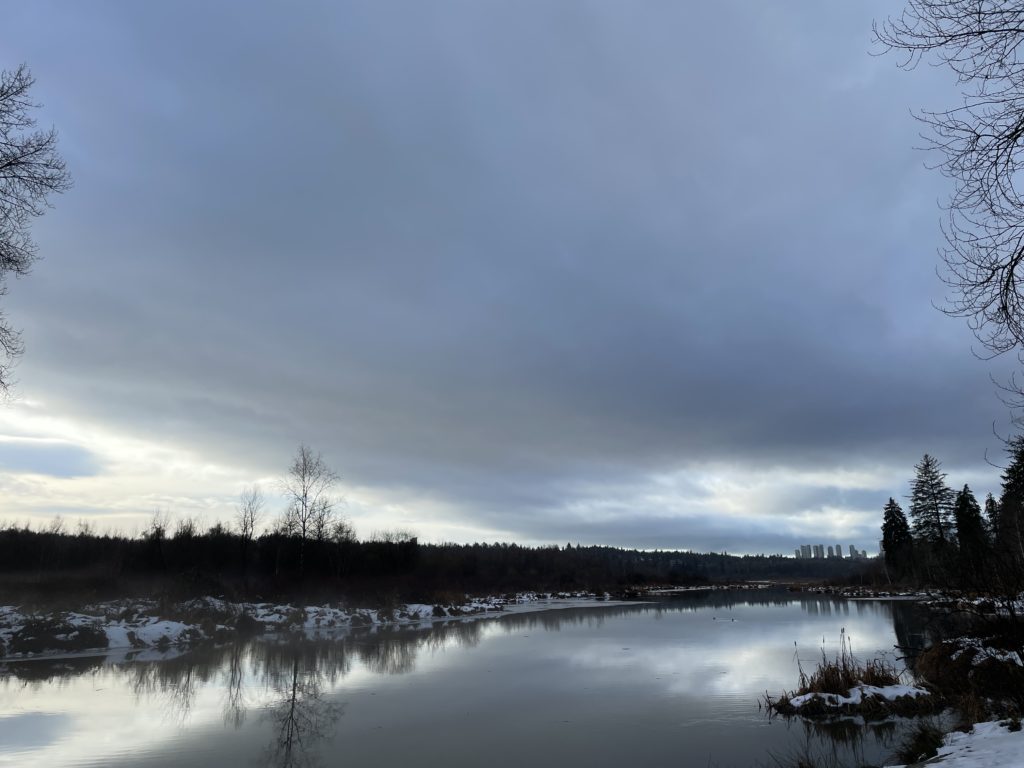
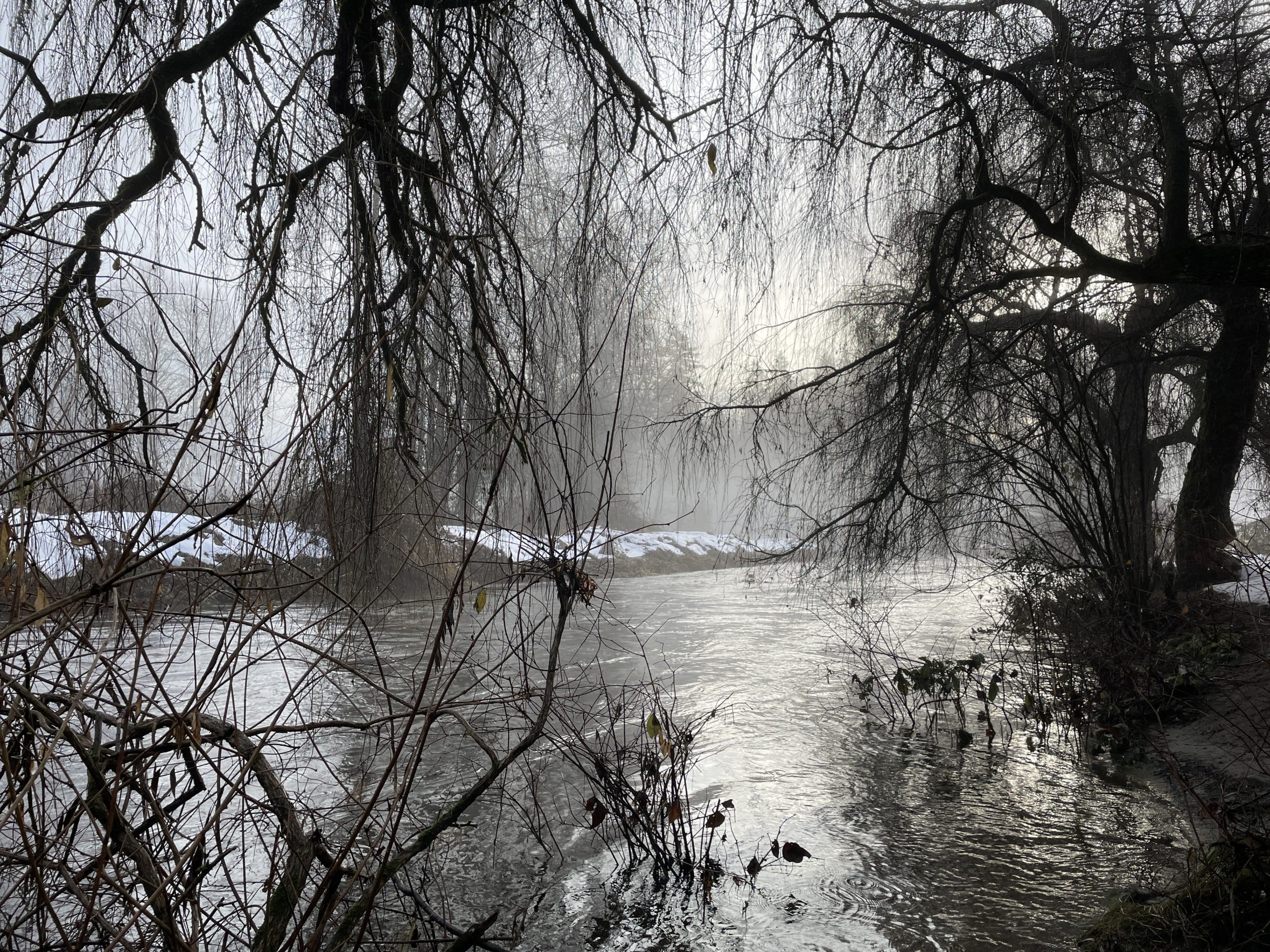
A moody-looking Burnaby Lake.
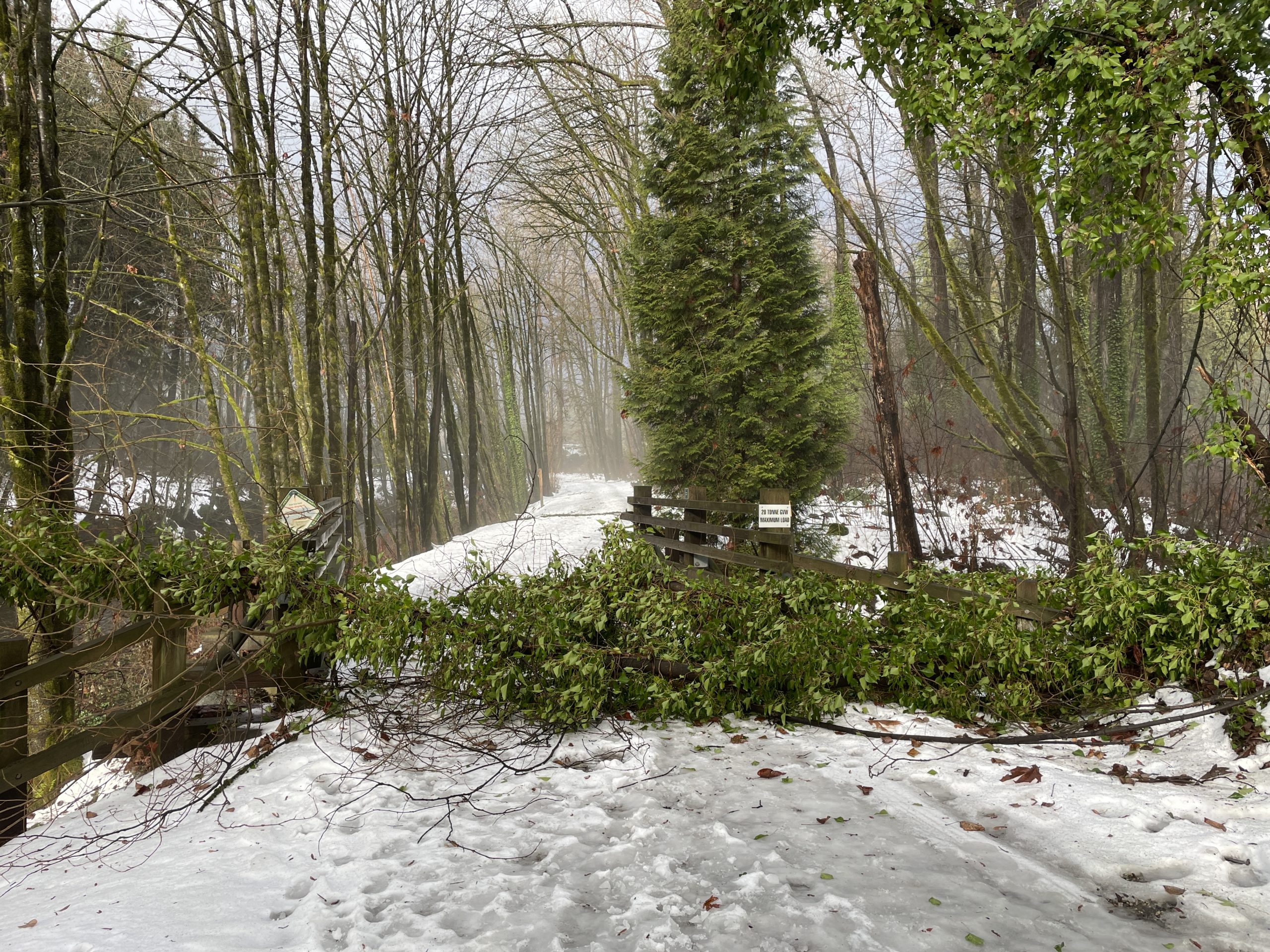
An ex-tree collapsed onto a bridge on the river trail.
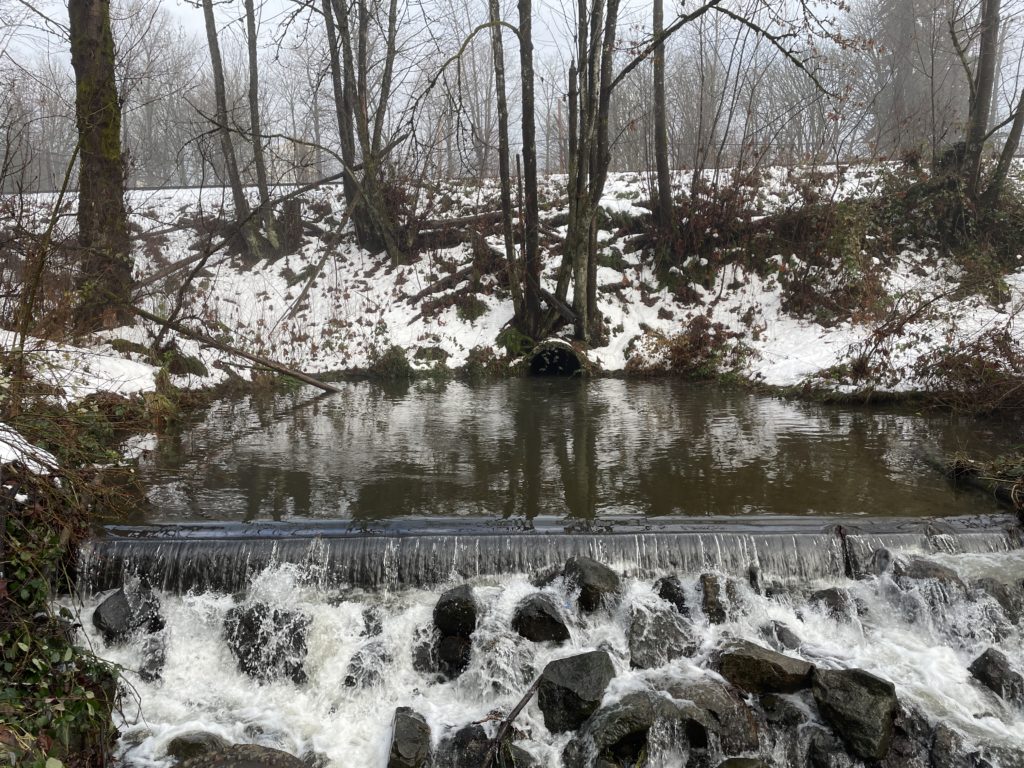
Mini-waterfall. Train track is visible above the storm pipe.
Brunette River, ever-rising as the rain continues.
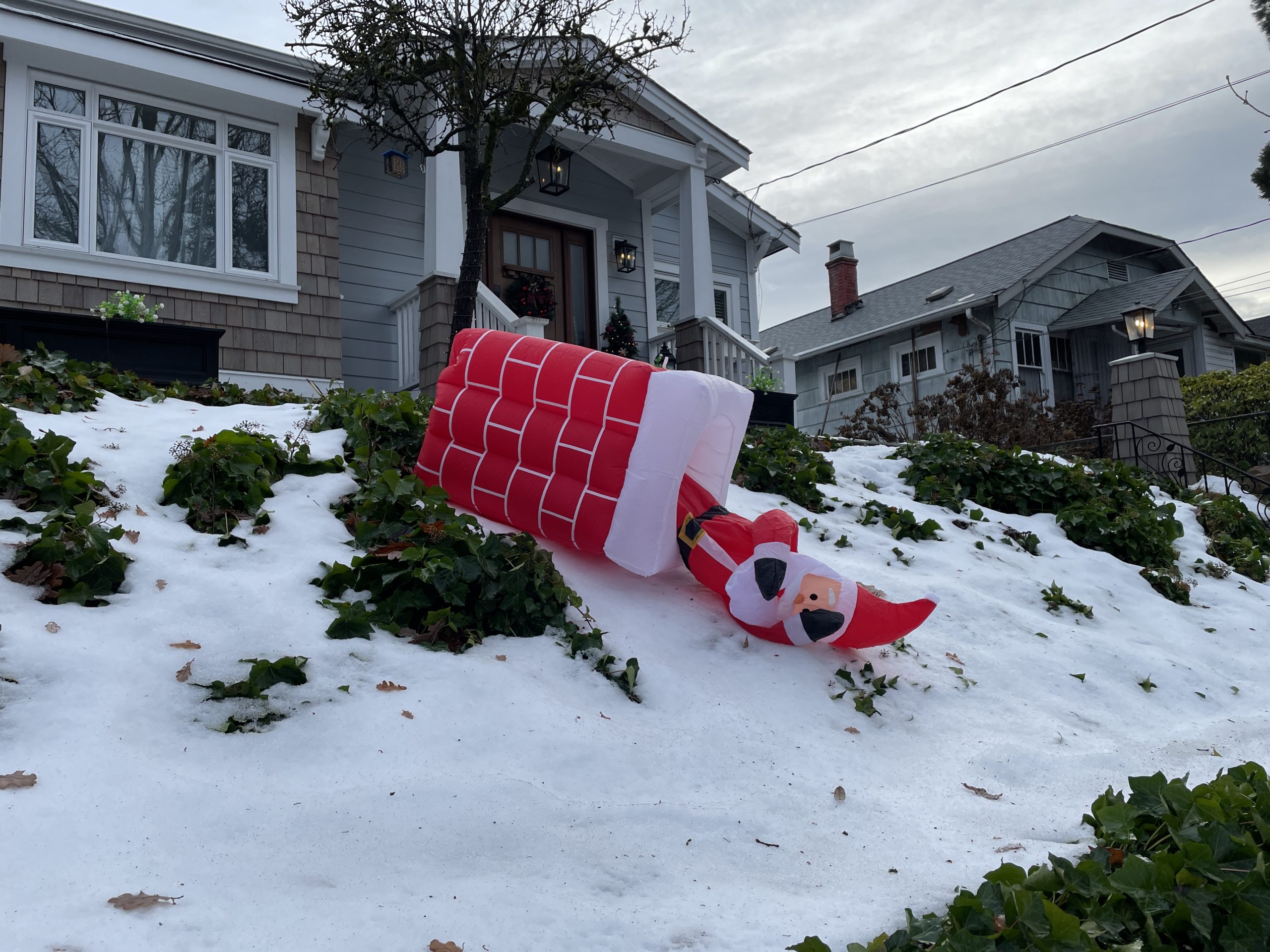
Santa has fallen and he can’t get up.

Software I used in 2022

assorted floppy disks
Don’t copy…Photo by S J on Pexels.com

Thinking back over 2022, which was equal parts wonderful and horrible, what software did I use? Did I use any at all? Was all my computer-related stuff done inside a browser?

A lot of it was, yes. But here are apps I used on my Mac and PC regularly or semi-regularly in 2022.

Windows and Mac:

  • Obsidian. I’ve bounced around note-taking apps for a long time, trying to find one that could serve as a storehouse for all of my many random thoughts and lists, but everything I tried always had some flaw (quite often the “flaw” was being Apple-only, as I spend most of my desktop time in Windows). I tried Obsidian, and it had some immediate appeal: Free! Mac and PC compatible! Works on iPad*! Markdown! Local files, you don’t need the cloud! Links links links! In reality, there are issues with Obsidian, too. It only works on iPad if you’re willing to use iCloud as the intermediary. It gets very weird if you don’t, so I just use it on Mac and Windows, and don’t take notes on the iPad. But between an array of handy plugins and relative simplicity, I’ve grown comfortable using it and will stick with it, at least until something else shiny and new gets my interest.
  • TickTick and To Do. First, To Do is a terrible name for a to-do app. It’s too (ho ho) on the nose and hard to search for. Microsoft should have just kept calling it Wunderlist. In fact, they should have just kept Wunderlist instead of killing it and making To Do with the same team. That said, To Do is also free, and I’ve settled on it as my main checklist/GTD app. Runner-up is TickTick, which I used for a year, but I let the sub lapse in my great Culling of 2022. I’ve poked around it again recently, so this battle is not yet over.
  • Microsoft Word. Mostly because I had to, to send documents off to others to read. This may be the biggest use case of Word these days. I otherwise don’t use it for any writing. It’s fine.
  • Diarium. I gave up Day One (Apple-only, subscription required for all practical intents) for Diarium, which is a pay-once app and covers what I need for a journal. Like To Do, the name is terrible, but in this case because it sounds like a series of unpleasant trips to the bathroom.
  • Firefox. Still using good ol’ Firefox. I peek at Edge occasionally, but Microsoft seems intent on taking a good browser and larding it with cruft, ads and junk.
  • Affinity Photo 2 and Affinity Designer 2. This was the year I really dove into vector graphics with Designer, though I still have oodles to learn.
  • Luminar AI. For some photos, I like using the effects in Luminar to create reality that’s just a little heightened.
  • Bitwarden. To manage passwords and other security-related info.
  • Blender. Still learning this, will be using it more in 2023.
  • Visual Studio 2022. I can now remember that C# is case-sensitive!
  • Unity. I’m completing a game in 2023. Or else!
  • DaVinci Resolve. I have only edited one full video in this, but it’s for a game on Steam!
  • iA Writer. Largely superseded by Obsidian now, but still a good app with a nicely minimalist interface. The Windows version lags way behind the Mac version, though. It almost feels abandoned at this point.
  • Signal. I use this to chat with a few people. I love some of the weird/funny sticker packs (Roo!). I don’t love that I can’t correct my typos in sent messages.
  • Discord. To chat with the gaming crew I’ve known for 20+ (!) years.
  • Outlook ended up being my one-stop for email by year’s end. I use the web client, since the Windows version is in a weird place, caught between the old and new Outlook. It’s fine, but nothing special. I liked a lot of what HEY does, but finally felt I could no longer give money to a company run by a couple of techbro poopheads who elevate people like Elon Musk.
  • Steam. For the games I play. Epic Games Launcher for the copious free games they hand out. And sometimes for the games I play.
  • OneDrive. To manage files between the Mac, PC and iPad. I have a subscription to Microsoft 365, so get one terabyte of storage. I’m not sure if this counts as software on Windows, since it’s so tightly integrated with the OS. By comparison, it’s a little clunky on the Mac.

Windows-only:

  • Windows Media Player. The new version is pretty good. I use this to play my non-streaming music. For streaming on PC, I’ll use Cider, which is an Apple Music-like app, or, grudgingly (since it supports downloads) the crusted relic known as iTunes. It’s so bad. Apple is going to make Apple Music for Windows available in 2023, which will be an improvement, but a) Why didn’t they do this years ago? and b) The Apple Music app isn’t that great, either.
  • PowerToys. I use several power toys regularly, like Color Picker, File Explorer add-ons, Text Extractor and more. Very handy stuff.
  • Notepad. Yes! It’s surprising how useful it can be.
  • I use ShareX to grab screenshots in Windows. It’s free and works well. I take a lot of screenshots.
  • Weather. Yes, Windows’ built-in weather app. It’s pretty good! It’s had a bug where weather alerts display without text for a few months, though, so boo on that.
  • Clipboard History. Technically, this may not be an app, but it’s built-in, awesome and everyone should use it. Windows + V = handy!

Mac-only:

I spend less time on the Mac, but here are the Mac-specific apps I used this year:

  • Ulysses. I begrudgingly resubscribed, because it doesn’t have any good alternatives. Obsidian comes close, sort of, and I’m noodling around with Typora. But no other text editor seems designed first for fiction writers, rather than coders or technical writers. I mean, Scrivener does, but it’s a sprawling, ugly mess of an app in comparison.
  • CleanShot X. My app for taking Mac screenshots. I really like it, though I think the corner icons on its pop-in window were designed for 20-year-olds with eagle vision and could use a re-think.
  • Weather. Macs now have a built-in weather app and it’s perfectly decent. I actually prefer the aesthetics of the Windows app, which shows how far Windows has come since Steve Jobs accused all of Microsoft of having no taste.
  • Bartender. To keep the menu bar tidy.
  • Raycast. I’m only scratching its surface, but it’s a very nice Spotlight-on-steroids.
  • Pixelmator Pro. My go-to for editing photos on the Mac.
  • Tot. For quick notes in the menu bar.
  • CopyClip (clipboard viewer, though now replaced by Raycast)

Treadmill workout: Only Santa can be fat

I ate not one, but two Nanaimo bars today, so even though it was mid-evening, I stepped on the treadmill to burn off at least some of the calories I’d taken in.

I also did a walk around Hume Park and part of the river trail earlier for around 40 minutes to survey how much snow is left (sadly, lots).

I kept a speed of 6.3 once again and my overall pace lags a bit because on the fourth km I slowed down a lot for some reason. I think I picked a bad video to watch and it knocked me out of my zone. Note for the future: no tutorials during a workout!

Curiously, I covered the exact same distance as the last workout. This is strange, because I had no intent in doing this. It’s downright creepy! Well, a little. I was slower tonight, yet burned more calories. Bodies are weird.

Stats:

Speed: 6.3
Incline: 0

Pace: 9.24/km
Time: 53:04
Distance: 5.64 km
Calories burned: 419
BPM: 123

Merry Christmas, 2022 Edition

Well, the world is still here and it’s not on fire, relatively speaking, so hooray.

But I still secretly hope that historians, researchers, archaeologists and all other appropriate specialists discover convincing evidence that Christ was actually born in June and Christmas moves to the start of summer, because the end of December is the worst time of year for the Northern Hemisphere to be travelling en masse. Or at all.

Speaking of weather, yesterday we had a deluge and today the copious amounts of snow have been greatly reduced. A few more days of persistent rain should get rid of most of the rest. This means I probably won’t be able to run on Monday (tomorrow), so boo. But Wednesday is a possibility (yay).

This also means we have an unofficial white Christmas (I think a “real” one is where it actually snows on Christmas, we just have so much snow that even a 24-hour monsoon could not wash away all of it).

Here’s my Christmas wish list for 2022. I am trying to not be too cynical or jaded. Trying!

  • Peace on Earth
  • Trump on trial before the end of 2023, and convicted. It could be for anything. A parking ticket. I don’t care. Just something.
  • Peace in my home (hopefully the PU move out in 2023, that would be the best present of all).

Merry Christmas to any humans reading these. Heck, Merry Christmas to any bots scraping the site, too!